


Introduction
MyRECCI is a mobile business app that gives managers and financial decision-makers fast, mobile access to company accounting data and essential performance indicators. From the phone or tablet, MyRECCI lets users review cash flow, turnover and margin figures, send invoices or supporting documents between meetings, and pull up legal and financial files so decisions can be made without returning to the office. Designed to connect securely to an existing accounting system, MyRECCI focuses on visibility and document workflow rather than replacing full desktop accounting software.
Key features
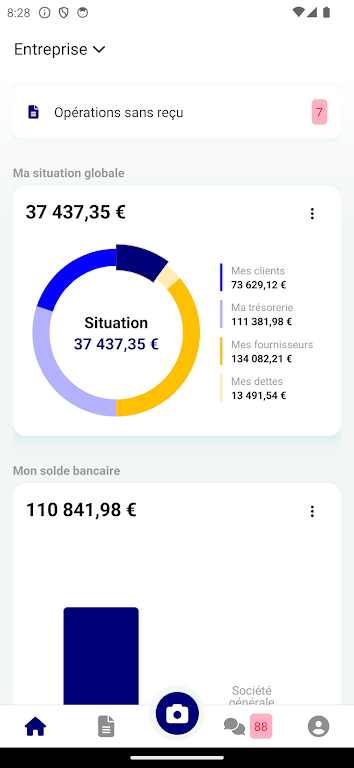
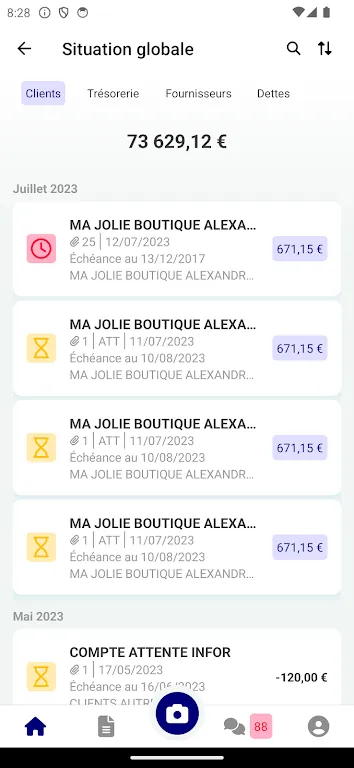
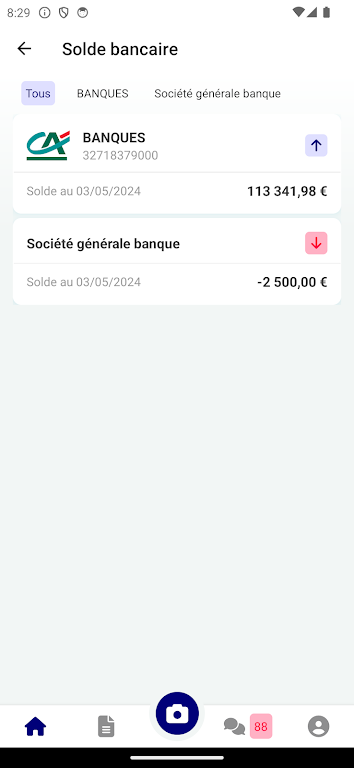
The app presents a real-time connection to your accounting ledger so balances, receivables and payables update as your system allows. Core features include one-tap invoice submission and document attachment from camera or file storage, a searchable repository for invoices and balance sheets, and quick filters to surface overdue receivables or top suppliers. Dashboards are configurable so you can prioritize the indicators that matter to your role: cash position, margin trends, or monthly turnover comparisons. Built-in document previews reduce the need to open separate viewers and speed up sharing with colleagues and advisors.
Navigation and controls
MyRECCI uses a simple touch-first interface optimized for phones and tablets. Navigation is organized into clear sections—Dashboard, Documents, Receivables, Payables and Settings—so users learn common paths quickly. Common actions such as sending a document, flagging an item for follow-up, or refreshing live data are accessible from persistent controls at the bottom of the screen. File upload supports the device camera and standard file pickers, and inline search helps locate invoices or legal files with a few keystrokes. Contextual help and short tooltips guide first-time users through the most frequent operations.
Progression, onboarding and user roles
Onboarding is designed for rapid adoption: after signing in and granting any required permissions, administrators can map user roles to the level of accounting visibility they need. The app supports role-based access so managers see high-level KPIs while accountants can access more detailed transaction lists and document upload features. The progression model is practical rather than gamified—users typically start with dashboard review, then add document submissions and finally use deeper filters and exports as they become more confident with the interface.
Visual style and customization
Visual design emphasizes clarity and readability for professional environments: clean typography, clear numeric formatting, and color cues for status (for example, overdue amounts highlighted). Users can customize the dashboard layout to show preferred metrics and adjust date ranges or comparison periods. Compact table views and expandable rows let you drill down into transactions without losing context. The overall look is neutral and adaptable to corporate branding through simple theming options in settings.
Offline behavior and synchronization
To support work on the move, MyRECCI caches recent dashboard figures and downloaded documents so users can view critical information while offline. Document uploads and outgoing actions are queued when there is no connection and synchronized automatically when the device goes back online. The app surfaces sync status clearly and provides options to retry failed uploads or to view conflict details when data cannot be merged automatically.
Security, integrations and data handling
MyRECCI connects directly to your accounting system using the integration pathways your organization configures, so it relies on existing authentication and permission structures rather than creating separate accounting records. Secure connections and standard authentication practices (such as single sign-on where supported) help keep corporate data protected. The app preserves audit trails for document submissions and status changes so teams have a verifiable history of actions taken from mobile devices.
Accessibility, performance and device requirements
The interface accommodates larger text sizes and maintains contrast for readability; basic screen reader compatibility is supported to assist visually impaired users. Performance is tuned to deliver rapid dashboard updates on modern Android devices while limiting background data usage. The app requires an existing accounting integration and appropriate user permissions, so administrators should plan setup before rolling the app out widely.
Typical use cases and limitations
MyRECCI is ideal for executives who need up-to-date KPIs during travel, for accountants who must approve or attach supporting documents between meetings, and for business owners who want a compact view of liquidity and margins. It is intentionally focused on visibility, document submission and mobile decision support; full ledger editing or advanced desktop-only accounting workflows remain in dedicated accounting systems. Administrators should note that initial configuration and permission mapping are necessary to enable real-time access.
Why teams adopt it
Teams use MyRECCI to speed decision cycles, reduce back-and-forth by sending documents immediately from the field, and keep a single source of truth for mobile financial checks. Regular use improves cash management by making receivables and payables visible on demand, and the centralized document access simplifies collaboration with bankers, auditors or external advisors. For organizations that need fast, secure financial visibility on the go, MyRECCI fills the gap between desktop accounting and mobile responsiveness.
- No virus
- No advertising
- User protection
Information
- File size: 128.88 M
- Language: English
- Latest Version: 2.5.4
- Requirements: Android
- Votes: 489
- Package ID: com.myrecci
- Developer: MyUnisoft
Screenshots
















Explore More
Streamline operations and maximize productivity with our innovative business apps. Manage contacts, schedule meetings, and route calls seamlessly. Collaborate on documents and projects in real-time. Track inventory, finances, and analytics to inform smart decisions. Build customized proposals, invoices, and contracts to win clients. Stay on top of emails, tasks, and passwords for efficient work.

Tax Calculator India 2024-2025

ScanPro

Park4Me

7punches: Simple Time Clocking

69ers

Airble

MaaS360 MDM for Android

Hong Kong Flight Info





























