
Introduction
Inspection Project Manager is a mobile application designed to digitize inspection workflows so teams can complete checks faster, keep reliable records, and maintain safer sites. Inspection Project Manager provides an intuitive, offline-capable interface that captures inspection inputs, produces automatically updated digital reports, and includes built-in digital sign-off so supervisors and inspectors can follow task status in real time.
How the workflow works
The app models inspections as a series of structured tasks and checkpoints to mirror common on-site processes. Each inspection is driven by customizable forms and checklists where users enter observations, assign severity or priority, and mark items as pass, fail or needs attention. Controls are touch-optimized for field use: tap-to-select options, dropdowns for standardized answers, numeric entry for measurements, and quick comment fields for contextual notes. Supervisors can view progress as inspectors advance through stages, and each state change is timestamped to create an audit record.
Data capture and reporting
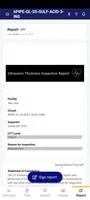
Inspection Project Manager focuses on reliable data capture in constrained environments. The app supports attaching contextual information to entries so every finding can include notes, measurements, and file attachments that are retained until sync. Reports update automatically when inputs change, creating a single source of truth for each inspection. Export options present inspection results in commonly used formats so teams can archive, share, or attach reports to broader project documentation without redundant transcription.
Progression and task management
Inspections move through a clear progression from initiation to completion. Users start a new inspection from a template or previous job, work through ordered sections, and complete a final review and digital sign-off. The app shows a visual progress indicator so inspectors know how much remains and supervisors can prioritize outstanding items. Recurring inspections and scheduled checkpoints are supported through reusable templates, so routine safety checks and maintenance rounds follow consistent criteria across teams and time.
Customization and configuration
Forms and templates are configurable to match an organization’s standards and common inspection scenarios. Administrators can tailor fields, set required responses, add conditional logic to show relevant questions based on earlier answers, and create branded report headers. Role-based views let inspectors focus on mobile data entry while supervisors access summary dashboards and historical records, preserving clarity of responsibility without introducing unnecessary complexity for field users.
User experience and visual style
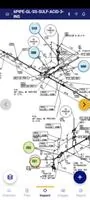
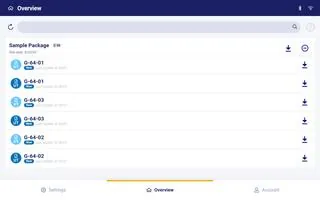
The interface emphasizes clarity and legibility for varied lighting and outdoor conditions, using clear contrast, large touch targets, and straightforward navigation. Dashboards summarize current inspections, outstanding corrective actions, and recent sign-offs, while individual inspection screens are organized into logical sections to reduce scrolling and streamline data entry. The design avoids clutter so first-time users can start an inspection quickly while power users can access deeper details when needed.
Offline play and synchronization
Offline-first behavior supports uninterrupted fieldwork when connectivity is limited. All inputs are cached locally and the app synchronizes changes when a connection is available, minimizing the risk of data loss. Conflict handling is transparent: the most recent signed or approved data is preserved and synchronization logs provide a clear reconciliation trail. This approach allows teams to complete full inspections without relying on continuous internet access.
Accessibility, training and adoption
The app includes features that help teams adopt a new digital workflow: clear inline help, sample templates to accelerate setup, and consistent UI patterns that reduce training time. While moving from paper to a digital system requires a short period of adjustment, the app's predictable controls and contextual guidance support both occasional and frequent inspectors. Administrators can roll out templates incrementally so teams adapt at a practical pace.
Reliability, limitations and practical expectations
Inspection Project Manager improves data integrity and reduces paperwork by centralizing inspections and automating report updates, but organizations should plan for an initial configuration phase to align templates with existing processes. The app is focused on individual and team inspections with offline support and digital sign-off; it does not assume external ranking or live multiplayer features. For organizations that require integration with enterprise systems, the app’s exportable report formats and structured data outputs make it straightforward to incorporate inspection records into wider workflows.
- No virus
- No advertising
- User protection
Information
- File size: 17408.00 M
- Language: English
- Latest Version: 1.0.266
- Requirements: Android
- Votes: 498
- Package ID: ipm.evident.production
- Developer: Evident Scientific
Screenshots



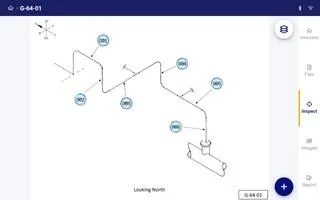
















Explore More
Finding your way has never been easier with our cutting-edge navigation apps. Save time and reduce stress during daily commutes or long road trips. Our software offers real-time traffic updates, accurate ETAs, and optimal routing to avoid delays. Customize routes to find the most scenic drives. Discover interesting stops along the way with points of interest. Arrive relaxed and informed every time.

AppLock Theme Tulip

Star Sports -IPL live Cricket Streaming IPL Tips

Nova Launcher

Athol CU Mobile Banking

BYKKO Serv

7 Bussid Private Bus Mod

CZUR

اذكار الصباح والمساء-أذكارمسلم