Introduction
PaintDiary Sphere is a mobile web app designed for artists who want a straightforward, searchable way to log painting sessions, capture inspirations and preserve the steps behind each piece. PaintDiary Sphere organizes activity across four main areas — Dashboard, Gallery, Inspiration Board and Activity Log — so users can quickly access statistics, view project details, collect reference material and record time and materials used for each session. The interface centers on creating entries with a required title and creation date and optional fields for medium, dimensions and notes, making PaintDiary Sphere useful for hobbyists, students and practicing professionals who prefer a lightweight, browser-based record keeper.
Key Features
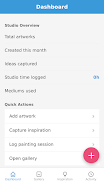
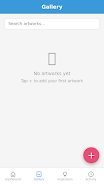
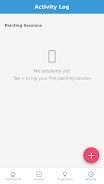
The Dashboard delivers at-a-glance metrics and quick actions related to your work: recent sessions, total time logged and simple counts of projects saved. The Gallery presents your collection with thumbnails and metadata so you can open any entry to see recorded details; images and notes appear together for context. The Inspiration Board acts as a visual notebook where you can keep references and ideas associated with a project or a future piece. The Activity Log focuses on session-level details: start and end times, materials listed, brief process notes and a persistent timestamp for every recorded session. Entry creation is form-driven and intentionally minimal to keep data entry fast while still capturing useful context for later review.
Workflow, Controls and Progression
PaintDiary Sphere emphasizes a session-driven workflow rather than a complex editing environment. Typical controls are browser-native interactions: tap or click to open an entry, swipe or scroll to browse the Gallery, and simple form fields to add or update information. Progression is measured through the cumulative activity that appears on the Dashboard — tracking total hours, number of sessions per project and visible trends over time — rather than gamified levels. This makes it easy to establish practice goals, monitor steady improvement and reflect on material choices that consistently produce better results.
Visual Style and User Experience
The app uses a clean, mobile-first layout that adapts to different screen sizes; thumbnails and text scale to stay legible on phones and tablets. Visual priority is given to imagery and date information so you can identify works quickly when scrolling the Gallery. PaintDiary Sphere keeps the interface intentionally simple: minimal chrome, clear typographic hierarchy and predictable navigation through the four main areas. These choices reduce friction for artists who want to update or consult records during a studio session without digging through complex menus.
Organization, Customization and Replay Value
Organization relies on consistent use of the available metadata — title, date, medium, dimensions and notes — to make projects discoverable. While the app focuses on structured entries rather than heavy customization, artists can develop personal conventions for titles and notes to categorize series or stages of a body of work. Replay value comes from returning to past sessions to compare materials, timings and outcomes; looking back across months of entries can reveal practice patterns and inform future creative choices, which gives long-term value beyond single-session logging.
Accessibility, Offline Behavior and Practical Considerations
As a mobile web app, PaintDiary Sphere leverages the accessibility features provided by modern browsers and devices — such as scalable text and system contrast settings — so it can integrate with platform-level assistive tools. Offline behavior and performance depend on the browser and device; some features may be limited or vary across environments. Users should be aware that certain browsers handle local storage and background caching differently, which can affect how reliably entries are available without connective access.
Limitations and What to Expect
PaintDiary Sphere is centered on logging and organization rather than image editing or portfolio publishing. It does not promise advanced photo manipulation, collaborative multi-user projects, automatic cloud backup or built-in sharing workflows; those capabilities are outside the primary scope and would depend on additional services or integrations. Performance and feature parity may vary between devices and browsers, so review how the app behaves on your chosen phone or tablet before adopting it as your sole archive method.
Overall, PaintDiary Sphere provides a focused, easy-to-use way to document painting practice: record sessions rapidly, keep an organized searchable gallery of your work, collect inspiration alongside projects, and use the Activity Log to make data-driven reflections about your creative process. For artists who value a structured journal of their painting activity without the complexity of full-featured studio apps, PaintDiary Sphere offers a practical, browser-based solution.
- No virus
- No advertising
- User protection
Information
- File size: 30.53 M
- Language: English
- Latest Version: 1.0.0
- Requirements: Android
- Votes: 351
- Package ID: com.urlmjht.paintdiary_sphere
- Developer: Agm Mechanic LLC
Screenshots

















Explore More
Discover your next great read with our innovative book apps. Access millions of ebooks, audiobooks, and comics on any device. Get personalized recommendations from our advanced algorithms so you always have your next great story lined up. Track your reading habits and browse curated lists for inspiration. Join online book clubs to connect with fellow bibliophiles. Listen to samples and download seamlessly with our integrated stores.

Cuddlebook

首爾要去哪

PaGasty

Kaif Education

Sivas Taksi Uygulaması

MBA Luxury Center

Pars IPTV

IZI Recarga EV