Introduction
Vauult is an offline-first utility that helps you securely store, organize, and protect sensitive text such as PINs, passwords, seed phrases and private notes directly on your device. Vauult uses AES-256 encryption so entries remain encrypted at rest, and the app is designed to avoid transmitting any data to external servers; everything stays local under your control. This introduction explains what Vauult does, how the on-device workflow works in practice, and what to expect when you rely on a server-free vault for sensitive information.
Key features and what they mean
The core design of Vauult centers on a simple, offline-first store-and-retrieve experience. You can create discrete encrypted entries for short secrets (PINs and one-line passwords) or longer items such as seed phrases and personal notes. The app emphasizes readable organization and quick retrieval without network dependence. AES-256 encryption provides a strong technical foundation for protecting stored text, while the local-only model eliminates cloud sync or remote storage, reducing exposure to third-party servers. Because Vauult keeps everything on-device, the interface focuses on lightweight navigation and clearly labeled entries rather than complex sync or sharing controls.
How the interface and controls work
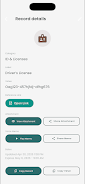
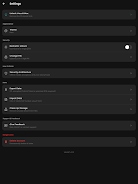
Vauult’s interaction model is intentionally straightforward: entries are listed in a single, searchable view so you can find a record with a short keyword or part of the text. Tapping an entry opens a detail view with the full encrypted content revealed only after you unlock it locally. Basic controls include creating, editing and removing entries, plus simple organizational actions such as renaming or moving an entry into a named collection. The workflow avoids hidden menus and presents actions where they are relevant, making routine use fast and predictable on phones and tablets.
Organization, progression and long-term use
To keep longer-term vaults usable, Vauult supports straightforward grouping of entries so you can build an orderly structure over time: create categories for financial logins, recovery phrases, personal notes, or any other label you prefer. Progression in this context is about building a consistent personal system for naming and storing secrets so retrieval becomes faster as your vault grows. Regular maintenance — such as reviewing and pruning outdated items or updating passphrases in place — is recommended and simple to perform within the app’s editing tools.
Security details and user responsibility
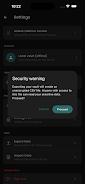
Vauult encrypts stored text using AES-256 to minimize the risk of unauthorized access to data at rest. Because the app never transmits entries to cloud services, attackers cannot rely on server-side copies, but the responsibility for backups and recovery rests with the user. Vauult is best suited for users who prefer full on-device custody of secrets and who are prepared to manage backups manually if they need cross-device access or recovery after device loss. The app design purposely reduces external attack surfaces by avoiding third-party storage and network dependencies.
Offline use, backups and limitations
One of Vauult’s defining characteristics is reliable offline availability: entries can be accessed without any network connection, which is useful when you must retrieve information in no-signal environments. The trade-off is that there is no built-in cloud sync or automatic server backup; this minimizes external exposure but means cross-device synchronization will not be available and lost or damaged devices can render stored data irrecoverable unless you maintain your own backup procedure. The app surface communicates these trade-offs clearly at setup so users can make informed choices about how to protect and duplicate critical secrets outside the device if needed.
Visual style, accessibility and adaptability
The visual approach emphasizes clarity and legibility with straightforward typography, high-contrast text on neutral backgrounds, and predictable spacing to make scanning lists and reading notes comfortable. Vauult aims for an uncluttered experience so that people who rely on assistive tools can navigate entries without distraction. Text sizes, screen order and simple actionable controls are designed to be compatible with platform-level accessibility features, and the app minimizes transient animations to keep interactions fast and accessible for a wide range of users.
Practical scenarios and replay value
Vauult is useful every day for anyone who needs immediate access to short secrets or reference text without involving a cloud service: recovering a router PIN, checking a saved one-time note, or storing a recovery phrase for a local hardware wallet are common scenarios. The long-term value of Vauult comes from its reliability and predictability rather than novelty: as your entry library grows, the searchable organization and simple editing model make it a practical, repeatable tool for managing private text on-device.
Notes on adoption and expectations
If you prioritize privacy and on-device custody of sensitive text, Vauult provides a compact and technically solid option. Pros include strong encryption and offline access; cons are the absence of built-in cloud sync and the need for user-managed backup strategies. Read the in-app guidance before storing critical recovery material so you understand how Vauult handles data and what steps to take to protect recoverability outside the device.
- No virus
- No advertising
- User protection
Information
- File size: 71.55 M
- Language: English
- Latest Version: 1.3.1
- Requirements: Android
- Votes: 117
- Package ID: ng.com.vauult
- Developer: Ofuani Group
Screenshots





















Explore More
Discover meaningful connections with our personalized dating apps. Built with modern singles in mind, our software simplifies making authentic romantic matches. Get recommended profiles based on your preferences for streamlined browsing. Showcase your personality through engaging prompts and questions. Safely video chat to pre-screen potential partners. Meet up at curated events with other relationship-minded locals.

Moment Infinity Family Reward

Visernic

Amon Bet

Sportingbet

阳光车生活

FARO Models Casting

Betboo

Billund Kommune Ældreområdet+