Introduction
SpendTrack Daily is a compact expense recorder designed to make everyday spending simple to log, review and understand. SpendTrack Daily gives you a focused, private way to create daily entries, add multiple items with amounts and quantities, and attach short notes so every purchase is clearly documented. Built to work entirely offline and to keep data local on your device, this app favors speed and privacy: quick taps and lightweight screens make it practical for logging coffee, groceries or small business expenses without a lengthy setup.
Key Features
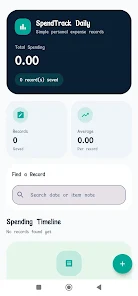
The core of SpendTrack Daily centers on date-based entries where each record can hold several item lines with amount, quantity and an optional note field for context. A smart overview presents totals and averages for the period you choose, helping you spot recurring costs and unusual spikes. Search and filter tools let you find records by date range or free-text notes, and simple sorting options put high-value items or recent days at the top. Because everything is stored locally, you can export records manually to create backups outside the device when needed.
How it Works
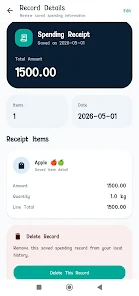
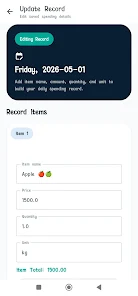
Getting started is immediate: tap the add button, pick the date, enter one or more item lines and save. Each item line accepts an amount and a quantity; the app calculates the line total and updates the daily summary in real time. Editing existing entries is quick: open any record to adjust numbers or notes, and swipe gestures let you remove entries or individual items with minimal confirmation steps. The search box accepts keywords from notes or item names, while simple date filters narrow results to the week, month or a custom span so you can compare averages across time.
User Experience and Visual Style
SpendTrack Daily favors a clean, minimal visual style that keeps attention on numbers and dates rather than decorative elements. Buttons and form fields are sized for comfortable tapping, and layouts are arranged to reduce friction when adding many small purchases. Navigation is intentionally shallow: create an entry, review the overview and return to recording in one or two taps. The result is an interface that feels fast on phones with a straightforward visual hierarchy so new users can start logging within seconds.
Progression and Practical Use
This app’s progression is not a gamified system but a practical accumulation of data: as you log more days, SpendTrack Daily builds a personal history that teaches you where money tends to go. Regular use reveals patterns through daily totals and averaged figures, which can inform small behavior changes like reducing impulse buys or reallocating a budget item. The utility rewards consistent entry by making it easy to repeat similar records and by surfacing historical notes when you search, so reviewing past purchases becomes a productive part of your financial routine.
Customization and Accessibility
You can personalize entries with descriptive item names and notes so searching groups similar purchases effectively; consistent naming improves the accuracy of your manual reviews. The app respects device-level accessibility settings and is optimized for comfortable one-handed use with large touch targets and high-contrast text to aid visibility. Because there are no complex menus to learn, people who prefer a straightforward app for daily logging will find SpendTrack Daily accessible and forgiving.
Offline Use, Limitations and Suitable Users
Offline functionality means SpendTrack Daily works anytime, anywhere, without relying on a network connection, which makes it handy for travel, quiet privacy-focused tracking, or places with intermittent connectivity. Limitations to keep in mind are intentional: there is no automatic cloud backup or multi-device synchronization built in, and the app intentionally omits advanced forecasting, budgeting modules or elaborate reporting tools. It is best suited for users who want a private, low-friction ledger for everyday spending rather than a full-featured financial planner.
- No virus
- No advertising
- User protection
Information
- File size: 41.00 M
- Language: English
- Latest Version: 2.0
- Requirements: Android
- Votes: 259
- Package ID: com.emeuenosso.emeuenosso
- Developer: Vida Criativa Produções
Screenshots
















Explore More
Streamline operations and maximize productivity with our innovative business apps. Manage contacts, schedule meetings, and route calls seamlessly. Collaborate on documents and projects in real-time. Track inventory, finances, and analytics to inform smart decisions. Build customized proposals, invoices, and contracts to win clients. Stay on top of emails, tasks, and passwords for efficient work.
View more