


Introduction
DSFulfill is a logistics and order-management Android app that centralizes warehouse tasks, shipping, and inventory tracking into a single dashboard. Designed for small to medium e-commerce teams, it streamlines order routing, automates pick-and-pack lists, and integrates carrier options to reduce fulfillment time and manual errors.
What this app does
At its core DSFulfill aims to replace fragmented spreadsheets and multiple point solutions with a compact mobile tool. The app brings together incoming orders, stock levels, and shipment processing so teams can act from one device. It targets businesses that need faster turnaround without adding staff.
Main capabilities you should know
- Order consolidation: Combine orders from multiple sales channels into a unified queue for batch processing.
- Real-time inventory: See stock counts updated instantly as picks and returns are recorded.
- Pick-and-pack automation: Generate optimized pick routes and printable packing slips to reduce walking time and packing mistakes.
- Carrier integrations: Create labels, compare rates, and schedule pickups from the same interface.
- Notifications and alerts: Low-stock warnings and delayed-shipment notices keep operations proactive.
How it works in practice
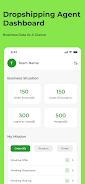
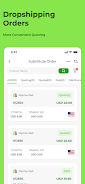
DSFulfill presents a prioritized list of orders. Workers scan items with the device camera, confirm quantities, and mark packages as ready. The app calculates suggested packing materials and routes orders to the recommended carrier based on cost, delivery speed, or predefined rules. Managers can adjust priorities and monitor throughput live.
Workflow and automation details
Automation rules are straightforward to set up. You can create conditions that route orders based on weight, destination, or customer tier. These rules reduce manual routing and prevent costly shipping errors. When integrated with a store or marketplace, DSFulfill imports orders and updates fulfillment status automatically.
User interface and performance
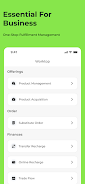
The interface focuses on clarity. Primary actions are accessible from the main screen, minimizing taps during busy shifts. Response times are quick on modern devices and the app supports offline mode so scanning continues if connectivity drops; queued updates synchronize when a connection returns.
Design highlights
- Simplified dashboard with clear KPIs.
- High-contrast scanning screens for warehouse lighting.
- Compact pick lists that reduce visual clutter.
Integrations and ecosystem
DSFulfill connects to common e-commerce platforms, inventory systems, and shipping carriers. These integrations allow a single point of truth for stock levels and order statuses. API endpoints are available for deeper custom workflows and third-party logistics providers can be added to the carrier roster.
Security and permissions
Role-based access controls let administrators limit which staff can change inventory or adjust carrier settings. Data sync is encrypted and backups can be scheduled. These safeguards are useful for teams concerned about audit trails and accountability.
Useful tips for new users
- Start small: Set up two automation rules and test them on a morning shift before scaling.
- Use scan validation: Enable item-level scanning to reduce human error.
- Train with offline mode: Practice without network access to ensure staff know how synchronization works.
- Review analytics weekly: Check pick times and error rates to target process improvements.
Why teams adopt it
Teams choose DSFulfill when they need predictable fulfillment performance without replacing core systems. It reduces the cognitive load on warehouse staff and shortens order-to-ship intervals. The combination of mobile scanning, rule-based routing, and carrier comparisons delivers tangible time and cost savings.
Getting started
Installation is typical for an Android utility: download the APK, grant camera and storage permissions, then connect to your store or inventory system. Initial setup includes mapping product SKUs and configuring at least one carrier. After that, you can run a single shift pilot to validate settings and refine automation.
For operations that want to scale shipping efficiency while keeping device-based control, DSFulfill provides a focused toolkit worth evaluating during a trial run.
- No virus
- No advertising
- User protection
Information
- File size: 22.55 M
- Language: English
- Latest Version: 1.8.1
- Requirements: Android
- Votes: 291
- Package ID: com.dsfulfill.app
- Developer: 星辉鲸跃
Screenshots

















Explore More
Make your house a home with our selection of innovative apps. Discover programs to simplify cleaning, organize closets, and manage home maintenance. Take the hassle out of chores and keep your space running smoothly. Design, visualize, and renovate like a pro using our augmented reality and 3D modeling tools. Enhance security and monitor your property 24/7 with our connected home tech.

Scary sound effects

カウシェ

Baby songs free Nursery rhymes

Kaspersky Password Manager

Kidcare – Parental Control App

OTT Navigator IPTV

MTS Link

Origin Energy Gas Internet LPG





























