


Introduction
Neo Clean is a lightweight Android utility designed to help you reclaim storage and keep your device running smoothly by locating and removing unnecessary files. Neo Clean scans common culprits such as temporary files, app caches, leftover APK installers, ad and log files, and presents results so you can decide what to remove in one tidy pass. Alongside cleanup tools, the app offers a basic battery details view and focused utilities for finding large files, duplicate copies, and screenshots that often clutter a gallery, making Neo Clean a practical choice for users who prefer a straightforward approach to freeing space and tidying media folders.
Key features
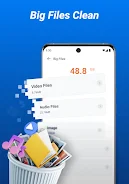
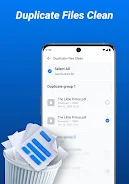
The feature set centers on fast, on-device file discovery and safe removal. The junk cleaner groups temporary and cache files for quick review, the large-file scanner isolates files over a configurable size threshold so you can target major storage users, duplicate detection highlights redundant copies that can be removed to save space, and the screenshot cleaner helps clear visual clutter from photo libraries. The battery details view provides essential information like current charge level and simple indicators of battery use without deep system tuning. All actions require your confirmation before deletion, keeping control in the user's hands.
How it works
Neo Clean performs a structured scan of storage areas commonly occupied by disposable files and media. Scan results are organized by category and presented with contextual details such as file size, location, and estimated space savings so you can prioritize items to remove. The app offers preview and selective delete options rather than forcing bulk removal, which helps avoid accidental deletion of important media. Scans run locally on your device and do not upload personal files to external servers; users interested in data handling can consult the included privacy policy for specifics.
User experience and controls
The interface focuses on simple, touch-driven controls: start a scan with a single tap, tap categories to inspect contents, and use long-press or checkboxes to select multiple files for deletion. Filters and basic sorting let you order results by size or date to find the biggest or oldest items quickly. The battery details screen is intentionally minimal, offering clear numeric readouts and brief descriptions rather than complex diagnostics. Throughout the app, prompts and confirmations reduce the risk of unintended actions and keep the workflow predictable for both new and experienced users.
Design, customization and accessibility
Neo Clean’s visual design favors clarity and efficiency with clear typography and a straightforward layout that highlights actionable controls. The app maintains contrast and spacing to aid readability, and visual cues are used to indicate storage categories and warnings. While the tool is intentionally minimal, it supports basic user preferences such as choosing which categories to include in scans and selecting size thresholds for large-file detection. The overall approach aims to be usable across a wide range of devices, including phones with smaller screens and users who rely on larger fonts or screen magnification features provided by the device.
Maintenance, replay value and offline use
Keeping a device tidy is an ongoing task, and Neo Clean is built to be useful on repeated runs: regular scans help you maintain free space and identify new clutter as apps and media accumulate. The app is fully functional offline for device file scanning and cleaning; network access is only required for optional actions explicitly described in the app or for retrieving the privacy and support links. Because the cleaning tasks are quick and focused, the app encourages lightweight, repeatable maintenance rather than one-time complex optimizations.
Limitations and compatibility
Neo Clean focuses on storage cleanup and basic battery information and does not include advanced system optimization, security tools, automated scheduling, or cloud backup features. It is intended as a simple, privacy-minded utility for everyday housekeeping rather than a comprehensive tuning or malware protection suite. Check device permissions and the privacy policy before use, and note that available functions may vary depending on Android version and device storage structure.
- No virus
- No advertising
- User protection
Information
- File size: 32.78 M
- Language: English
- Latest Version: 3.0.0
- Requirements: Android
- Votes: 379
- Package ID: com.cleanup.neo.clean.files.junk.cleaner
- Developer: X LAB
Screenshots


















Explore More
Make your house a home with our selection of innovative apps. Discover programs to simplify cleaning, organize closets, and manage home maintenance. Take the hassle out of chores and keep your space running smoothly. Design, visualize, and renovate like a pro using our augmented reality and 3D modeling tools. Enhance security and monitor your property 24/7 with our connected home tech.

Scary sound effects

カウシェ

Baby songs free Nursery rhymes

Kaspersky Password Manager

Kidcare – Parental Control App

OTT Navigator IPTV

MTS Link

Origin Energy Gas Internet LPG





























