
Introduction
ZPayNG Business is a mobile payment and billing platform designed for small to medium enterprises, offering point-of-sale processing, invoicing, and real-time transaction tracking. It combines straightforward account management with secure transfers, enabling merchants to accept payments, reconcile sales, and monitor cash flow from a compact Android interface.
Product snapshot
As a business-focused Android app, ZPayNG Business positions itself as a single hub for payment acceptance and back-office oversight. The app targets retailers, service providers, and remote sellers who need a lightweight solution that still supports receipts, customer records, and multiple payment channels.
What users get at a glance
- Payments: Card, bank transfer, and mobile wallet processing with immediate confirmation.
- Invoicing: Create, send, and manage invoices on the device, with built-in templates and export options.
- Reporting: Daily sales summaries, transaction filters, and simple reconciliation tools.
- Customer management: Store basic customer profiles and transaction histories for repeat business.
How the system operates
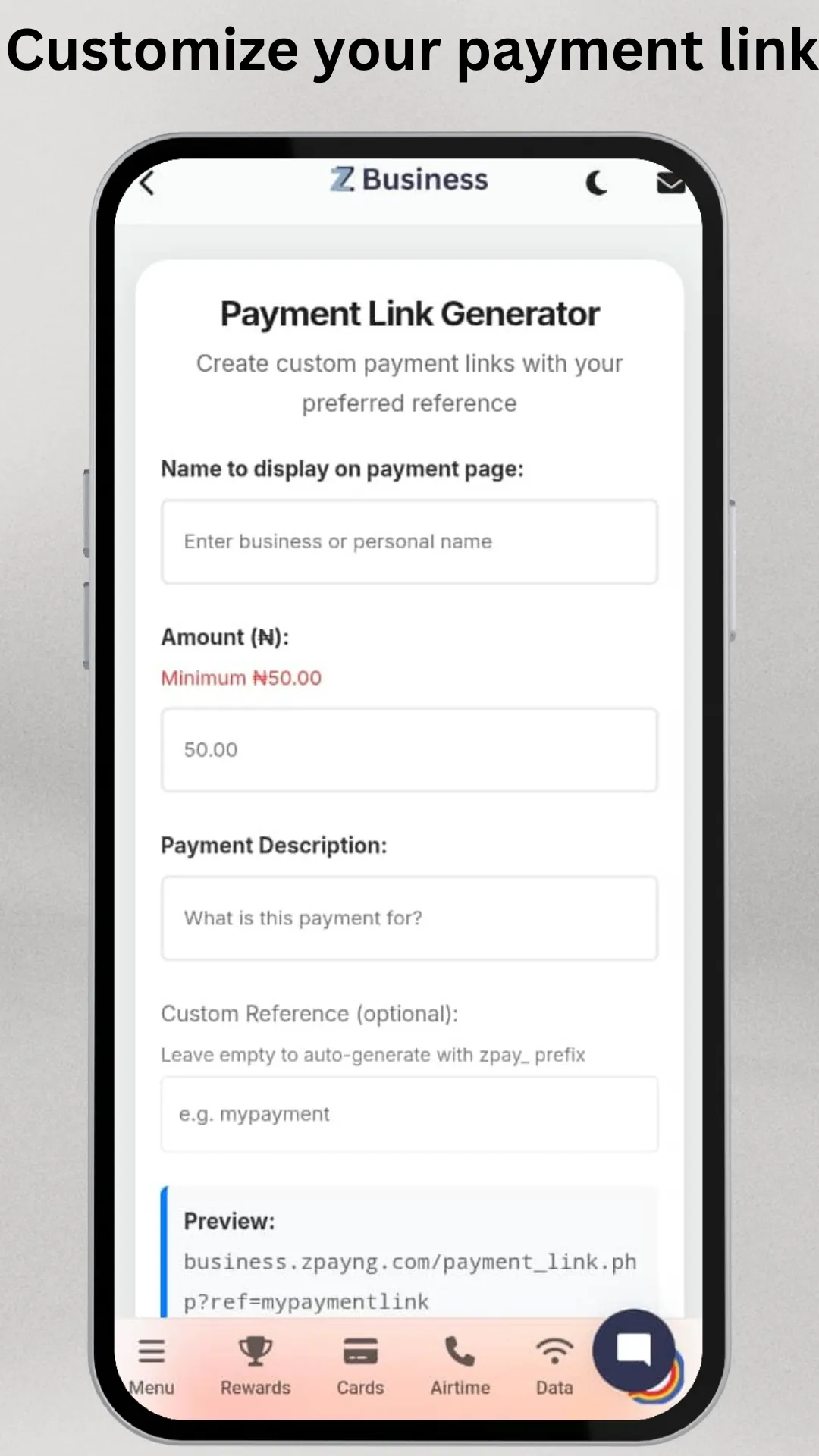
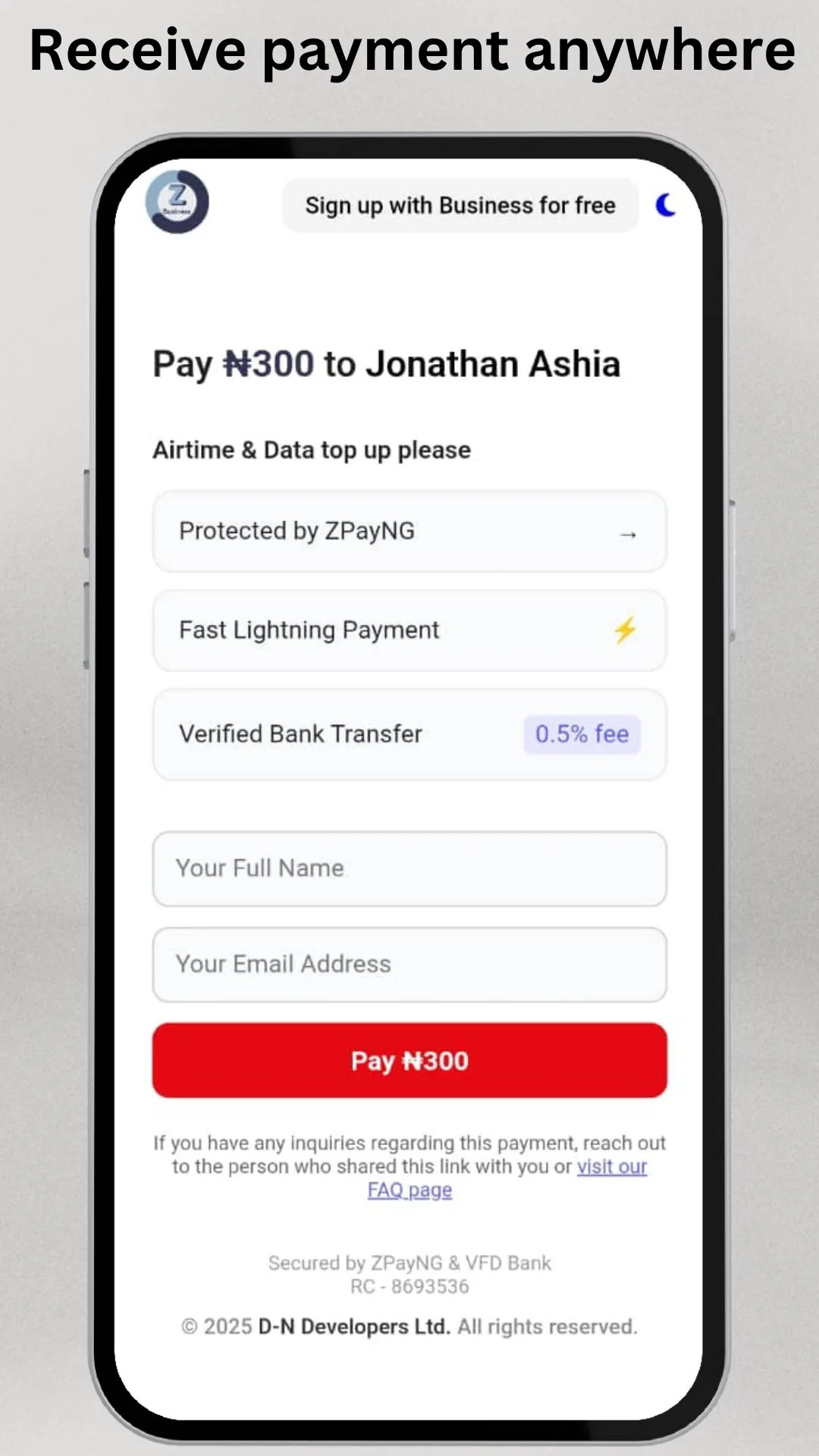
The workflow is straightforward: register a business account, link a bank or settlement destination, and start accepting payments. Transaction entries appear in a chronological feed where each item can be inspected, refunded, or exported. ZPayNG Business supports both in-person QR and card payments as well as remote transfers, making it flexible for pop-up shops and fixed stores alike.
Transaction lifecycle
When a payment is taken, the app records a timestamp, payment method, and any attached invoice. Settlement timings depend on the linked payout method; users can view pending and completed settlements separately. Built-in search and tagging help find transactions quickly, which simplifies bookkeeping and tax prep.
Interface and performance
The app favors clarity over complexity. The home screen highlights today’s revenue and recent activity, while menus give quick access to invoices, customers, and settings. Load times are reasonable on modern devices, and the UI scales to various screen sizes without losing readability. The minimalist design reduces cognitive overhead for staff during busy shifts.
Usability for different teams
Cashiers can process payments with a few taps, while managers access reports and configure payment settings. Offline caching allows orders to be recorded when connectivity drops, then synchronized automatically once the device is online again.
Security and compliance considerations
Security measures include PIN or biometric access, encrypted transaction records, and secure connections for settlement. The app prompts users to verify account details and requires two-factor authentication for key actions. For businesses that handle customer data, ZPayNG Business provides options to limit stored information and export logs for audits.
Data handling
Customer and transaction data can be exported for accounting or archived within the app. Administrators should establish a retention policy based on local regulations to ensure compliance and reduce liability.
Tips for first-time users
- Set up bank settlement and test with a low-value transaction to confirm routing and settlement timing.
- Customize invoice fields to match billing requirements and include tax details where necessary.
- Train staff on refunds and disputes procedures to avoid reconciliation headaches.
- Use tags and categories to separate sales channels and make reporting faster.
Troubleshooting pointers
If transactions fail, check network connectivity and verify the linked payout account. Clear caches if the app behaves sluggishly and ensure the Android OS is up to date to maintain compatibility with payment libraries.
Why businesses adopt ZPayNG Business
Companies appreciate the balance between feature depth and simplicity. The app streamlines daily sales operations without forcing businesses into complex enterprise systems. It is particularly useful for entrepreneurs who need mobility, quick setup, and transparent reporting without heavy onboarding.
Getting started
To begin, download the app, create a business profile, and follow the guided setup to connect a bank account and configure tax settings. Explore the demo transactions and invoice templates before processing live sales to gain confidence. Ongoing updates add incremental improvements, so review the release notes periodically for new tools and integrations.
- No virus
- No advertising
- User protection
Information
- File size: 10.20 M
- Language: English
- Latest Version: 1.1.3
- Requirements: Android
- Votes: 318
- Package ID: com.zpayngbusiness.android
- Developer: D-N For Developers
Screenshots
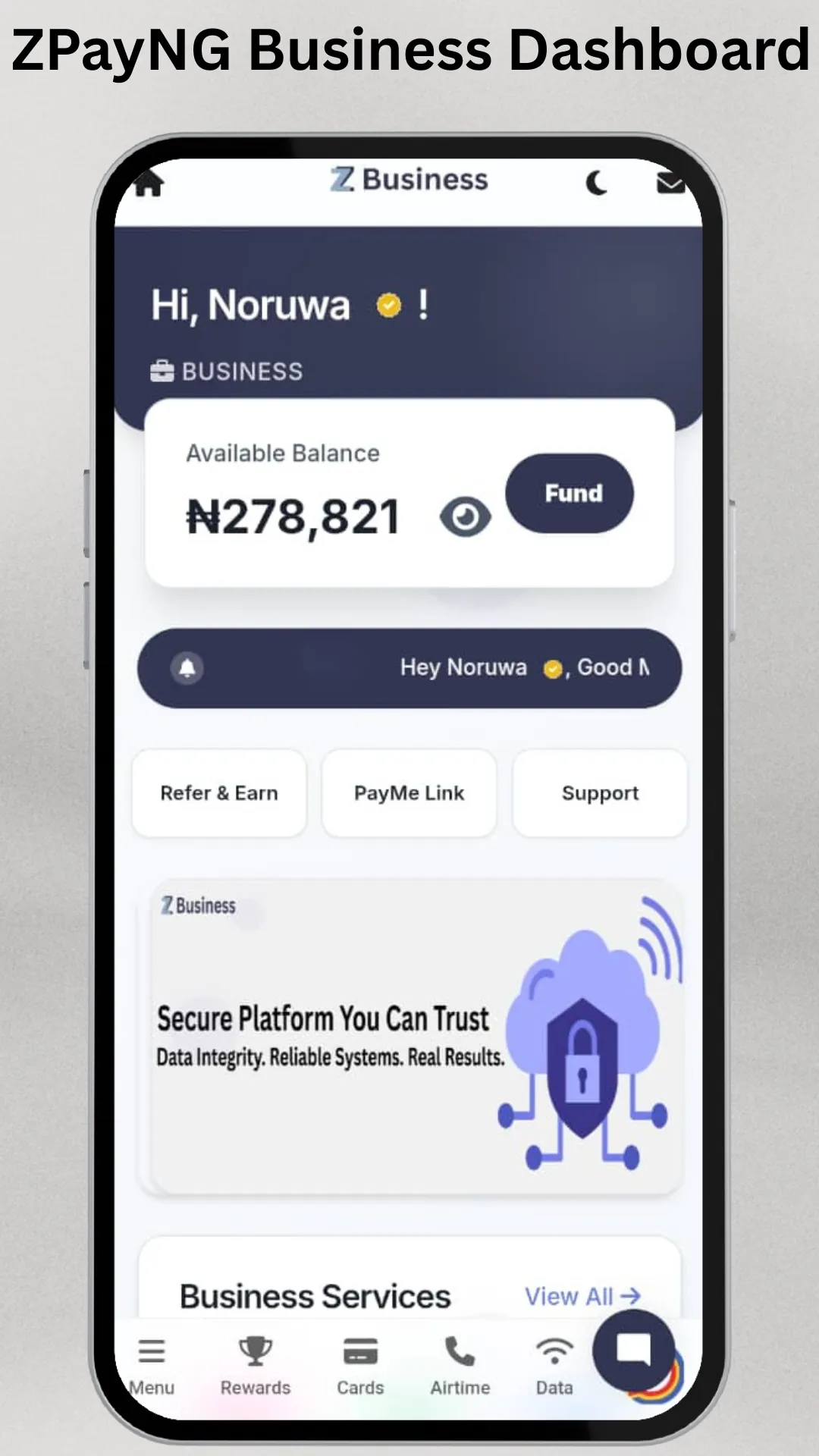
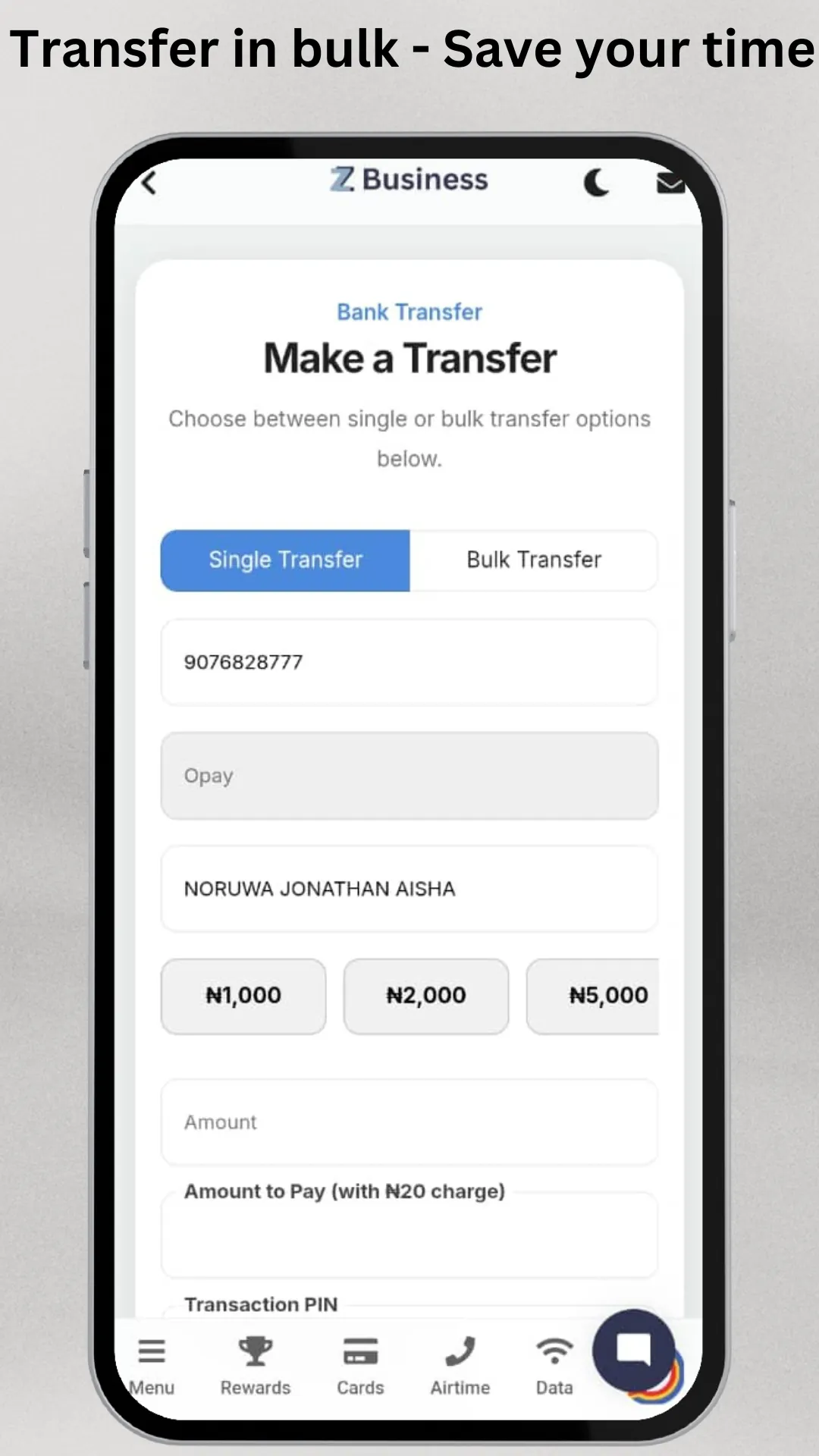
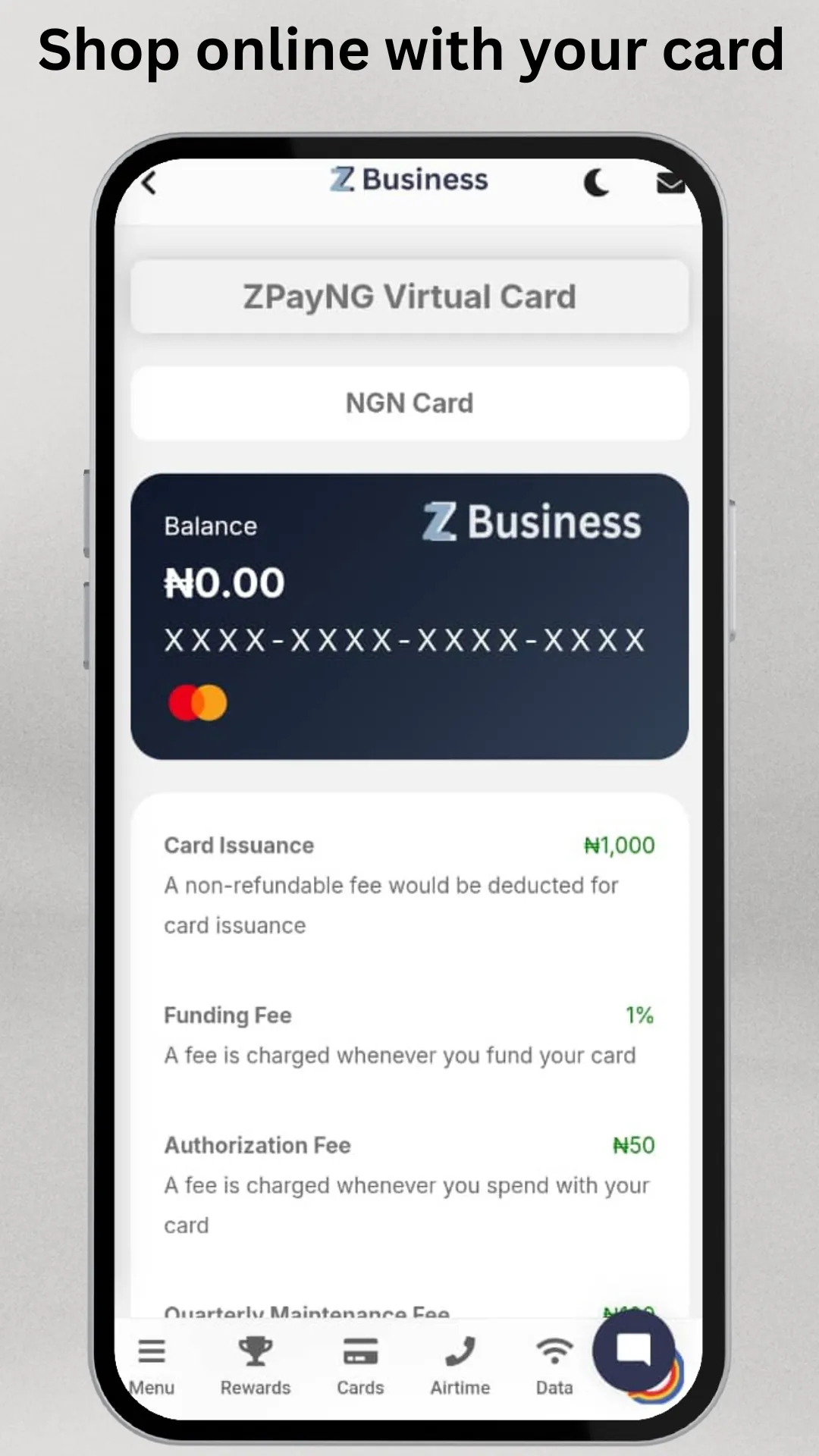
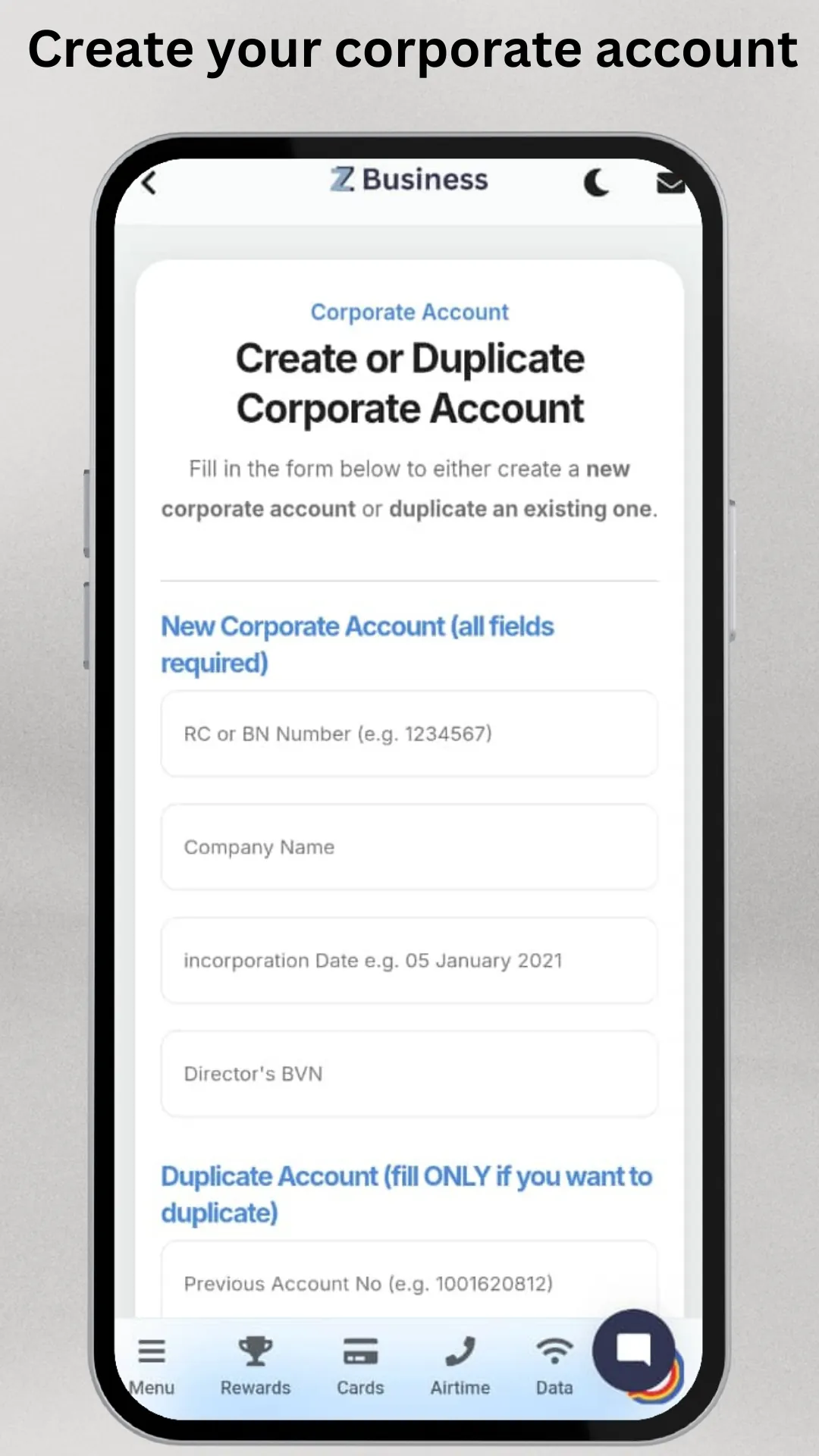
















Explore More
Make your house a home with our suite of helpful home apps. Discover clever tools to organize closets, streamline chores, and simplify cooking. Take the stress out of cleaning and maintenance with handy checklists and schedules. Enhance security and control appliances and lighting with our smart home integrations. Design, visualize, and renovate like a pro using our 3D planning software.

Metro Micro

All Recovery - Photos & Videos

ClassPass: Fitness, Spa, Salon

OnDjoss

Park4Me

Scary sound effects

Home Workouts - Lose Weight

Juice Recipes