

Introduction
Kramer Control is a streamlined Android app that centralizes AV-IT device management, automation scenes, and remote control workflows into a single interface. Designed for integrators and power users, it simplifies control of displays, audio endpoints, and room schedules while offering customizable panels and secure network integration.
Overview of the app
Kramer Control presents a professional-grade toolkit for managing audiovisual systems from an Android device. The app focuses on connecting with networked devices, executing macros, and creating intuitive control layouts. It’s built to reduce setup time and make recurring tasks repeatable through scene scheduling and logic-driven actions.
Primary capabilities
- Device discovery: Automatic scanning and listing of compatible endpoints on the local network.
- Macro engine: Sequence multiple commands and trigger complex operations with a single tap.
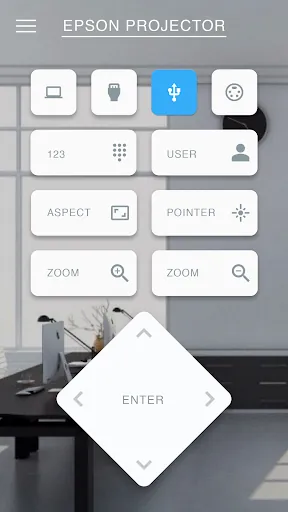
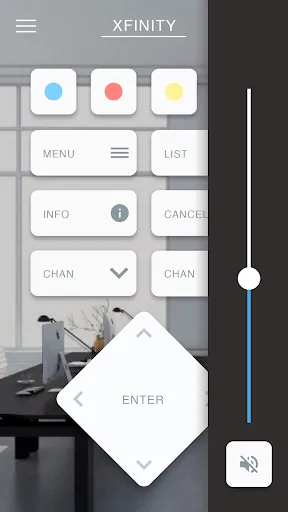
- Custom panels: Drag-and-drop controls, buttons, sliders, and status indicators that fit specific use cases.
- Secure connectivity: Support for authentication and encrypted sessions to protect control traffic.
How it works in practical setups
Startup is simple: the app surveys your network, identifies Kramer and third-party devices, and proposes a default control layout. From there you can assign actions to UI elements or build multi-step macros. Kramer Control communicates using common AV protocols, translating user commands into device-specific instructions behind the scenes.
User interface and performance
The interface emphasizes clarity and responsiveness. Controls are laid out in panels that can be resized for phone or tablet use, and visual feedback confirms command execution. Performance is tuned for low latency, so volume changes, input switching, and display power commands feel immediate, even across complex setups.
Customization and scalability
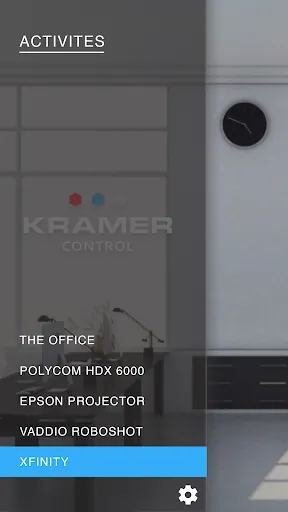
Customization is a strong suit. You can create separate panels for classrooms, conference rooms, and auditoriums, each with different control widgets and security levels. The app also supports layer-based navigation and conditional visibility, so advanced controls remain hidden unless a user authenticates or a specific device is present.
Integration with broader systems
Kramer Control is built to fit into enterprise environments. It integrates with scheduling systems, room sensors, and other building automation platforms through APIs and network bridges. This lets you trigger scenes based on calendar events or occupancy, and combine AV tasks with lighting or HVAC adjustments.
Tips for new users
- Start small: Begin with a single room panel to learn device mapping and macro sequencing before scaling.
- Use templates: Duplicate working panels to save time when rolling out similar rooms.
- Test macros: Validate multi-step sequences during off-hours to prevent interruptions during live sessions.
- Secure access: Configure user roles so only authorized personnel can make configuration changes.
Common workflows
Typical workflows include one-touch room setup, scheduled presentation start/stop, and automated shutdown sequences. For integrators, batch configuration tools and exportable panel files simplify deploying consistent control experiences across multiple sites.
Why professionals choose Kramer Control
Professionals pick this solution for its balance of power and accessibility. The app provides detailed feedback for troubleshooting, supports complex logic without requiring deep programming skills, and scales from single-room installations to campus-wide deployments. It strikes a useful middle ground between consumer remotes and full-fledged control systems.
Installation and compatibility
Installation follows standard Android app procedures: download, grant network permissions, and authenticate with your system. Compatibility information is displayed within the app so you can verify supported devices and firmware versions. Regular updates keep protocol support current and add new integrations.
Final notes for decision-makers
If your environment demands reliable AV control with room for customization, Kramer Control delivers a pragmatic toolset. It reduces manual intervention, speeds up troubleshooting, and provides a consistent interface across device types. For teams managing multiple rooms or locations, the combination of macros, templates, and secure access controls makes daily operations more predictable and efficient.
- No virus
- No advertising
- User protection
Information
- File size: 159.80 M
- Language: English
- Latest Version: 2.10.4-prod
- Requirements: Android
- Votes: 196
- Package ID: com.iruleav.nebula.android.prod
- Developer: Kramer Electronics LTD.
Screenshots
















Explore More
Discover and share the hottest events around with our intuitive apps. Find local concerts, festivals, shows, and more based on your unique interests. Create customizable calendars of upcoming events to coordinate schedules with friends. Purchase tickets seamlessly from our integrated platforms. Check real-time transit schedules to plan your trip. Access maps, directions, and parking information for any venue.

Board Game Stats

Bloomberg Connects

Metro Micro

TVSMILES

OnDjoss

Park4Me

Scary sound effects

Home Workouts - Lose Weight





























