
Introduction
Zora is a streamlined productivity app that combines task management, note-taking, and calendar planning into one accessible interface. Designed for busy professionals and students, Zora helps organize projects, track deadlines, and sync information across devices with a clean, customizable layout and reliable offline access.
Key features that stand out
Zora offers a compact toolset that covers daily planning and deeper project work. Core elements include task lists with subtasks, rich-text notes, integrated scheduling, and quick-search across all entries. A focus on clarity keeps the learning curve low while preserving advanced options for power users.
- Task management: create tasks, assign priorities, set due dates, and nest subtasks for multi-step work.
- Notes and documents: capture ideas with formatted text, attachments, and checklist blocks.
- Calendar integration: view tasks alongside appointments and set reminders that respect your time zone.
- Sync and offline mode: edit while disconnected and sync updates automatically when a connection returns.
How the interface supports workflow
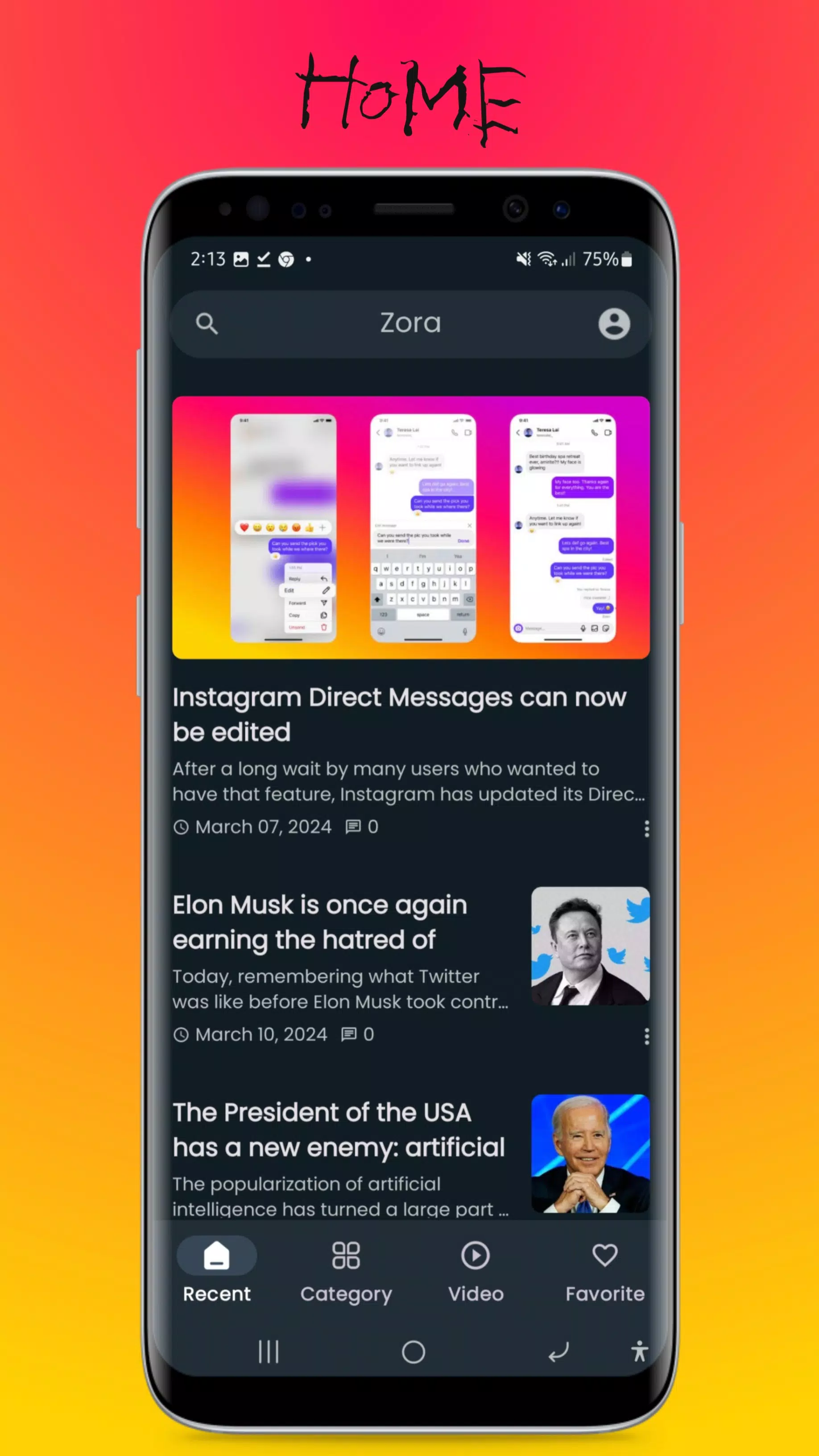
The interface in Zora balances minimalism with functional depth. A customizable home view surfaces today’s tasks and upcoming events while a left-hand navigation panel provides quick access to projects, tags, and archived items. Contextual action buttons and keyboard shortcuts reduce friction for frequent tasks.
Tools for organizing complex projects
For larger efforts, Zora includes project boards and a timeline view that make dependencies and milestones visible. Tags and filters enable dynamic lists, so you can focus on a specific client, location, or priority level. Collaboration features let teams comment on items, share attachments, and follow updates without leaving the app.
Customization and integrations
Zora adapts to different working styles. Choose compact or expanded card layouts, switch between light and dark themes, and create custom templates for recurring processes. Integration options connect Zora to calendar apps, cloud storage, and common communication platforms, reducing the need to jump between services.
Performance and compatibility
Engineered for responsiveness, Zora loads large notebooks and long task lists smoothly on modern devices. Background sync minimizes interruptions and battery impact, while selective data downloads help users on limited networks. Compatibility spans recent Android versions and a web interface for cross-device continuity.
Security and privacy
Privacy-conscious design is built into Zora’s sync and storage policies. Local encryption for sensitive notes, optional passcode or biometric locks, and transparent export options give users control over their data. Account-level settings allow teams to define sharing permissions and retention rules.
Getting started with Zora
New users can begin by importing existing tasks and notes from common formats or by starting with a template. A guided onboarding tour demonstrates core flows: creating a task, linking it to a calendar slot, and sharing with collaborators. Shortcuts and widget support make frequent actions accessible directly from the home screen.
User experience and support
Feedback channels and an in-app help center provide quick solutions and learning materials. Regular updates address performance, add integrations, and introduce refinements requested by the user community. Whether reorganizing a personal routine or coordinating multi-person projects, Zora’s approachable design aims to reduce busywork and keep objectives visible.
Why Zora might fit your routine
If you need a single place to manage tasks, notes, and schedules without clutter, Zora presents a balanced option between simplicity and capability. Its combination of offline reliability, syncing, and customization makes it useful for mobile-first users and teams who want consistent organization across devices.
- No virus
- No advertising
- User protection
Information
- File size: 14.60 M
- Language: English
- Latest Version: 5.3.1
- Requirements: Android
- Votes: 392
- Package ID: com.app.abrelonewsapp
- Developer: Abrelo Soft
Screenshots

















Explore More
Make your house a home with our suite of helpful home apps. Discover clever tools to organize closets, streamline chores, and simplify cooking. Take the stress out of cleaning and maintenance with handy checklists and schedules. Enhance security and control appliances and lighting with our smart home integrations. Design, visualize, and renovate like a pro using our 3D planning software.

Metro Micro

All Recovery - Photos & Videos

ClassPass: Fitness, Spa, Salon

OnDjoss

Park4Me

Scary sound effects

Home Workouts - Lose Weight

Juice Recipes