


Introduction
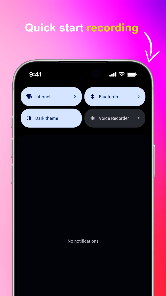
Alright Voice Recorder is a privacy-first, open-source audio recorder designed to keep every file on your device while avoiding ads, trackers, and unnecessary permissions. Alright Voice Recorder gives you instant access to recording via a home screen widget or a quick tile in the notification shade, so you can capture interviews, voice memos, lectures, or sudden ideas without delay. The app emphasizes straightforward, reliable performance: simple on/off controls, clear playback, and storage you control rather than cloud or advertising platforms.
Key features and recording quality
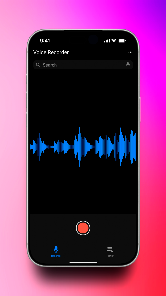
The app focuses on high-quality audio capture with a minimal learning curve. Recordings are encoded using device-friendly formats and the interface displays recording duration and estimated file size while you record. You’ll find a direct record button inside the app and one-tap start via the widget or quick tile for situations where speed matters. Playback uses an intuitive timeline and basic seek controls so you can review clips quickly. Because the project is open-source, the recording pipeline is transparent and community-audited, which supports a trustworthy, privacy-centered experience.
Controls and workflow
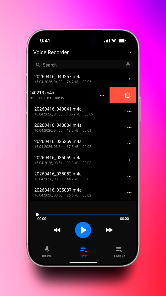
Controls are intentionally simple to reduce friction: start, pause, resume, and stop are presented clearly in the main screen so you can focus on capturing audio rather than navigating menus. The home screen widget and notification quick tile reduce setup time to a single tap. For everyday workflows you can create quick recordings and then manage them from the main list—play back recent files, rename recordings to meaningful titles, and delete unwanted clips. This streamlined workflow is intended to help users move from capture to review without unnecessary steps.
Progression, organization, and replay value
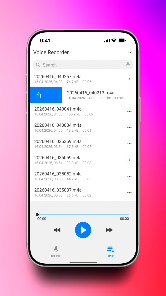
Instead of progression in a game sense, Alright Voice Recorder provides a practical progression model for managing ongoing recordings: sessions appear in chronological order with clear timestamps and duration indicators, which helps when revisiting long-term projects such as meeting logs or interview series. The app encourages replay value through reliable playback and a simple library view that makes it easy to locate the most relevant recordings by date and length. Because audio files remain locally stored, you can build a personal archive of recordings and handle long-term organization using folder structures accessible from your device’s file manager.
Customization and visual style
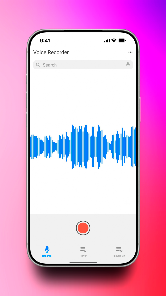
Customization options focus on personalization and accessibility rather than flashy effects. You can adjust themes and layout choices to suit your preferences—dark or light themes for different lighting conditions, compact or expanded list views depending on whether you prefer larger touch targets or more items on screen. The UI keeps controls visible and legible so everyday use is comfortable, and the visual approach favors clarity over complexity, making it straightforward for users of all levels to adopt.
Accessibility, offline use, and user experience
Designed for use without a network connection, the app stores recordings exclusively on the device so you can rely on it in offline settings like field interviews or travel. Accessibility considerations include clear labeling of recording and playback controls and high-contrast theme options that help users with visual sensitivities. The minimal-permissions approach also reduces friction for privacy-conscious users and organizations that need a dependable, offline recorder without external dependencies or background tracking.
Limitations and intended use cases
Because Alright Voice Recorder prioritizes privacy and simplicity, it intentionally omits built-in cloud sync, advanced multi-track editing, and integrated sharing features. Users who need automatic online backup or full editing suites may prefer specialized apps that provide those services, but for primary tasks—capturing lectures, interviews, quick voice notes, or on-the-spot ideas—this app remains fast and unobtrusive. Recordings stay local, which gives you control but requires manual backup if you want extra redundancy.
Who will benefit
This app is well suited to journalists, students, researchers, and anyone who wants a lightweight, dependable recorder that respects privacy. Alright Voice Recorder keeps the experience focused on capture and playback, with accessible controls and clear file management so you can concentrate on content rather than configuration. If you need a straightforward, privacy-respecting tool for capturing audio on Android, this app provides a reliable foundation without unnecessary extras.
- No virus
- No advertising
- User protection
Information
- File size: 10.00 M
- Language: English
- Latest Version: 8.2.1
- Requirements: Android
- Votes: 386
- Package ID: dev.goodwy.voicerecorder
- Developer: goodwy.dev
Screenshots
















Explore More
Make your house a home with our suite of helpful home apps. Discover clever tools to organize closets, streamline chores, and simplify cooking. Take the stress out of cleaning and maintenance with handy checklists and schedules. Enhance security and control appliances and lighting with our smart home integrations. Design, visualize, and renovate like a pro using our 3D planning software.

Metro Micro

Tax Calculator India 2024-2025

ClassPass: Fitness, Spa, Salon

OnDjoss

Park4Me

Scary sound effects

Home Workouts - Lose Weight

Juice Recipes





























