


Introduction
Music Player Mp3 : Offline is a lightweight Android app designed for fast, reliable local music playback, offering an intuitive interface and essential features for managing MP3 and other audio files without an internet connection. It includes playlist management, a built-in equalizer, and simple controls for an uninterrupted listening experience.
Core Features
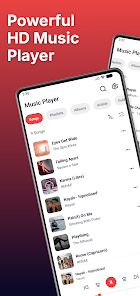
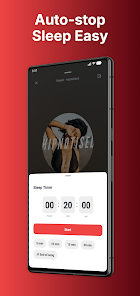
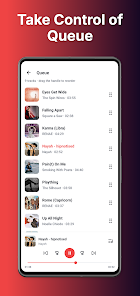
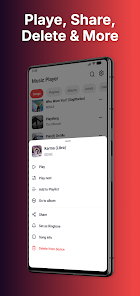
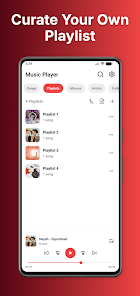
At its heart, Music Player Mp3 : Offline focuses on the essentials: quick library scanning, gapless playback where supported, and easy playlist creation. The app supports common audio formats and organizes tracks by artist, album, and folder so you can find music quickly. A sleep timer and tag editor make it practical for daily listening routines, while a compact widget gives one-touch access from the home screen.
User Interface and Navigation
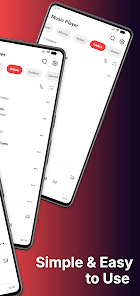
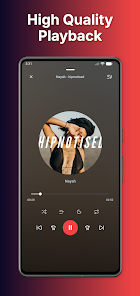
The interface uses a straightforward layout that minimizes friction when browsing a large collection. Album art appears alongside track lists, and basic gestures enable fast navigation between songs. Play, pause, skip, and rewind controls are large and responsive. The design favors visibility and speed over visual complexity, which is beneficial for devices with limited resources or for users who prefer straightforward controls.
Playback and Audio Tools
Music Player Mp3 : Offline includes a multi-band equalizer and presets to tune your sound on the fly. Bass boost and virtualizer toggles let you emphasize low end or add spatial width, while the normalization option helps even out volume differences between tracks. For users who want more control, the app exposes fine adjustments for preamp gain and frequency bands, delivering noticeably improved playback without complicated setup.
Library Management
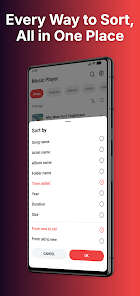
Managing an offline collection is simple: automatic scanning detects new files, and manual rescans are available for rapid updates. Playlists can be created, edited, and reordered with drag-and-drop gestures. The app reads ID3 tags and allows basic editing so artists and track names display correctly. Filters and sorting options help you locate specific albums or group tracks by year, genre, or folder structure.
Customization Options
Personalization focuses on practical adjustments rather than extensive theming. You can customize playback order, enable repeat or shuffle modes, and choose whether notifications show artwork during playback. A small set of theme choices alters accent colors for the player and widgets, and layout options let you toggle between list and grid views to suit different browsing preferences.
Offline-Friendly Experience
Since the app is designed for offline use, no constant network access is required. All songs stored on the device are available immediately after scanning. This approach reduces background data consumption and ensures consistent playback in situations where connectivity is limited, such as commuting or travel. Offline caching of album art and metadata keeps the interface responsive even with thousands of tracks.
Performance and Compatibility
Performance is a priority: the app maintains a small memory footprint and aims to consume minimal battery while playing music. It runs smoothly across a broad range of Android versions and device capabilities, including older phones and budget tablets. Background playback supports notification controls and media buttons on headsets, while Android Auto and external device compatibility may vary depending on platform support.
Practical Workflow
For everyday use, the workflow is predictable and efficient. Import music by placing files in device storage, then open the app to scan the library. Create playlists for commute, workout, or relaxation, and save custom equalizer presets for different listening contexts. The sleep timer is handy for falling asleep without draining the battery, and the tag editor helps maintain an organized library over time.
Getting Started
Install the app and grant storage access for the initial scan. Allow a few minutes for the library to populate if you have a large collection. Explore the equalizer and presets to find a preferred sound profile, then create a few playlists to streamline playback. Music Player Mp3 : Offline aims to provide a no-nonsense listening environment that emphasizes reliability, clarity, and control for users who want to enjoy local music without distractions.
- No virus
- No advertising
- User protection
Information
- File size: 96.00 M
- Language: English
- Latest Version: 1.0.1
- Requirements: Android
- Votes: 375
- Package ID: com.mp3.music.player.song
- Developer: Video Downloader App Studios
Screenshots
















Explore More
Make your house a home with our suite of helpful home apps. Discover clever tools to organize closets, streamline chores, and simplify cooking. Take the stress out of cleaning and maintenance with handy checklists and schedules. Enhance security and control appliances and lighting with our smart home integrations. Design, visualize, and renovate like a pro using our 3D planning software.

Metro Micro

All Recovery - Photos & Videos

Tax Calculator India 2024-2025

ClassPass: Fitness, Spa, Salon

OnDjoss

Park4Me

Scary sound effects

Home Workouts - Lose Weight





























