


Introduction
HappyCalc is a lightweight, feature-rich calculator app designed to speed daily calculations while keeping a clear, friendly interface. It combines basic arithmetic, advanced scientific functions, and a persistent history so users can work quickly across tasks, budgets, and study sessions with minimal setup and fuss.
Core features
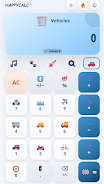
At its core, HappyCalc delivers a balanced mix of essential and power-user tools. The app includes a clean numeric keypad, memory slots, a scientific mode with trigonometric and logarithmic functions, and a unit converter for length, weight, and currency. Each calculation is preserved in a searchable history log, and results can be copied or shared with a single tap.
User interface and workflow
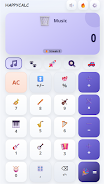
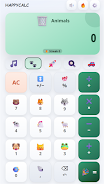
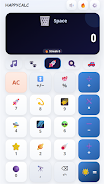
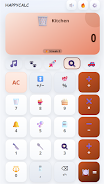
Design focuses on clarity: large buttons, high-contrast text, and an adaptive layout that suits phones and tablets. Users switch between basic and advanced modes with a single gesture. Inline hints and an optional tutorial guide new users through common tasks, while the compact layout keeps frequently used operations within easy reach for quick arithmetic and complex expressions alike.
Productivity tools
Beyond simple math, HappyCalc includes features that help streamline everyday workflows. The expression builder supports parentheses, variables, and chained operations so you can compose multi-step formulas without losing intermediate results. A split-view mode lets you view past calculations while composing new ones, and a favorites list stores commonly used formulas for fast recall. These tools reduce repetition and make recurring tasks faster.
Customization and accessibility
HappyCalc adapts to personal preferences. Choose between light and dark themes or select a high-contrast palette for improved readability. Button size and keypad layout are adjustable, and a compact mode maximizes screen space for long expressions. Accessibility options include voice input for basic operations and screen reader compatibility, helping users with different needs interact comfortably with the app.
Performance and compatibility
The app is optimized to run smoothly on older and modern Android devices alike, with fast startup times and minimal memory usage. Calculations execute instantly, and the app remains responsive even when working with long formulas or extensive history logs. HappyCalc supports Android split-screen and works well offline, so you can compute without a network connection. Regular updates ensure compatibility with the latest Android releases.
Security and data handling
Privacy is straightforward: calculation history and stored formulas remain on your device unless you choose to export or sync them. Export options allow encrypted backups to cloud services or local storage. Permission requests are kept minimal and transparent; HappyCalc asks only for what it needs to enable optional features such as currency conversion updates or voice input.
How to get started
Getting started is fast. Install the app, grant any optional permissions you want to use, and try the tutorial for a quick tour of the interface. Tap the mode button to switch between basic and scientific layouts, add commonly used formulas to favorites, and explore the unit converter when you need quick conversions. The searchable history makes it easy to revisit past results at any time.
Ideal use cases
- Daily budgeting and shopping calculations
- Homework and study sessions that require scientific functions
- Quick unit conversions for travel and projects
- Professional tasks that need reliable, repeatable formulas
Whether you need a dependable everyday calculator or a compact toolkit for more advanced math, HappyCalc brings a practical, polished experience to Android devices. Its combination of speed, customization, and thoughtful features makes it a solid choice for users looking to replace the default calculator with something more capable and user-focused.
- No virus
- No advertising
- User protection
Information
- File size: 8.19 M
- Language: English
- Latest Version: 1.3.0
- Requirements: Android
- Votes: 225
- Package ID: com.happycalc.app
- Developer: LEDA
Screenshots


















Explore More
Make your house a home with our suite of helpful home apps. Discover clever tools to organize closets, streamline chores, and simplify cooking. Take the stress out of cleaning and maintenance with handy checklists and schedules. Enhance security and control appliances and lighting with our smart home integrations. Design, visualize, and renovate like a pro using our 3D planning software.

Metro Micro

All Recovery - Photos & Videos

Tax Calculator India 2024-2025

ClassPass: Fitness, Spa, Salon

OnDjoss

Park4Me

Scary sound effects

Home Workouts - Lose Weight





























