


Introduction
Wallpapers for Samsung is a dedicated wallpaper app that offers a curated collection of high-resolution backgrounds optimized for Samsung devices. It makes it simple to browse, preview and apply wallpapers while preserving image quality and adapting to different screen sizes and resolutions across the Galaxy lineup.
What the app delivers
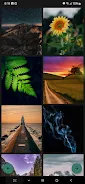
Wallpapers for Samsung focuses on quality and convenience. The app presents a wide range of photographic, abstract, and themed images that are pre-scaled for popular Samsung models. Users can expect wallpaper packs sorted by category, daily updates, and featured selections that highlight seasonal trends and popular design directions.
Key features and tools
- High-resolution images: Collections are prepared in formats suitable for modern AMOLED and LCD panels to retain sharpness and color depth.
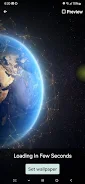
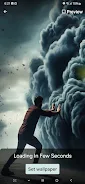
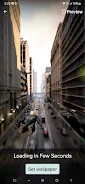
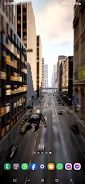
- Smart cropping and preview: An integrated preview tool shows how a wallpaper will look on home and lock screens, including how it pairs with icons and widgets.
- Category filters: Quickly narrow choices by style, color palette, minimalism, landscapes, and more.
- Favorites and collections: Save preferred wallpapers to personal collections for fast access and offline use.
- Automatic scaling: Wallpapers are adjusted to match different aspect ratios, including tall displays and foldable devices.
Personalization and customization
Beyond static backgrounds, Wallpapers for Samsung offers light customization tools. Users can apply subtle blur, color overlays, or reposition images to emphasize a focal point. Some wallpapers include variants tuned for dark and light mode so system UI elements remain legible. Accent color recommendations help create a cohesive look when combined with icon packs and widgets.
Interface and workflow
The interface is streamlined for fast browsing. A top-level search bar helps you find specific themes or colors, while swipe gestures let you move through galleries quickly. Each wallpaper page shows metadata such as resolution, source tag, and suggested use cases. Applying a wallpaper usually requires only two taps: preview then set, with options to apply to home screen, lock screen, or both.
Performance and compatibility
Designed with performance in mind, the app minimizes battery impact by avoiding unnecessary background processes. Images are cached intelligently so common wallpapers load instantly without repeated downloads. Compatibility covers a broad range of Samsung devices, including Galaxy S and Note families, midrange A-series phones, and supported foldables. The app also respects display features like higher refresh rates and deep blacks on AMOLED panels.
Storage and data considerations
Wallpapers for Samsung keeps download sizes efficient by offering compressed preview files and the option to store only favorites offline. Users can set a cache size limit or clear stored images from within the settings menu. For those mindful of mobile data, an option restricts downloads to Wi-Fi connections only and shows file sizes before confirming a download.
User tips for better results
- Choose wallpapers labeled for your device resolution to avoid unwanted stretching or pixelation.
- Use dark or minimal images to extend battery life on OLED screens and maintain icon contrast.
- Combine the app’s color overlay tools with Samsung’s theme options to refine system colors and match wallpapers with widgets.
- Save wallpapers you like to a private collection so you can rotate them without repeatedly searching.
Getting started with Wallpapers for Samsung
Begin by opening the app and granting basic permissions for storage if prompted. Explore categories or run a search for specific moods or colors. Tap a wallpaper to open the preview, try the blur and overlay tools if needed, then select the target screen to apply. Regularly check the featured section to discover newly added content and curated packs.
Support and updates
Developers usually provide in-app support channels for reporting issues and requesting new designs. Frequent content updates and occasional performance improvements keep the app feeling fresh without large, disruptive downloads. For users who want the newest wallpapers first, enable update notifications in the app settings.
- No virus
- No advertising
- User protection
Information
- File size: 91.47 M
- Language: English
- Latest Version: 1.1.30
- Requirements: Android
- Votes: 106
- Package ID: com.gi.wallpapersforsamsung
- Developer: Global Ideas
Screenshots
















Explore More
Make your house a home with our suite of helpful home apps. Discover clever tools to organize closets, streamline chores, and simplify cooking. Take the stress out of cleaning and maintenance with handy checklists and schedules. Enhance security and control appliances and lighting with our smart home integrations. Design, visualize, and renovate like a pro using our 3D planning software.

Metro Micro

All Recovery - Photos & Videos

Tax Calculator India 2024-2025

ClassPass: Fitness, Spa, Salon

OnDjoss

Park4Me

Scary sound effects

Home Workouts - Lose Weight





























