


Introduction
Fast Dialer: Call App delivers a streamlined calling experience for Android users, offering speed dial, contact search, and one-tap calling all in a lightweight interface. Designed for fast access and minimal taps, Fast Dialer: Call App helps you reach frequent contacts efficiently while preserving battery and system resources.
Key Features
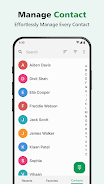
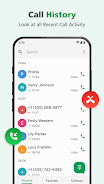
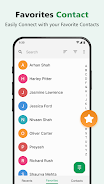
The app focuses on what matters most when making calls: speed and simplicity. With a customizable speed dial grid, smart contact suggestions, and an integrated search bar, you can place calls without fumbling through long lists. Call history is clearly organized and the app supports quick callbacks, favorites, and recent calls management.
- One-tap calling from the home screen or widget
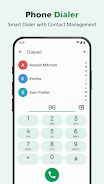
- Smart search that finds names, numbers, and labels instantly
- Favorites & speed dial with easy reordering
- Compact call log with filters for missed, incoming, and outgoing
User Interface and Workflow
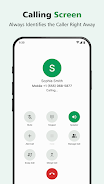
The interface is minimalist but flexible. A clean main screen puts your top contacts front and center while a slide-out drawer gives access to the full address book. Smooth animations and large touch targets reduce dialing errors on the go. Fast Dialer: Call App uses readable typography, contrasting colors, and intuitive iconography so tasks take fewer taps.
Customization and Shortcuts
Customization is a strong point: assign photos, labels, and custom ringtones to contacts, or create groups for work, family, and emergency numbers. The widget system allows placing a small grid or a single-call tile on the device home screen. Shortcuts can be set for direct messaging or navigation to a contact’s details page.
- Arrange speed dial positions with drag-and-drop
- Create contact groups and apply bulk actions
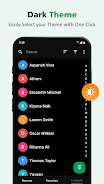
- Choose between light and dark themes to match system settings
Performance and Compatibility
Fast Dialer: Call App is optimized for low memory usage and fast launch times. It works on a wide range of Android devices and remains responsive on older hardware. Background processes are kept minimal; the app caches only essential data to reduce battery drain while maintaining quick access to recent contacts.
Integration with Other Tools
The app integrates with your phone’s native dialer and contact database, so existing entries remain intact and synced. It also supports third-party dialer intents, allowing seamless handoff if you prefer another app for advanced features like VoIP or call recording. Calendar and messaging integration lets you call attendees or recent chat partners directly from Fast Dialer: Call App.
How to Get Started
Initial setup is straightforward: grant permission to access contacts and calls, choose your preferred layout, and populate the speed dial grid. Tutorial prompts guide you through adding widgets and creating groups. From that point, routine actions like calling, editing contacts, and rearranging favorites are immediate and require minimal learning time.
Privacy and Security
Privacy controls are accessible from the settings menu. The app requests only the permissions necessary to perform calls and manage contacts. Local backups can be created to preserve your speed dial configuration without sending sensitive data to external servers. Optional lockscreens or fingerprint verification can restrict access to call logs and private entries.
Why Choose This Dialer
For users who make frequent calls and want to save time, Fast Dialer: Call App offers a focused alternative to bloated phone apps. Its combination of quick access, sensible customization, and efficient performance makes reaching people faster and less distracting. Regular updates refine shortcuts and compatibility, keeping the tool reliable for daily use.
- No virus
- No advertising
- User protection
Information
- File size: 14.00 M
- Language: English
- Latest Version: 1.0.0
- Requirements: Android
- Votes: 208
- Package ID: com.fastdialer.phone
- Developer: Kirtan Play Apps
Screenshots
















Explore More
Make your house a home with our suite of helpful home apps. Discover clever tools to organize closets, streamline chores, and simplify cooking. Take the stress out of cleaning and maintenance with handy checklists and schedules. Enhance security and control appliances and lighting with our smart home integrations. Design, visualize, and renovate like a pro using our 3D planning software.

Metro Micro

All Recovery - Photos & Videos

Tax Calculator India 2024-2025

ClassPass: Fitness, Spa, Salon

OnDjoss

Park4Me

Scary sound effects

Home Workouts - Lose Weight





























