Introduction
XpressBot One is a compact automation utility that streamlines routine Android tasks by combining smart scheduling, quick actions, and lightweight scripting into a single interface. It speeds up repetitive workflows, offers reliable background operation, and blends simple controls with advanced customization for power users and newcomers alike.
Quick overview of the app
XpressBot One focuses on reducing friction in daily device use. The app provides trigger-based rules, a modular action library, and a minimalist editor for building small automations. Unlike bulky automation suites, it emphasizes fast setup, battery-conscious execution, and clear feedback so users can see results immediately.
Notable capabilities
- Trigger options including time schedules, connectivity changes, location, and app launches.
- Action modules for notifications, file management, media controls, and UI interactions.
- Lightweight scripting for conditional logic without requiring full programming experience.
- Template gallery to jumpstart common automations like silent hours or auto-launch sequences.
How XpressBot One works
Automations are built as sequences of triggers and actions. Choose an event that starts a task, then chain actions to complete the workflow. The visual editor presents each step as a block with readable labels, so you can reorder or disable steps quickly. Background execution is tuned to avoid unnecessary wakeups, preserving battery life while keeping reliability.
Interface and workflow design
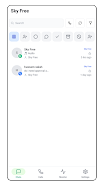
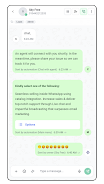
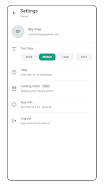
The interface favors clarity: a compact toolbar, color-coded steps, and inline previews for actions with parameters. Settings are grouped into Essentials and Advanced modes; Essentials hide complexity for fast setup, while Advanced exposes scheduling precision, concurrency options, and retry policies. Notifications provide concise logs so you can troubleshoot when a sequence doesn’t behave as expected.
Performance and resource use
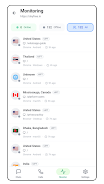
XpressBot One is engineered for efficiency. The app uses minimal memory and defers noncritical operations to avoid affecting foreground apps. Developers added safeguards against runaway loops and provide a built-in monitor to see CPU and battery impact for each automation. For devices with strict battery optimizers, the app supplies clear guidance for ensuring persistent background tasks.
Customization possibilities
Beyond prebuilt templates, XpressBot One supports parameterized actions, variable storage, and simple math operations to create dynamic behaviors. You can store reusable snippets, export flows for sharing, and import community templates. The appearance of the action blocks and notification messages are also adjustable so automations can match your personal workflow.
User experience and practical use cases
Users report the app is particularly useful for automating daily chores: switching profiles at night, auto-sorting downloads when certain Wi Fi networks are connected, or launching a preferred media app when headphones connect. The app’s fast onboarding makes it practical for someone who wants immediate gains without a steep learning curve.
Tips for getting started
- Begin with a ready-made template and run it in debug mode to observe behavior step by step.
- Test triggers one at a time to confirm the conditions you expect are being detected.
- Use logging sparingly to diagnose issues, then disable verbose logs for normal operation.
- Export a working flow as a backup before making major edits.
Why many users choose XpressBot One
People pick XpressBot One when they want a balance of power and simplicity. It covers common automation needs without demanding scripting expertise, yet still offers enough depth for custom solutions. The app’s steady performance, curated templates, and clear interface combine into a practical tool for anyone who wants to reduce repetitive smartphone tasks.
Getting started and installation notes
Installation is straightforward: grant the necessary runtime permissions, walk through the introductory template, and accept guidance for battery exclusions if persistent background tasks are desired. Regular updates add new actions and polish existing ones, and the app includes a straightforward in-app feedback option for reporting bugs or requesting features.
For users who value quick wins and extendable automation, XpressBot One provides an accessible bridge between manual steps and full automation setups. Its measured approach to resource use and friendly editor make it a solid choice for boosting productivity on Android devices.
- No virus
- No advertising
- User protection
Information
- File size: 14.04 M
- Language: English
- Latest Version: 6.2.8
- Requirements: Android
- Votes: 105
- Package ID: com.xpressbot.one
- Developer: Sky Free
Screenshots

















Explore More
Boost your productivity with our handpicked selection of top-rated apps designed to help you get things done faster and easier. Streamline tasks, organize projects, collaborate with others, and maximize your efficiency with powerful productivity tools optimized for mobile. Say goodbye to wasting time and hassle. Our editors rigorously test and curate the most useful apps that will supercharge your productivity wherever you are. Download now and accomplish more every day.
View more