Introduction
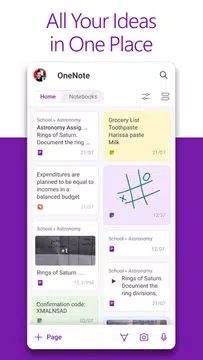
Microsoft OneNote is a versatile digital notepad that helps you capture ideas, organize information, and keep tasks in one place. It combines typed notes, handwriting, photos and audio so you can create checklists, clip content, or record meeting highlights and have everything synced across your devices. People download Microsoft OneNote for its flexible canvas — place content anywhere on a page — and for built-in tools like image scanning with text extraction, voice dictation with auto-punctuation, and collaborative sharing that keeps teams on the same page.
Key Features
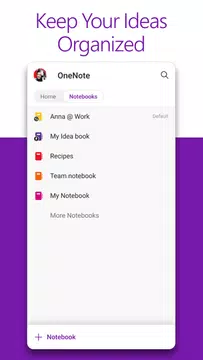
⭐ Homepage and Quick Capture bar for fast note creation and instant access to recent items.
⭐ Scan pictures and extract text with a built-in scanner and enhancement filters for clear results.
⭐ Audio notes with voice dictation in 27 languages and automatic punctuation to save time when recording.
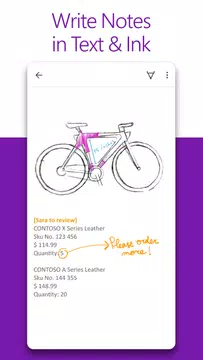
⭐ Flexible canvas that lets you write, draw, clip web content, and place items anywhere on the page.
⭐ Seamless collaboration and compatibility with other Office apps to share and edit notes with colleagues.
Advantages
✅ Syncs notes across devices so your content is available wherever you work.
✅ Supports multiple input types — typing, ink, images, and audio — for a richer note-taking experience.
✅ Microsoft OneNote converts hand-drawn shapes into clean shapes automatically, keeping pages tidy when you sketch or diagram.
✅ Built-in scanning, text extraction, and collaboration features streamline workflows and help teams stay organized.
Disadvantages
❎ Ink-to-shape and other drawing tools are most useful on touch-enabled devices or with a stylus.
❎ Some productivity benefits depend on connecting accounts and integrating with other Office applications to access their full capabilities.
- No virus
- No advertising
- User protection
Information
- File size: 89.90 M
- Language: English
- Latest Version: 16.0.18526.20080
- Requirements: Android
- Votes: 351
- Package ID: com.microsoft.office.onenote
Screenshots
















Explore More
Equip yourself with our all-in-one toolbox app for everyday tasks and projects. Instantly convert between units, calculate tips, scan documents, manage files, and more with handy productivity tools. Includes a level, compass, QR code reader, ruler, speedometer, decibel meter, and flashlight. Save frequently used tools to your customizable dashboard for one-tap access. Track billable hours, wages, budgets, and invoices. Annotate screenshots, magnify labels, and sign PDFs on the go.

Board Game Stats

MEXC Global: BTC, ETH, Gamefi

Text Art - Write Text On Photo

MERA PROXY PRO

Domino's Pizza Sri Lanka

Halloween Photo Editor -Makeup

Connecting - Friends Near Me

Cartola