


Introduction
Book Shelves Idea Gallery is a curated collection app that helps homeowners, designers, and book lovers discover shelving arrangements, styling tips, and storage solutions. It organizes visual ideas, practical guides, and installation notes into an easy-to-navigate gallery so users can plan and personalize their own bookshelf projects efficiently.
What the App Offers
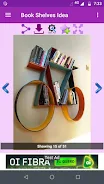
Book Shelves Idea Gallery brings a wide selection of shelving concepts to your device. Images are grouped by style, material, room, and budget, letting you locate inspiration quickly. Each entry includes dimensions, recommended materials, and layout suggestions so you can translate a visual concept into a workable plan without sifting through scattered web results.
Browsing and Discovery
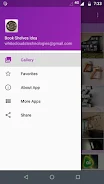
The interface focuses on fast discovery. A clean grid view displays thumbnails that expand into detailed pages with multiple photos, installation hints, and links to suppliers. Smart filters let you narrow results by shelf type—floating, built-in, modular—or by room use, such as living room, home office, or children's bedroom.
Organization Tools
Save and sort ideas with personalized boards that act like mood boards for shelving projects. Drag-and-drop reordering, notes, and tags help you track favored designs and combine elements from different posts. Book Shelves Idea Gallery also supports offline collections, so you can review saved configurations when visiting stores or talking with contractors.
Customization and Planning
Beyond inspiration, the app provides simple planning tools to customize ideas to your space. Input wall width and desired shelf depth to see suggested spacing and load capacities. Templates for common layouts—corner installations, tall bookcases, and low media shelves—offer measurements you can adapt or export to share with a builder.
Sources and Materials
Each gallery entry lists suggested materials and surface finishes, making it easier to compare options like solid wood, plywood, MDF, and metal. Practical notes cover weight capacity, recommended fasteners, and finishing tips. Links to hardware and sample suppliers help you estimate costs and order samples directly when available.
Project Workflow
Book Shelves Idea Gallery supports a workflow from idea capture to execution. Start by collecting styles you like, refine choices with filters and notes, then move to planning where measurements and material lists are generated. The app can export a project summary that includes images, dimensions, and shopping lists for contractors or DIY use.
Performance and Compatibility
The app is optimized for smooth scrolling and quick image loading on a variety of Android devices. Images adapt to different screen sizes without losing detail, and a low-bandwidth mode reduces resolution while preserving layout information. Performance settings let you choose between highest quality images or faster browsing depending on your connection.
Sharing and Collaboration
Share boards or individual ideas with friends, family, or professionals via link or export. Collaborative boards allow multiple users to add comments and suggestions, useful when planning with an interior designer or coordinating with a contractor. Book Shelves Idea Gallery supports common image and PDF exports for easy printing or emailing.
User Experience and Accessibility
The app emphasizes straightforward navigation with large, readable thumbnails and clear labels. Accessibility options include adjustable text sizes, high-contrast thumbnails, and screen reader compatibility for key content. The gallery layout adapts to portrait and landscape orientations, ensuring comfortable browsing whether you’re on a phone or tablet.
Getting Started
Begin by browsing curated categories or run a quick search for specific ideas like "floating shelves" or "built-in library." Save favorites to a new board and add measurements to see how the concept fits your space. Explore recommended material lists and export a shopping summary when you’re ready to act.
Final Notes on Utility
Book Shelves Idea Gallery is designed for practical creative planning rather than only visual inspiration. With tools for measurement, organization, and sharing, it streamlines the process of turning a pictured shelf into a finished installation. Whether you’re remodeling a reading nook or furnishing an office, the app centralizes the information you need to move from idea to finished shelf.
- No virus
- No advertising
- User protection
Information
- File size: 10.00 M
- Language: English
- Latest Version: 3.0
- Requirements: Android
- Votes: 214
- Package ID: com.whiteclouds.bookshelvesideagallery
- Developer: Rathinamala M
Screenshots


















Explore More
Make your house a home with our suite of helpful home apps. Discover clever tools to organize closets, streamline chores, and simplify cooking. Take the stress out of cleaning and maintenance with handy checklists and schedules. Enhance security and control appliances and lighting with our smart home integrations. Design, visualize, and renovate like a pro using our 3D planning software.

All Recovery - Photos & Videos

Tax Calculator India 2024-2025

OnDjoss

Park4Me

Scary sound effects

Home Workouts - Lose Weight

Juice Recipes

HFonts - font & emoji manager





























