Introduction
Smith Designer is a mobile design studio that brings powerful vector and layout tools to Android devices, letting creators craft logos, interfaces, and marketing assets on the go. It balances precision drawing, template-driven workflows, and export flexibility so both hobbyists and professionals can finish real projects from a phone or tablet.
What Smith Designer does
Smith Designer positions itself as a lightweight but capable design suite. It combines node-based vector editing with pixel brushes, multi-layer composition, and prebuilt templates. The goal is to shorten the loop from idea to deliverable: visualize, iterate, and export without bouncing between multiple apps.
Core tools and capabilities
- Vector pen and shape toolkit: Create precise paths, edit anchor points, and apply boolean operations for complex shapes.
- Layer management: Stack, lock, group, and mask layers for non-destructive composition.
- Typography controls: Fine-tune kerning, leading, and advanced text-on-path options for branding work.
- Brushes and textures: Use pressure-aware brushes with blend modes to add depth and hand-drawn character.
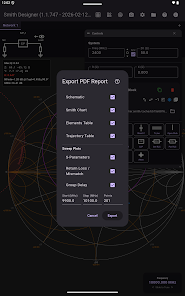
- Export formats: Export PNG, JPEG, SVG and PDF with preset sizes for social, web, and print.
How the workflow feels
The workflow in Smith Designer is oriented toward rapid iteration. Projects start from a blank canvas or a template. From there you sketch a rough layout, lock guides, and switch to vector mode to produce scalable assets. Lean gestures and an unobtrusive toolbar help keep the focus on the artboard rather than menu hunting.
Templates and project starters
Built-in templates accelerate common tasks. Choose a logo grid, app screen mockup, or social post layout and replace placeholder elements. Templates are particularly useful for users who need consistent branding across different sizes without recreating assets every time.
Customization and extension
Smith Designer includes a modest asset library and lets users import fonts and vector files. You can customize color palettes and save style presets that apply fills, strokes, and effects across multiple objects. For teams, shared palettes help maintain visual consistency across several projects.
Interface and performance notes
The interface favors clarity: a compact toolbar, contextual property bars, and gesture shortcuts keep frequently used controls within reach. Performance is tuned for modern Android hardware; vector operations remain snappy for small and medium projects. Large complex files may slow down on older devices, so the app provides rasterization and layer flattening options to optimize previews.
User experience and collaboration
Smith Designer supports cloud sync for project files, which simplifies working across devices. Version history and an export history panel make it easy to roll back changes or retrieve previous export sizes. Collaboration features are basic but effective: share a project link or export assets for review and handoff.
Who benefits most
Graphic designers who need fast mockups, social media managers creating campaign assets, and small business owners producing branding materials will find Smith Designer especially useful. It’s not a full desktop replacement for large-scale editorial design, but it handles most everyday creative tasks with ease.
Tips for new users
- Start with templates: Use a template to learn layer structure and common layout patterns.
- Save presets: Capture color palettes and stroke settings as presets to speed up repeat work.
- Use guides and snapping: Turn on smart guides while aligning logos or UI elements for pixel-perfect results.
- Optimize for performance: Flatten complex groups before export to avoid slowdowns on older devices.
Installation and getting started
Installation is typical for Android apps—download and grant storage permissions to import assets. New users are guided by an onboarding sequence that explains the toolbar, layer panel, and export options. The learning curve is gentle if you already understand basic vector concepts.
Why people choose it
Many users pick Smith Designer for its balance of mobility and capability. It streamlines common design tasks without overwhelming with desktop-level complexity. With frequent updates and a focus on polish, the app continues to add features that make mobile design practical for professionals and accessible to beginners.
- No virus
- No advertising
- User protection
Information
- File size: 26.00 M
- Language: English
- Latest Version: 1.4.1574
- Requirements: Android
- Votes: 220
- Package ID: com.a3dcomm.aether.smith
- Developer: A3DComm
Screenshots
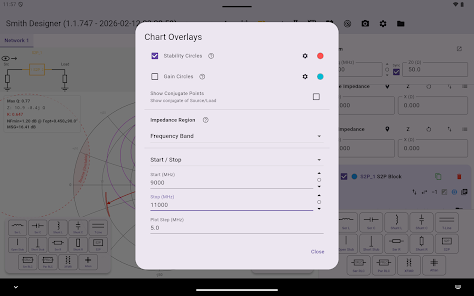
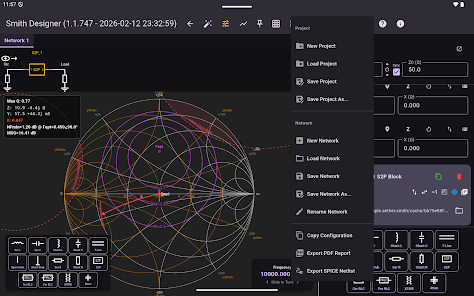
















Explore More
Equip yourself with our all-in-one toolbox app for everyday tasks and projects. Instantly convert between units, calculate tips, scan documents, manage files, and more with handy productivity tools. Includes a level, compass, QR code reader, ruler, speedometer, decibel meter, and flashlight. Save frequently used tools to your customizable dashboard for one-tap access. Track billable hours, wages, budgets, and invoices. Annotate screenshots, magnify labels, and sign PDFs on the go.

Board Game Stats

MEXC Global: BTC, ETH, Gamefi

Text Art - Write Text On Photo

MERA PROXY PRO

Domino's Pizza Sri Lanka

Halloween Photo Editor -Makeup

Connecting - Friends Near Me

Cartola