


Introduction
AccuWeather: Weather Radar puts hyperlocal forecasts, live radar and severe weather alerts at your fingertips, combining easy navigation with precise data. It helps users plan their day with hour-by-hour forecasts, precipitation maps and customizable alerts for storms, pollen and temperature changes—ideal for daily commuters and outdoor planning.
Overview of the app
AccuWeather: Weather Radar is a utility-focused weather application designed to deliver clear, timely information about current conditions and forecast trends. The app packages mapping tools, radar animation and short- to long-range forecasting into a single interface intended for users who need quick answers and detailed situational awareness.
What the app delivers
At its core, AccuWeather offers localized weather updates, interactive radar layers and push notifications for severe events. It balances depth of information with an accessible presentation, so both casual users and weather-aware commuters can find relevant content without hunting through menus.
Key tools and features
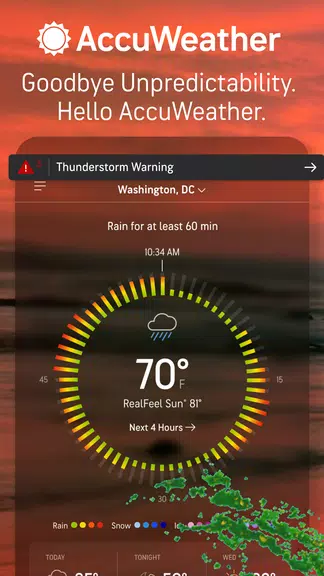
- Minute-by-minute precipitation — short-term forecasts that show whether rain or snow will start soon.
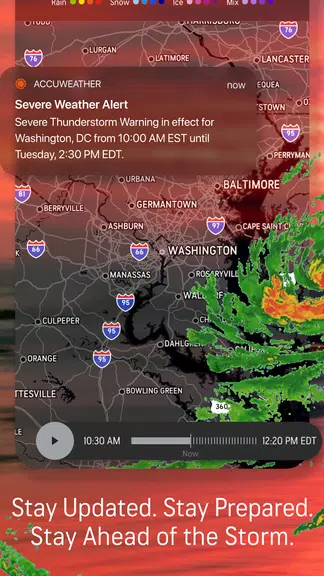
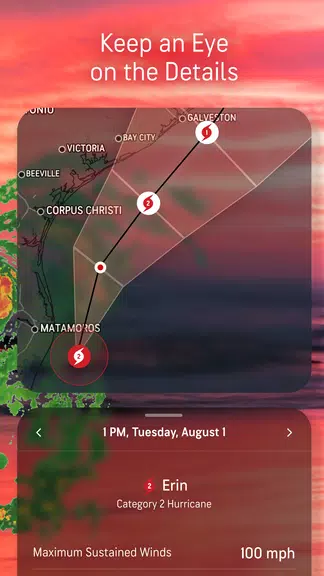
- Interactive radar — animated overlays for precipitation, storm cells and cloud cover with zoom and swipe controls.
- Severe weather alerts — configurable notifications for watches, warnings and advisories in your area.
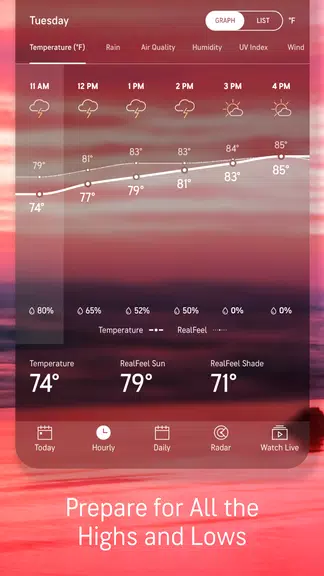
- Hourly and daily forecasts — concise timelines and extended outlooks with temperature, wind and UV index.
- Health insights — pollen counts and air quality indicators for sensitive users.
How the data is presented
Information appears in panels that prioritize what’s most important now: current temperature, precipitation chances and immediate alerts. Radar and satellite views are integrated so you can transition from summary to map with a single tap. Color-coded layers and legends make it straightforward to interpret storm intensity and movement.
Interface and performance
Design choices emphasize clarity. The interface uses clear typography and iconography with a layout that adapts well to both phones and tablets. Performance is generally smooth: map rendering is responsive and animations are fluid on modern devices. The app also gives options to reduce background activity to save battery life.
Customization and settings
Users can tailor notifications by severity type and location. Favorited locations are easy to add for tracking multiple areas, and units can be switched between imperial and metric. For professionals or hobbyists who watch weather closely, the ability to tweak refresh intervals and radar resolution is useful.
User experience and workflow
Starting the app shows current conditions for your primary location with an obvious path to the radar map or hourly forecast. For day planning, the hour-by-hour panel helps decide when to head out; for travel or events, the multi-day outlook offers high-level guidance. Pushing notifications ensures you won’t miss critical updates without needing to open the app constantly.
Practical use cases
- Daily commuters checking whether to expect rain during the morning drive.
- Outdoor event planners assessing the probability of storms across a weekend.
- Athletes monitoring temperature, wind and air quality for training sessions.
Tips for new users
Enable location services for the most accurate local forecasts and set alert thresholds for the events that matter to you. Explore radar layers to learn how storm colors correspond to intensity. If you travel frequently, add cities to your favorites so you can switch contexts quickly.
Why people choose AccuWeather
Many users appreciate the concise summaries and powerful radar tools combined in a single app. AccuWeather: Weather Radar serves both everyday decisions and more critical preparations by offering reliable notifications and rich map-based visualization. The balance of simplicity and depth makes it a practical choice for a wide range of users.
Getting started
Download and grant basic permissions like location access to get immediate value. Add any additional cities you monitor and review notification settings to match your lifestyle. A quick walkthrough of the radar view reveals how to zoom, play animations and switch layers for different perspectives.
AccuWeather integrates essential forecasting tools into a compact, usable package that helps people stay informed and prepared for changing conditions. Whether you need a quick glance at current skies or deeper context for planning, the app provides the building blocks to make weather-related decisions confidently.
- No virus
- No advertising
- User protection
Information
- File size: 46.80 M
- Language: English
- Latest Version: 20.4-6-google
- Requirements: Android
- Votes: 229
- Package ID: com.accuweather.android
- Developer: AccuWeather
Screenshots
















Explore More
Take charge of your wellbeing with our innovative health and fitness apps. Monitor your activity, sleep, nutrition and more using our advanced tracking tools. Access personalized insights to develop healthy habits. Check symptoms, manage medications, and connect with doctors through our telehealth services. Follow customized workout plans for any fitness level with our virtual coaching.

Tap vpn - fast and safe

Half Marathon Trainer 13.1 21K

DWP Fitness - Diet & Workout

MaaS360 MDM for Android

AD Program

Health Connect (Beta)

Kidcare – Parental Control App

Ultimate IPTV Playlist Loader





























