


Introduction
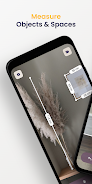
Measure Tools: AR Ruler Camera turns your smartphone into a compact measuring kit using augmented reality so you can measure furniture, room layouts and outdoor objects without a physical tape measure. The app overlays distance markers and dimension boxes on the live camera view, lets you tap to mark points, preview boxes to visualize furniture fit, calculate areas and save annotated photos for reference. This introduction explains what to expect, how the core interaction works and which situations benefit most from the app.
Key features and how they work
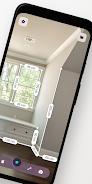
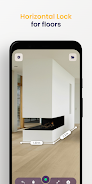
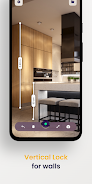
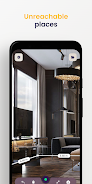
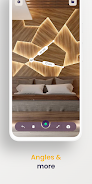
Measure Tools: AR Ruler Camera provides point-to-point AR measuring that requires minimal setup: tap two points in the camera view to get a distance reading, switch to flat-surface mode to trace room outlines and see automatic area calculations, or use vertical mode to estimate heights for doors, windows and ceilings. The Box Preview overlays a scalable rectangle or box so you can judge whether a piece of furniture will fit before you move it, and the Angle Finder measures slopes and inclines for simple tilt readings. Chain measurements allow you to place multiple connected segments to measure irregular shapes or paths. Auto area calculation and quick photo capture produce saved images and measurement logs that you can organize into folders and share with colleagues or clients.
Controls and interaction model
The interaction design is focused on simple gestures and clear visual feedback. Tap to place markers, tap again to finish a measurement, and use mode buttons on the screen to switch between distance, vertical height and flat-surface tracing. The app provides on-screen labels that show live numeric readouts in either metric or imperial units; you can change units from the settings panel. Visual anchors and soft highlighting help confirm that the AR system has locked on a surface or point, reducing accidental placements. If a measurement needs minor adjustment, markers can be repositioned by tapping an edit control to refine endpoints before saving a photo or exporting results.
Project workflow, progression and organization
Rather than levels or game-style progression, the app uses a practical project-based workflow for users who perform repeated measuring tasks. Each session can be saved as a named project or put into a folder for later review, which helps with multi-room renovations, staging multiple properties or comparing options across sites. Progression is therefore reflected in the way projects grow: you can collect a series of measurements, attach photos with overlays, add brief notes and then revisit a project to extend or refine earlier entries. This organization makes the tool useful for both quick one-off checks and longer-term jobs where maintaining a record of measurements is important.
Visual style, replay value and customization
The visual presentation prioritizes clarity: contrasting markers, translucent overlays and numeric labels remain readable over varied lighting conditions so readings are easy to interpret at a glance. Replay value comes from the tool’s utility in everyday tasks — homeowners, contractors and real estate agents will return to the app whenever they need to verify dimensions, plan furniture placement or record site conditions. Customization options include unit selection (inches, feet, centimeters, meters), the ability to rename and organize saved projects and simple camera-based settings to improve contrast or toggle grid overlays when tracing room outlines.
Accuracy, device requirements and accessibility
Accuracy depends on device camera quality, motion sensors and lighting: textured surfaces and low light can reduce precision, and very small or highly precise tasks may still require a physical tape or caliper. The app performs its core functions offline for on-site use, so you do not need a persistent internet connection to measure and save projects. For accessibility, text labels are sized to remain legible and the interface uses clear icons and contrast; voice-over support or additional accessibility options depend on the host device’s settings. Users should ensure their phone supports AR frameworks and has a capable camera for best results.
Best practices and troubleshooting
For reliable measurements, keep the camera steady while placing markers, scan the surface to allow the AR system to identify planes before tracing, and use well-lit environments to reduce error. If readings seem inconsistent, try restarting the session, recalibrating the phone’s motion sensors via the system settings, or moving slightly to give the camera more parallax information. Measure Tools: AR Ruler Camera works best when combined with a quick visual check using a physical tape for critical dimensions, and saved photos provide a useful audit trail to compare results and document any adjustments made on site.
- No virus
- No advertising
- User protection
Information
- File size: 156.00 M
- Language: English
- Latest Version: 3.22
- Requirements: Android
- Votes: 178
- Package ID: com.craftars.measuretools
- Developer: Craftars
Screenshots
















Explore More
Make your house a home with our suite of helpful home apps. Discover clever tools to organize closets, streamline chores, and simplify cooking. Take the stress out of cleaning and maintenance with handy checklists and schedules. Enhance security and control appliances and lighting with our smart home integrations. Design, visualize, and renovate like a pro using our 3D planning software.

Metro Micro

Tax Calculator India 2024-2025

ClassPass: Fitness, Spa, Salon

OnDjoss

Park4Me

Scary sound effects

Home Workouts - Lose Weight

Juice Recipes





























