
Introduction
Wps Wpa Tester is a compact Android utility that helps users assess the resilience of their wireless networks by scanning WPS/WPA settings and delivering straightforward security feedback. The app focuses on quick diagnostics, compatibility checks, and practical advice to help homeowners and small offices reduce exposure to common wireless misconfigurations.
What the App Does
Wps Wpa Tester inspects wireless access points to determine whether common WPS-related weaknesses are present and whether encryption settings meet baseline expectations. It does not promise intrusive access or unauthorized network control; instead it provides information intended for network owners and administrators who want to validate their router settings and understand potential risks.
Key Features and Tools
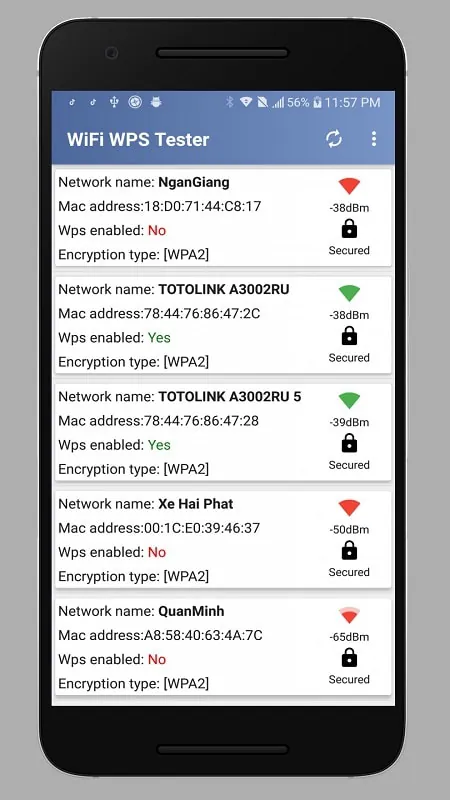
- Network Scan: Discover nearby Wi-Fi access points and view essential parameters such as SSID visibility, security type, and WPS availability.
- WPS Status Check: Identify routers with WPS enabled so you can decide whether to keep or disable the feature depending on your security posture.
- Compatibility Report: See which devices and Android versions are supported for deeper checks, reducing compatibility surprises.
- Performance Feedback: Quick summaries highlight weak encryption, default settings, or open guest networks that should be addressed.
- Safety Reminders: Built-in guidance stresses lawful, ethical use and encourages testing only on networks you own or manage.
User Interface and Workflow
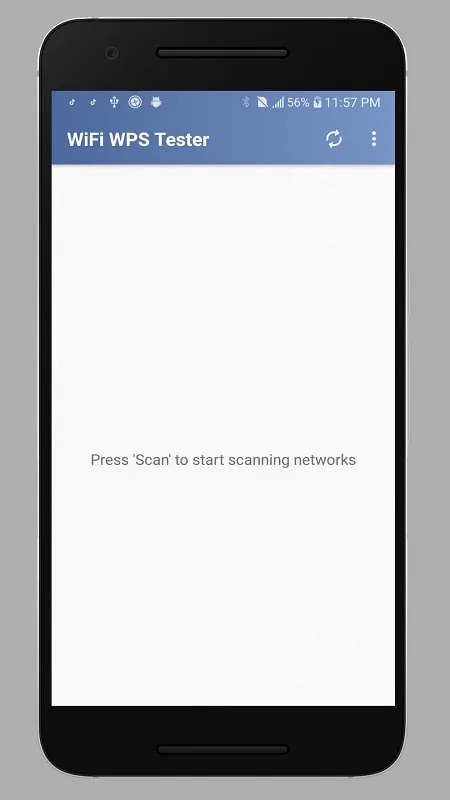
The interface prioritizes clarity: a simple list of detected networks appears on launch, with icons that show security type and WPS status at a glance. Selecting an entry opens a concise report with recommended actions. Color-coding and short labels make it easy to interpret results without needing technical expertise, while advanced options remain available for experienced users.
How to Use It Responsibly
Wps Wpa Tester is useful for administrators performing routine checks, landlords securing shared Wi-Fi, or homeowners improving their router configuration. Use the app to confirm that WPS is disabled if not needed, verify strong WPA2/WPA3 encryption is active, and check that default router PINs or passwords have been changed. The app emphasizes that testing should be limited to owned or authorized networks and never used to attempt unauthorized access.
Performance and Compatibility
The app is designed to run on a wide range of Android devices and is optimized for fast scans without heavy battery drain. Detection speed depends on the device's Wi-Fi chipset and Android permission model; granting the necessary location and network permissions allows more complete scans. Reports generally appear in seconds on modern phones, making it suitable for quick audits and on-the-go checks.
Security Recommendations
- Disable WPS if your router doesn’t require it for convenience, as WPS can introduce attack vectors.
- Choose strong, unique passwords and enable WPA2 or WPA3 encryption where available.
- Update router firmware regularly to patch vulnerabilities and improve stability.
- Change default administrative credentials immediately after setup to prevent unauthorized configuration changes.
- Use a separate guest network for visitors to limit exposure of internal devices.
Common Use Cases
Home users can run a quick audit after installing a new router or when managing multiple access points in a residence. Small business owners may use the app to check guest access and ensure staff devices connect over secure channels. IT technicians can include the app as part of a routine inventory and hardening checklist during on-site visits.
Limitations and Responsible Boundaries
Wps Wpa Tester is an assessment tool, not an exploit kit. It reports on configuration and potential weaknesses but does not provide automated intrusion capabilities. Its usefulness depends on device permissions and router behavior; some modern routers may limit diagnostic features or mask certain details to protect users, which can affect scan granularity.
Getting Started
Install the app, grant the requested permissions, and run an initial scan of your environment. Review the concise reports for each access point and follow the recommended security steps. For anyone using Wps Wpa Tester professionally, documenting findings and tracking remediation actions will help improve network posture over time.
Wps Wpa Tester is a practical tool for improving wireless hygiene and understanding where simple configuration changes can yield meaningful security benefits. Keep usage ethical, focus on authorized networks, and pair the app’s insights with routine firmware updates and strong password practices to keep your wireless environment safe.
- No virus
- No advertising
- User protection
Information
- File size: 25.20 M
- Language: English
- Latest Version: rc-5.3786
- Requirements: Android
- Votes: 287
- Package ID: com.tester.wpswpatester
- Developer: Sangiorgi Srl
Screenshots
















Explore More
Make your house a home with our suite of helpful home apps. Discover clever tools to organize closets, streamline chores, and simplify cooking. Take the stress out of cleaning and maintenance with handy checklists and schedules. Enhance security and control appliances and lighting with our smart home integrations. Design, visualize, and renovate like a pro using our 3D planning software.

Metro Micro

Tax Calculator India 2024-2025

ClassPass: Fitness, Spa, Salon

OnDjoss

Park4Me

Scary sound effects

Home Workouts - Lose Weight

Juice Recipes