Introduction
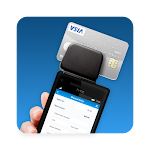
Credit Card Reader is a mobile utility that captures card details with your phone camera and converts them into editable payment fields for faster checkout and record keeping. Designed for small businesses and personal finance, the app emphasizes speed, accuracy, and secure handling of sensitive information across Android devices.
Core capabilities
Credit Card Reader streamlines payment entry by scanning the front of physical cards, extracting numbers, expiration dates, and cardholder names, then populating forms automatically. The interface focuses on minimal taps: launch the camera, align the card, confirm the parsed fields, and proceed to save or use the data. It supports manual edits when recognition is imperfect and keeps a clear history of accepted scans.
Features that matter
- Fast OCR processing — optimized optical character recognition identifies common card layouts and works well under typical indoor lighting.
- Editable results — parsed fields are presented for review so users can correct OCR mistakes before saving or submitting.
- Batch scanning — capture multiple cards in one session for bulk entry by small shops or field agents.
- Export options — save to CSV or copy data into other apps, reducing repetitive typing during bookkeeping or invoicing tasks.
- Lightweight footprint — small download size and efficient CPU use to preserve battery life on a wide range of Android phones.
User interface and workflow
The app keeps the camera view uncluttered with a simple guide rectangle to help users align cards. A progress indicator shows when a read is complete, and color-coded confirmation flags parsed values that need attention. A one-tap confirm button moves data into a secure local wallet or into an export queue. The workflow is designed around quick, repeatable steps so staff can process multiple customers without interruption.
Security and privacy practices
Handling payment information requires care. Credit Card Reader stores card details locally by default and offers optional encrypted backups. Sensitive fields such as CVV are not retained unless explicitly allowed by the user for a specific, consented purpose. The app supports device-level authentication—PIN, fingerprint, or face unlock—before accessing saved entries and provides clear settings for retention periods and data deletion.
Performance and compatibility
Optimized for Android, the app runs smoothly on most devices released in the past five years. Image processing adapts to device performance, using lower-resolution captures on older hardware and higher-resolution scans on modern phones. It integrates with popular payment and bookkeeping apps via share intents and can export standard CSV files for upload to accounting systems.
Integration scenarios
Small retailers, service technicians, and event registrars benefit from the time savings offered by Credit Card Reader. For example, a field service worker can scan a client’s card to autofill payment terminals or store the payment method for invoicing. The export feature makes it straightforward to transfer records to desktop accounting tools at the end of the day.
Tips for more accurate scans
- Avoid glare by tilting the card slightly or changing the light angle.
- Place the card on a contrasting background so the edges are distinct.
- Hold the phone steady and allow the app to auto-capture rather than moving the device.
- Clean worn or damaged cards before scanning; heavy wear can reduce OCR accuracy.
Setup and first run
Getting started is quick: grant camera permission, run a guided demo scan, and configure the preferred storage option. Credit Card Reader offers a short tutorial on data retention settings and encryption options during the first launch so users can tailor privacy controls to their needs. After setup, typical usage takes just a few seconds per card.
Support and updates
Regular updates improve recognition algorithms, add support for new card designs, and maintain compatibility with the latest Android releases. In-app help covers common issues and troubleshooting steps, and a contact option connects users to support for exceptional cases like complex card layouts or integration questions.
Credit Card Reader aims to reduce repetitive data entry while keeping control firmly in the hands of the user. By balancing quick capture, editable results, and configurable security, the app fits into daily workflows for merchants and individuals who want a reliable way to record card information responsibly.
- No virus
- No advertising
- User protection
Information
- File size: 4.80 M
- Language: English
- Latest Version: 24.7.12
- Requirements: Android
- Votes: 260
- Package ID: com.ics.creditcardreader
- Developer: Merchant Account Solutions
Screenshots
















Explore More
Take control of your money with our powerful finance apps. Track spending, create budgets, and set savings goals using our easy-to-use tools. Invest wisely by accessing real-time market data and analyst reports. Manage portfolios and optimize taxes for greater returns. Apply for loans, credit cards, and insurance with our partners for personalized rates. Securely link accounts for a consolidated view of your finances.

Carbonate HR

Kaspersky Password Manager

V3 Mobile Plus

KB Pay

easypaisa - Payments Made Easy

Freelancer

Athol CU Mobile Banking

Split Bill