


Introduction
Carbonate HR is a modern human resources app designed to simplify employee management, payroll, and attendance tracking for small to medium organizations. It combines cloud-based HR tools, mobile access, and analytics to help HR teams automate routines and make data-driven decisions without complex setup or steep learning curves.
What the app does
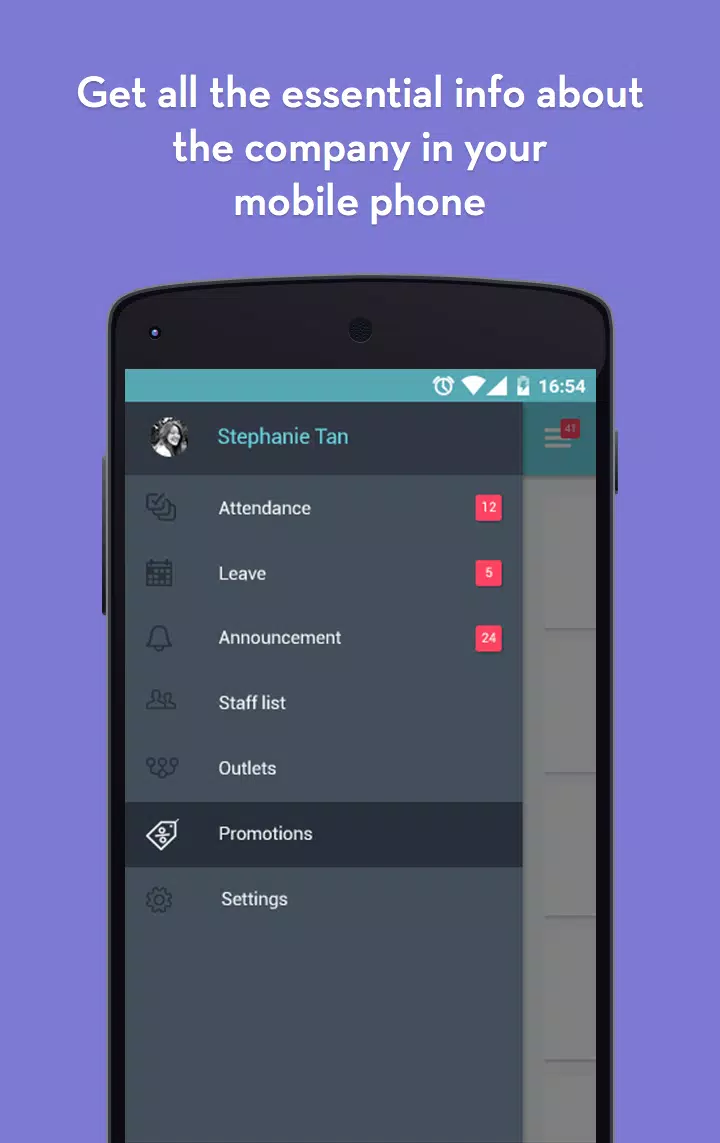
Built for HR professionals and managers, Carbonate HR centralizes employee records, timekeeping, leave management, and payroll processing in one place. The interface prioritizes quick access to personnel files and approvals while retaining detailed audit logs for compliance and reporting.
Core capabilities
- Employee database: Store personal details, job history, documents, and contract data with easy search and filtering.
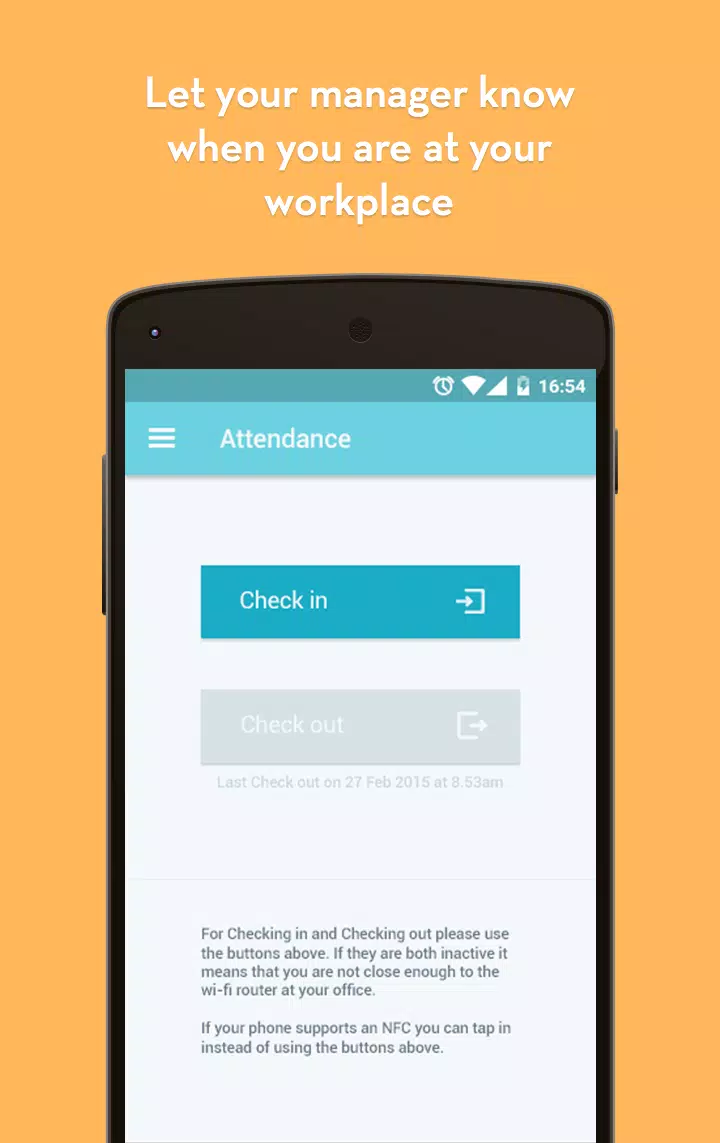
- Time & attendance: Automate clock-ins, geofencing, shift scheduling, and overtime calculations to reduce errors.
- Leave management: Configure leave types, approval flows, and accrual policies to match company rules.
- Payroll processing: Calculate taxes, deductions, and benefits with configurable pay cycles and export options.
- Self-service: Employees can request time off, view payslips, and update profiles from mobile or web.
Interface and workflow
The user interface focuses on clarity and efficiency. Dashboards present key metrics—headcount trends, upcoming leave, and payroll liabilities—so managers can act quickly. Carbonate HR uses modular pages that HR teams can enable or disable depending on their needs, which reduces clutter and speeds adoption.
Streamlined approvals
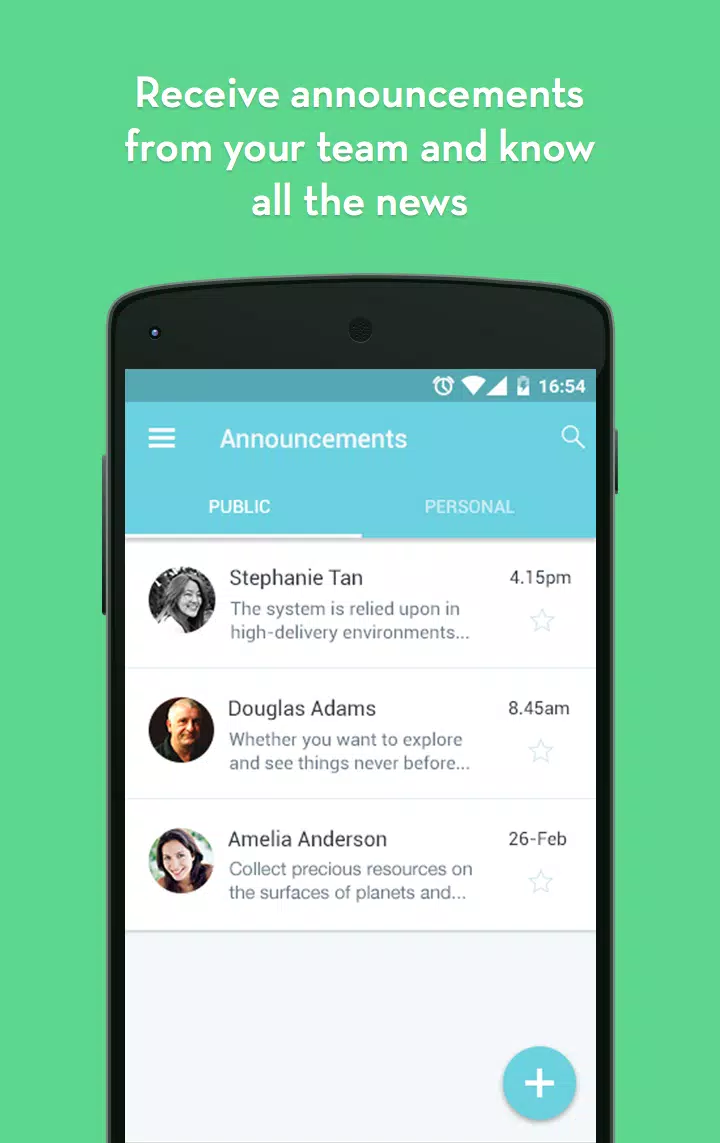
Approval workflows are configurable: routing can be set by department, role, or custom criteria. Notifications arrive via email or in-app alerts, and managers can approve requests with a few taps. This reduces bottlenecks and shortens the time between request and resolution.
Data and reporting
Reporting tools include predefined templates and a custom report builder. CSV and PDF exports allow data sharing with finance or external auditors. Visual charts make headcount movement and leave trends easier to understand, helping HR teams spot issues before they become problems.
Security and compliance
Data protection is handled through role-based permissions and audit trails. The app supports secure document storage and configurable retention policies to align with local regulations. Access logs help administrators monitor activity and maintain compliance standards.
Integration and automation
Carbonate HR connects with common payroll engines, single sign-on providers, and calendar services to eliminate manual steps. Automated triggers can push salary adjustments to payroll systems, sync approved leave with team calendars, or send reminders for probation reviews.
Customization options
The platform allows HR teams to tailor forms, approval chains, and notification templates without coding. Custom fields and tags help classify employees by skill, project, or location, making it simpler to generate targeted reports.
User experience and performance
Performance is optimized for both desktop and mobile usage. The mobile app supports offline entry for time tracking and resumes syncing when a connection is available. Pages are designed for fast load times and minimal scrolling, which keeps routine tasks quick.
Onboarding and support
Onboarding guides walk admins through initial setup: importing employee lists, defining leave policies, and configuring payroll items. A help center and in-app tutorials reduce dependency on vendor support, while optional guided implementation services are available for larger deployments.
Tips for teams starting out
- Start with a small pilot group to validate leave and payroll settings before a full rollout.
- Use custom fields to capture information unique to your organization, like certifications or badge IDs.
- Set up approval routing upfront to match your organizational hierarchy and avoid last-minute changes.
- Export a sample payroll run to confirm deductions and tax rules before processing live payroll.
Why organizations choose this solution
Teams pick Carbonate HR for its balance of simplicity and flexibility. It reduces administrative overhead, integrates with existing systems, and scales as the organization grows. The emphasis on modular features means companies pay for the functionality they need and can expand later.
Getting started
Deploying Carbonate HR typically involves account setup, data import, and policy configuration. With clear documentation and step-by-step setup wizards, most administrators can complete basic implementation within days. For teams that prefer hands-off support, professional onboarding services are available to accelerate adoption.
- No virus
- No advertising
- User protection
Information
- File size: 10.00 M
- Language: English
- Latest Version: 3.5.44
- Requirements: Android
- Votes: 484
- Package ID: com.sodainmind.carbonate
- Developer: Soda in Mind
Screenshots
















Explore More
Take control of your money with our powerful finance apps. Track spending, create budgets, and set savings goals using our easy-to-use tools. Invest wisely by accessing real-time market data and analyst reports. Manage portfolios and optimize taxes for greater returns. Apply for loans, credit cards, and insurance with our partners for personalized rates. Securely link accounts for a consolidated view of your finances.

Tax Calculator India 2024-2025

Kaspersky Password Manager

V3 Mobile Plus

Credit Card Reader
KB Pay

easypaisa - Payments Made Easy

Freelancer

Athol CU Mobile Banking





























