

Introduction
File Manager-Easy & Smart is a lightweight, user-focused file management app that organizes storage, controls permissions, and speeds up file transfers with a clear interface. Designed for everyday use, it combines quick access tools and robust organization options so you can manage documents, media, and backups efficiently on any Android device.
What the app does at a glance
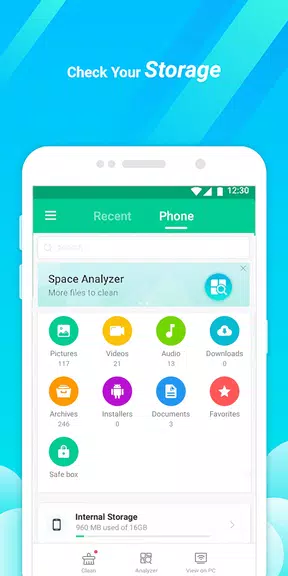
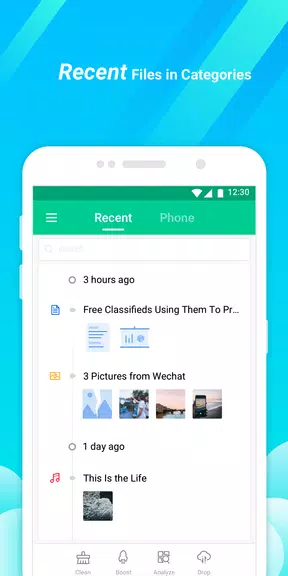
File Manager-Easy & Smart groups common tasks into an accessible layout so both novices and power users find files fast. The home screen highlights recent items, storage usage, and frequently accessed folders. From basic copy/paste to batch operations and search filters, the app covers essential file tasks without clutter.
Core features that stand out
- Intuitive browsing: Navigate internal storage, SD cards, and OTG drives with a familiar folder tree and smooth scrolling.
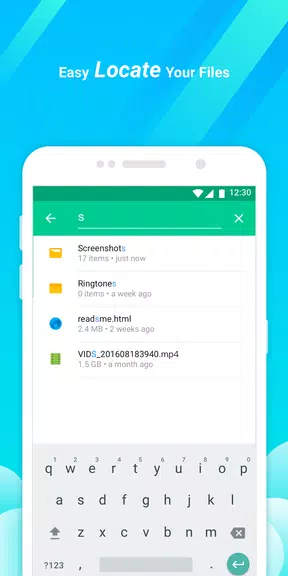
- Fast search: Filter by name, type, size, or date and preview results instantly.
- Batch management: Select multiple files for moving, compressing, deleting, or sharing in one operation.
- Built-in viewers: Open images, videos, documents, and archives without leaving the app.
- Secure handling: Optional password or biometric lock for private folders.
How the interface supports productivity
The design emphasizes clarity and speed. Icons are large enough to tap easily, and contextual menus appear where you need them. File Manager-Easy & Smart keeps advanced options tucked behind simple gestures so the main workflow remains fast. Dark and light themes are available, plus adjustable list and grid views to match personal preferences.
Advanced tools for power users
Beyond browsing, the app offers archive creation and extraction (ZIP/RAR), file hashing for verification, and app package (APK) management. Network protocols such as FTP, SFTP, and SMB let you connect to remote shares while cloud integrations support popular providers for one-touch sync and transfers. These tools make it suitable for both home use and small-scale IT tasks.
Performance and resource usage
Performance is tuned to minimize battery and memory consumption. File Manager-Easy & Smart indexes folders incrementally, so large directories don’t freeze the UI. File previews stream content when possible rather than loading entire files into memory, keeping operations responsive on mid-range devices.
User experience and accessibility
The app focuses on clarity: labels, icons, and help tips are concise and contextual. For accessibility, it supports screen readers and provides larger touch targets. New users can rely on a guided first-run experience that explains core features and permission requests to avoid confusion about storage access.
Customization and personalization
Custom shortcuts let you pin folders, files, or network locations to the home screen. You can define default actions for file types—choose which viewer launches images or which editor opens text files. File Manager-Easy & Smart also supports custom sort orders and saved searches so frequently used queries are one tap away.
Practical scenarios where it helps
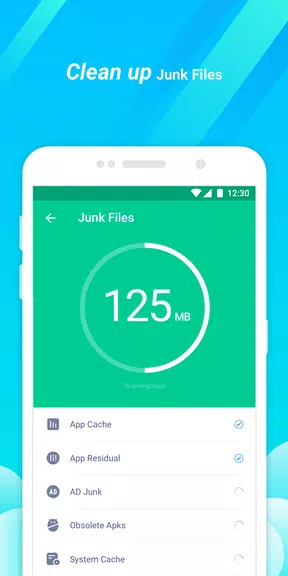
- Freeing storage: Identify large files, clear caches, and duplicate items to regain space quickly.
- Media organization: Tag and sort photos or music into folders for offline playback.
- File sharing: Move files between device, cloud, and network locations with drag-and-drop or share sheets.
- Backup routines: Schedule exports of contacts, messages, or selected folders to cloud backups.
Tips for new users
Start by granting only the permissions you need and use the app’s file preview to confirm actions before moving or deleting items. Create a pinned folder for downloads and enable automatic archive extraction only when you trust the source. Regularly check the app’s storage analyzer to avoid surprises.
Installation and setup notes
Installation is straightforward from the Play Store or APK distribution channel. At first launch, File Manager-Easy & Smart requests access to storage and optional access to media and cloud accounts. Follow prompts for network shares and, if desired, configure biometric locks in the security settings.
Why users keep it installed
People opt for File Manager-Easy & Smart because it balances simplicity with useful features. It doesn’t overwhelm beginners yet provides tools that experienced users rely on, such as network access and batch operations. Updates tend to focus on stability and small workflow improvements rather than disruptive redesigns.
If you want a polished file management tool that stays out of the way while providing reliable control over your files, File Manager-Easy & Smart is worth trying for everyday organization and occasional advanced tasks.
- No virus
- No advertising
- User protection
Information
- File size: 28.10 M
- Language: English
- Latest Version: v10.1.7.1.1121.2
- Requirements: Android
- Votes: 498
- Package ID: com.jrdcom.filemanager
- Developer: mie-alcatel.support
Screenshots
















Explore More
Make your house a home with our suite of helpful home apps. Discover clever tools to organize closets, streamline chores, and simplify cooking. Take the stress out of cleaning and maintenance with handy checklists and schedules. Enhance security and control appliances and lighting with our smart home integrations. Design, visualize, and renovate like a pro using our 3D planning software.

Metro Micro

Tax Calculator India 2024-2025

ClassPass: Fitness, Spa, Salon

OnDjoss

Park4Me

Scary sound effects

Home Workouts - Lose Weight

Juice Recipes





























