


Introduction
Logitech Mevo brings camera control, live switching, and simple editing into a single mobile interface, designed for creators and live producers. The app lets you control Mevo cameras, set up multi-angle streams, and trim clips for quick social uploads — all from a smartphone or tablet.
What the app does
Designed for independent creators, small production teams, and event streamers, Logitech Mevo transforms compatible cameras into a compact, networked production studio. It focuses on intuitive touch controls, live editing, and easy connection to popular streaming platforms. The workflow favors speed: configure a shot, switch angles, and publish without complex hardware.
Core tools and capabilities
The app centers on a concise toolkit that surfaces the most common production tasks. You get a multi-camera switcher, an adjustable preview grid, and basic clip trimming. An onboard audio meter helps monitor levels while a scene composer arranges shots and overlays. Integration with streaming services is handled through clear menus that step you through stream keys and destinations.
User interface and layout
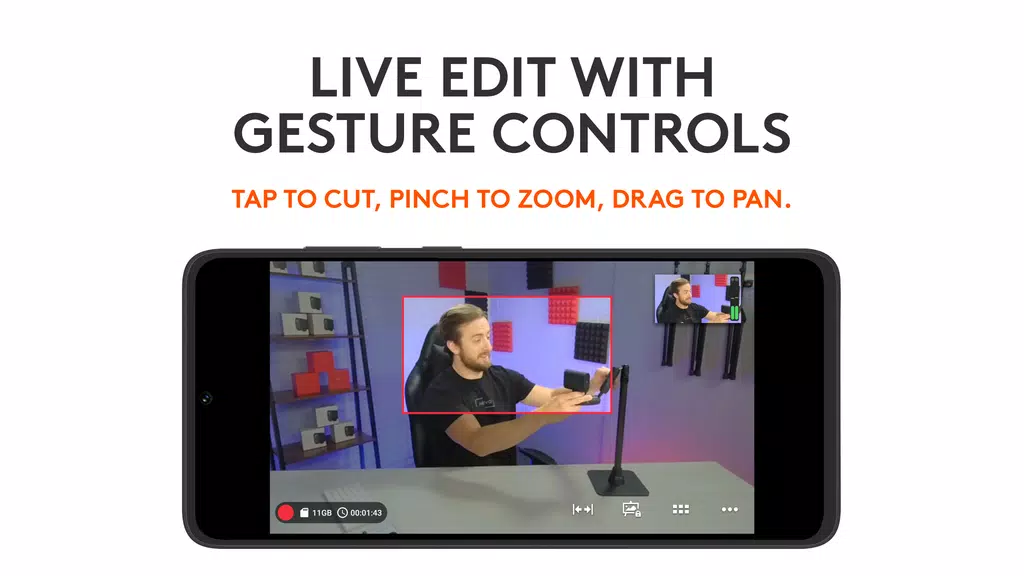
Logitech Mevo’s interface is organized around touch-first gestures and large, readable icons. The main screen displays live feeds and a timeline-style control for switching inputs. Menus are layered rather than buried, which reduces the time needed to perform frequent actions like starting a stream or marking highlights. New users will find the visual language predictable; experienced operators appreciate quick access to camera settings.
How streaming and recording work
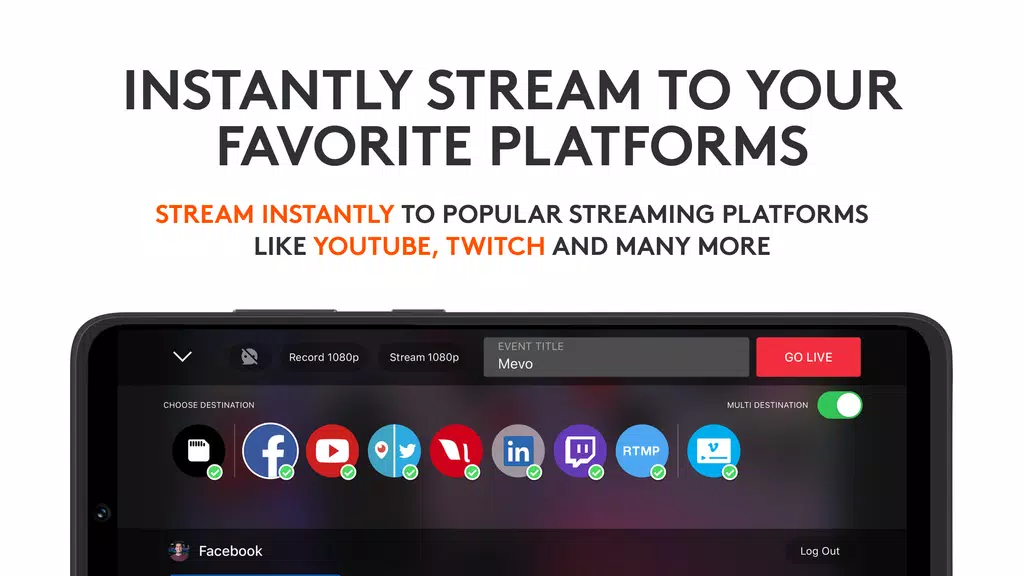
The app lets you stream directly to platforms such as YouTube, Facebook, and custom RTMP endpoints. You can also record locally while live, creating backup files for post-production. Switching between cameras can be manual or automated with preset transitions. Network management tools display bandwidth use and offer warnings if the connection weakens, helping prevent dropped frames during critical broadcasts.
Customization and production options
Logitech Mevo supports custom overlays, lower-thirds, and simple graphics that you can place over live video. Preset shots enable automatic camera moves and zooms, and you can save scene configurations for recurring events. Audio routing options include using the camera’s mic, an external source, or an audio mixer connected through the network, making it flexible for different environments.
Performance and reliability
Performance depends on the hardware and network, but the app is optimized for stable, low-latency control of Mevo cameras. It prioritizes connection resiliency and efficient encoding to maintain stream quality. When paired with a reliable Wi‑Fi or wired connection, the app handles multi-angle productions with minimal hiccups. Battery and thermal management on mobile devices can influence sustained recording times.
Workflow tips for newcomers
- Plan scenes: Predefine two or three go-to shots to simplify switching during live events.
- Check bandwidth: Run a brief network test before going live to confirm upload rates support your chosen bitrate.
- Use presets: Save common camera moves and overlays so you can recall them quickly under pressure.
- Monitor audio: Keep an eye on levels and use headphones to catch issues early.
These practical adjustments reduce mistakes and keep streams looking professional without a large crew.
Compatibility and setup
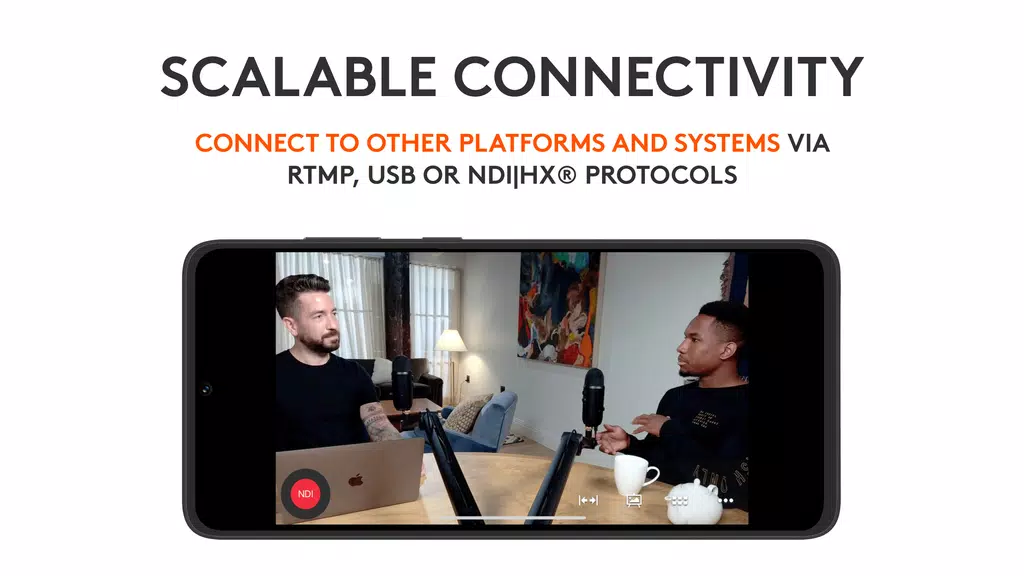
Setting up is generally straightforward: install the app, connect your Mevo camera(s) to the same network, and follow the guided pairing process. The app can manage one or several cameras, and it supports firmware updates to keep features current. If you need to route video through hardware encoders or mixers, the app provides RTMP and NDI options to fit into more complex systems.
Who should use it
Logitech Mevo is aimed at solo creators, event videographers, houses of worship, and educators who need reliable, portable production tools. It lowers the barrier to multi-camera streaming by combining capture, switching, and basic editing in a single app. Teams that require deep, frame-accurate editing will still pair it with desktop software, but many live needs are covered end-to-end.
For people looking for a compact production workflow that emphasizes speed and ease of use, the app provides a balanced set of features without overwhelming menus or costly hardware. Regular updates continue to refine stability and add creative controls, making it a practical choice for modern live production.
- No virus
- No advertising
- User protection
Information
- File size: 138.20 M
- Language: English
- Latest Version: 5.1.4
- Requirements: Android
- Votes: 128
- Package ID: com.livestream.mevo
- Developer: Logitech Europe S.A.
Screenshots
















Explore More
Make your house a home with our selection of innovative apps. Discover programs to simplify cleaning, organize closets, and manage home maintenance. Take the hassle out of chores and keep your space running smoothly. Design, visualize, and renovate like a pro using our augmented reality and 3D modeling tools. Enhance security and monitor your property 24/7 with our connected home tech.

Scary sound effects

カウシェ

Baby songs free Nursery rhymes

Kaspersky Password Manager

Kidcare – Parental Control App

OTT Navigator IPTV

MTS Link

Origin Energy Gas Internet LPG





























