


Introduction
MyLOFT is the ultimate tool for organizing and accessing all of your favorite e-content and scholarly resources in one convenient place. With the ability to save, sync, and share from a variety of devices, including laptops, tablets, and mobile phones, you can easily keep track of everything that piques your interest. Tag and organize your content for quick searching and offline reading, or use the text highlighter to mark important notes and summaries. Plus, with the option to listen to articles and saved content, you can give your eyes a break while still absorbing valuable information. And don't worry - with VPN access, your institutional subscribed eResources remain secure and easily accessible.
Features of MyLOFT:
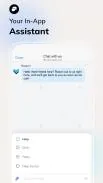
Personalized Library: MyLOFT allows you to create your own personal library where you can access, organize, and share e-content and scholarly resources based on your professional and personal interests.
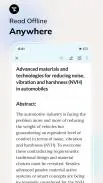
Offline Access: Save your favorite content and access it offline using your laptop, mobile, or tablet. Sync and share content from various sources such as library e-resources, websites, blogs, and RSS feeds.
Direct Access to E-Resources: Get direct access to scholarly databases, e-books, and the latest articles from your favorite journals that are subscribed by your library.
Tagging and Organization: Easily tag and organize your content for quick searching and offline reading. Create folders to reference and keep track of your saved content.
FAQs of MyLOFT:
Is VPN required for using MyLOFT?
Yes, VPN is required for seamless access to institutional subscribed e-resources. However, we do not monitor all traffic of the app and the purpose of VPN is to securely route traffic for the subscribed e-resources domains through our servers.
Can I highlight and listen to my saved content?
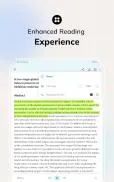
Yes, you can use the text highlighter to mark important notes from articles and share them. You can also listen to articles and saved content for a relaxing reading experience.
Conclusion:
MyLOFT is the perfect solution for managing your digital library and accessing scholarly resources on the go. With features like offline access, direct access to e-resources, tagging and organization tools, and text highlighter for easy note-taking, MyLOFT offers a user-friendly and convenient experience for all your reading needs. Download MyLOFT today and take your personal library to the next level.
- No virus
- No advertising
- User protection
Information
- File size: 25.58 M
- Language: English
- Latest Version: 2.0.16
- Requirements: Android
- Votes: 425
- Package ID: com.eclat.myloft
Screenshots
















Explore More
Equip yourself with our all-in-one toolbox app for everyday tasks and projects. Instantly convert between units, calculate tips, scan documents, manage files, and more with handy productivity tools. Includes a level, compass, QR code reader, ruler, speedometer, decibel meter, and flashlight. Save frequently used tools to your customizable dashboard for one-tap access. Track billable hours, wages, budgets, and invoices. Annotate screenshots, magnify labels, and sign PDFs on the go.

Nghe Nhạc Vàng - Nhạc Trữ Tình

Beat Jam - Music Maker Pad

وهشام سماتي- عشقنا راه في خطر

Mazetools Soniface Pro

Oldies But Goldies Radio App

Enrique Iglesias - El Perdón

Stream on Screen for Price Tag

荐片播放器
























You May Also Like





Comment
-
Very nice app. I can easily share my research work with my colleagues.2025-08-30 00:39:47
-
Font size of content is very small and can't be zoomed.2025-08-29 21:01:06
-
Oh mann, after your vpn update , all the sited are showing invalid login or error 404. Fix this ASAP2025-08-29 16:23:48
-
While researching I know which database has been subscribed by my library. It saves a lot of time2025-08-29 09:49:10
-
I am not able to see any e-resources. It is showing my membership is expired what can I do please guide..2025-08-29 09:36:16
-
Unable to acces the app, after logging in the app is not opening....2025-08-28 23:47:42
