


Introduction
Device Info is good app. Enhance your Android device experience with this all-in-one tool that provides a comprehensive overview of your phone's hardware, software, and system information. With the ability to quickly check smartphone details, analyze storage and apps, run device tests and benchmarks, explore app specifics, manage apps, and monitor real-time data, this app is a must-have for tech-savvy users. From viewing device info to analyzing storage and apps, Device Info offers a user-friendly interface that automatically analyzes your device upon opening. With minimal space usage and easy accessibility, you can review your smartphone's health and performance anytime, anywhere.
Features of Device Info:
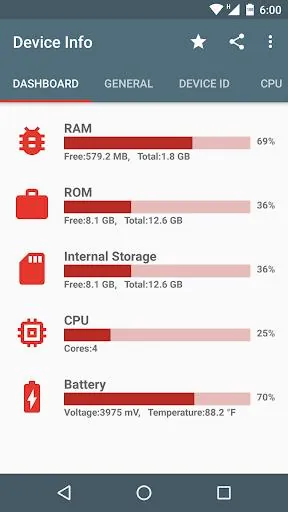
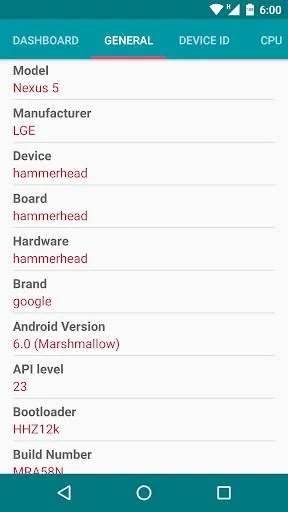
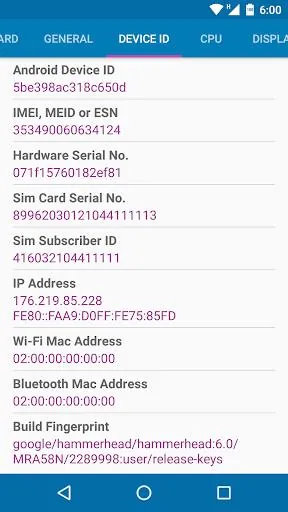
Comprehensive Information: Device Info provides a wide range of hardware, software, and system information in one place, making it a convenient tool for users to access and analyze their device details quickly.
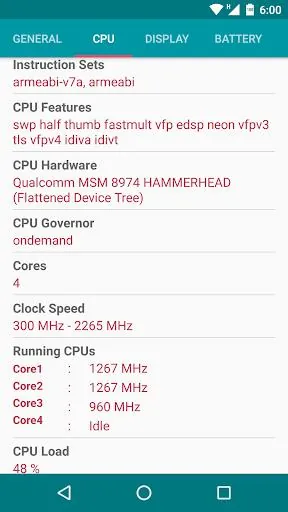
Diagnostic Capabilities: Users can easily check on the health of their battery, camera specs, memory status, and CPU info through the app, allowing for troubleshooting and optimization of their device.
User-Friendly Interface: Device Info automatically analyzes the device upon opening, presenting the data in a clear and organized manner for easy understanding.
Minimal Storage Usage: Despite its extensive features, Device Info takes up minimal space on your device, ensuring that it does not affect the performance of your smartphone.
Real-Time Monitoring: With a floating monitor feature, users can monitor real-time data such as FPS, battery status, and CPU & GPU performance, providing valuable insights into their device's performance.
FAQs of Device Info:
Is Device Info compatible with all Android devices?
- Yes, Device Info is compatible with a wide range of Android devices running on different OS versions.
Does Device Info require an internet connection to function?
- No, Device Info does not require an internet connection to access and analyze device information.
Can I export app icons and APKs using Device Info?
- Yes, Device Info allows users to export app icons and APK files, as well as share apps with others.
Is Device Info free to download and use?
- Yes, Device Info is available for free on the Google Play Store with optional in-app purchases for additional features.
Conclusion:
Overall, Device Info is a comprehensive and user-friendly tool for accessing and analyzing hardware, software, and system information on Android devices. With its diagnostic capabilities, minimal storage usage, and real-time monitoring features, Device Info provides valuable insights into smartphone health and performance. Whether you need to troubleshoot issues or optimize your device, Device Info is a handy app to have at your disposal. Download Device Info today and take control of your smartphone's performance and efficiency.
- No virus
- No advertising
- User protection
Information
- File size: 11.70 M
- Language: English
- Latest Version: v2.10.0.0
- Requirements: Android
- Votes: 292
- Package ID: com.liuzh.deviceinfo
- Developer: Alphabet Labs
Screenshots
















Explore More
Take charge of your wellbeing with our innovative health and fitness apps. Monitor your activity, sleep, nutrition and more using our advanced tracking tools. Access personalized insights to develop healthy habits. Check symptoms, manage medications, and connect with doctors through our telehealth services. Follow customized workout plans for any fitness level with our virtual coaching.

Half Marathon Trainer 13.1 21K

DWP Fitness - Diet & Workout

MaaS360 MDM for Android

AD Program

Health Connect (Beta)

Kidcare – Parental Control App

Ultimate IPTV Playlist Loader

Calorie





















