Introduction
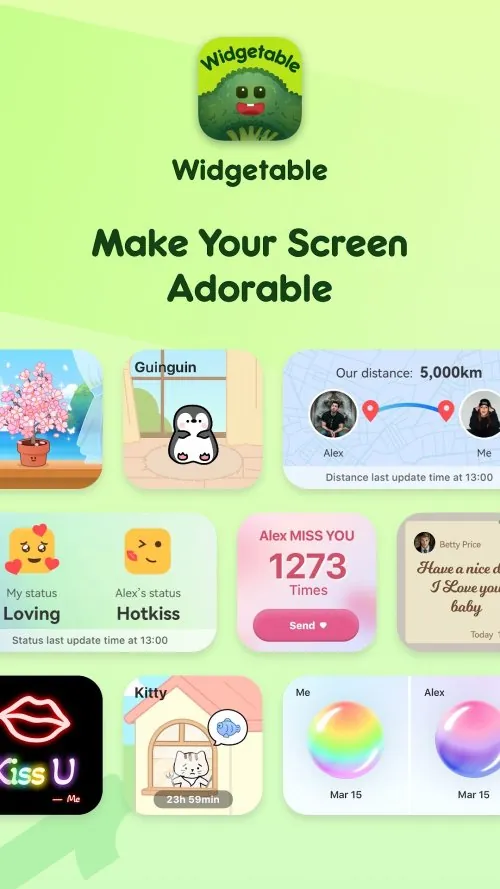
Widgetable is a versatile app designed to customize your smartphone’s home screen with personalized widgets. Whether you want to display a calendar, weather, or even your favorite quotes, Widgetable offers a variety of styles and designs to suit any preference. This app makes it easy for users to enhance the aesthetic of their home screens while keeping functionality at the forefront. You can combine multiple widgets into a single view, ensuring your screen remains neat and organized. With a few taps, Widgetable transforms your device into a visually appealing and highly functional tool.
Features of Widgetable:
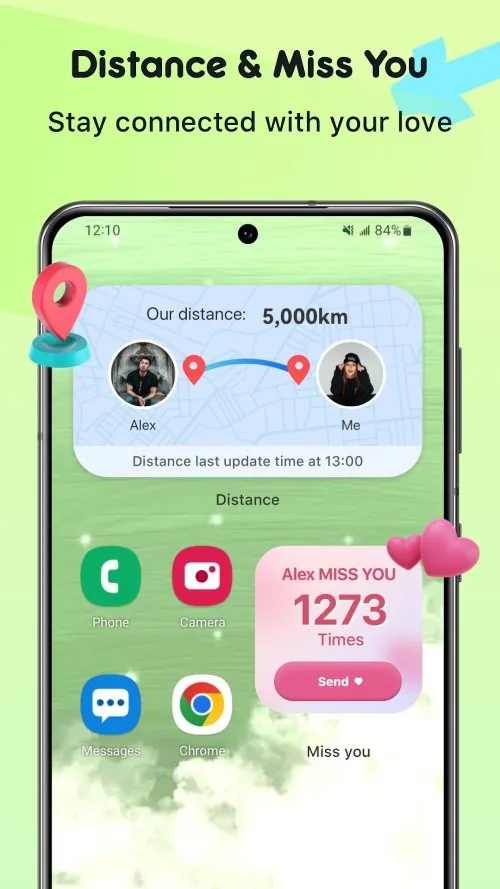
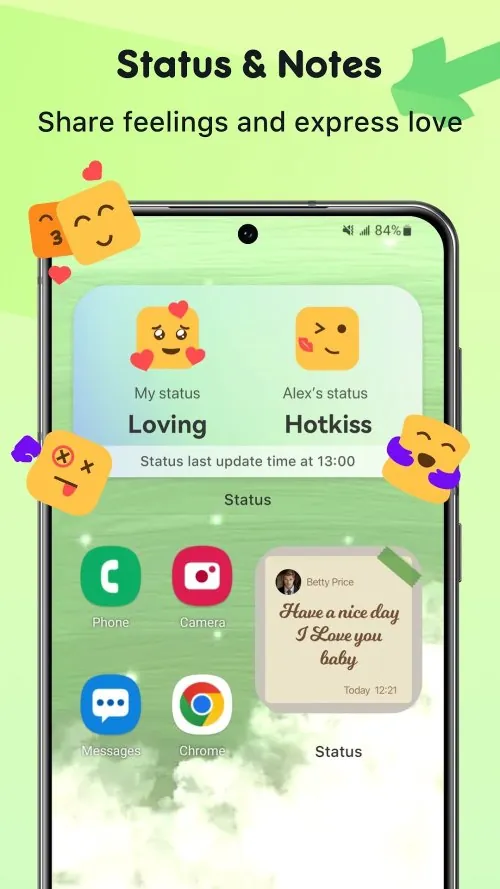
- Customizable Widgets: Widgetable offers a wide range of widget designs, allowing users to personalize their home screens with various styles and layouts.
- Multi-Widget Support: The app supports combining several widgets in one, giving users more control over their screen’s organization and functionality.
- Interactive Widgets: Users can interact with their widgets directly, making it possible to access important information or perform tasks with ease, such as checking the weather or controlling music.
- Easy Setup: Setting up widgets is straightforward, requiring just a few taps to get your desired look and feel on your home screen.
- Battery Efficient: Widgetable is designed to be lightweight and doesn’t drain your battery, ensuring your device’s performance remains optimal while still offering a personalized experience.
Playing Tips for Widgetable:
- Experiment with Different Layouts: Start by testing various widget layouts to find what suits your style best. You can mix and match different widgets for an aesthetically pleasing setup.
- Keep It Simple: While it’s tempting to add lots of widgets, try to keep your home screen uncluttered. A minimalist approach often leads to a cleaner, more functional layout.
- Utilize the "Stack" Feature: Take advantage of the widget stack feature, which allows you to stack multiple widgets in one spot. This helps keep your screen tidy while providing easy access to more information.
- Organize Your Widgets: Group similar widgets together, like weather widgets and time widgets, to make navigation smoother and faster.
- Adjust Widget Sizes: Resize widgets to make the most out of your screen space. Larger widgets are great for calendar views, while smaller ones work well for quick tasks or shortcuts.
Conclusion:
Widgetable is a powerful tool for anyone looking to personalize and optimize their smartphone’s home screen. Its wide variety of customizable widgets, easy setup process, and efficient battery usage make it a must-have for users who want both functionality and style. Despite the temptation to overcrowd your screen, Widgetable’s features allow you to keep everything neatly organized, giving you a clutter-free experience. Whether you want to quickly check the weather or control music, Widgetable ensures that your home screen is both beautiful and practical.
- No virus
- No advertising
- User protection
Information
- File size: 109.80 M
- Language: English
- Latest Version: 1.6.310
- Requirements: Android
- Votes: 279
- Package ID: com.widgetable.theme.android
- Developer: Happeny Technology Pte. Ltd.
Screenshots
















Explore More
Make your house a home with our suite of helpful home apps. Discover clever tools to organize closets, streamline chores, and simplify cooking. Take the stress out of cleaning and maintenance with handy checklists and schedules. Enhance security and control appliances and lighting with our smart home integrations. Design, visualize, and renovate like a pro using our 3D planning software.

Glow Diary
Sourdough Calculator & Journal

AV Player

Agrotti

Real Beauty Loyalty

Helpr

Forescore

Sweet Home: Games for kids