


Introduction
Splice transforms your phone into a mobile video studio with tools to trim, crop, add effects and assemble multi-track projects so you can create polished videos on the go. The app is suitable for quick edits for social feeds and for creators who need finer control: it supports title slides, text overlays, speed adjustments and automatic audio syncing to help footage line up with music. Splice includes a library of free music and sound effects and makes it easy to convert formats for square or cinematic output, making it practical for home movies, social clips and short marketing videos without a desktop.
Key Features
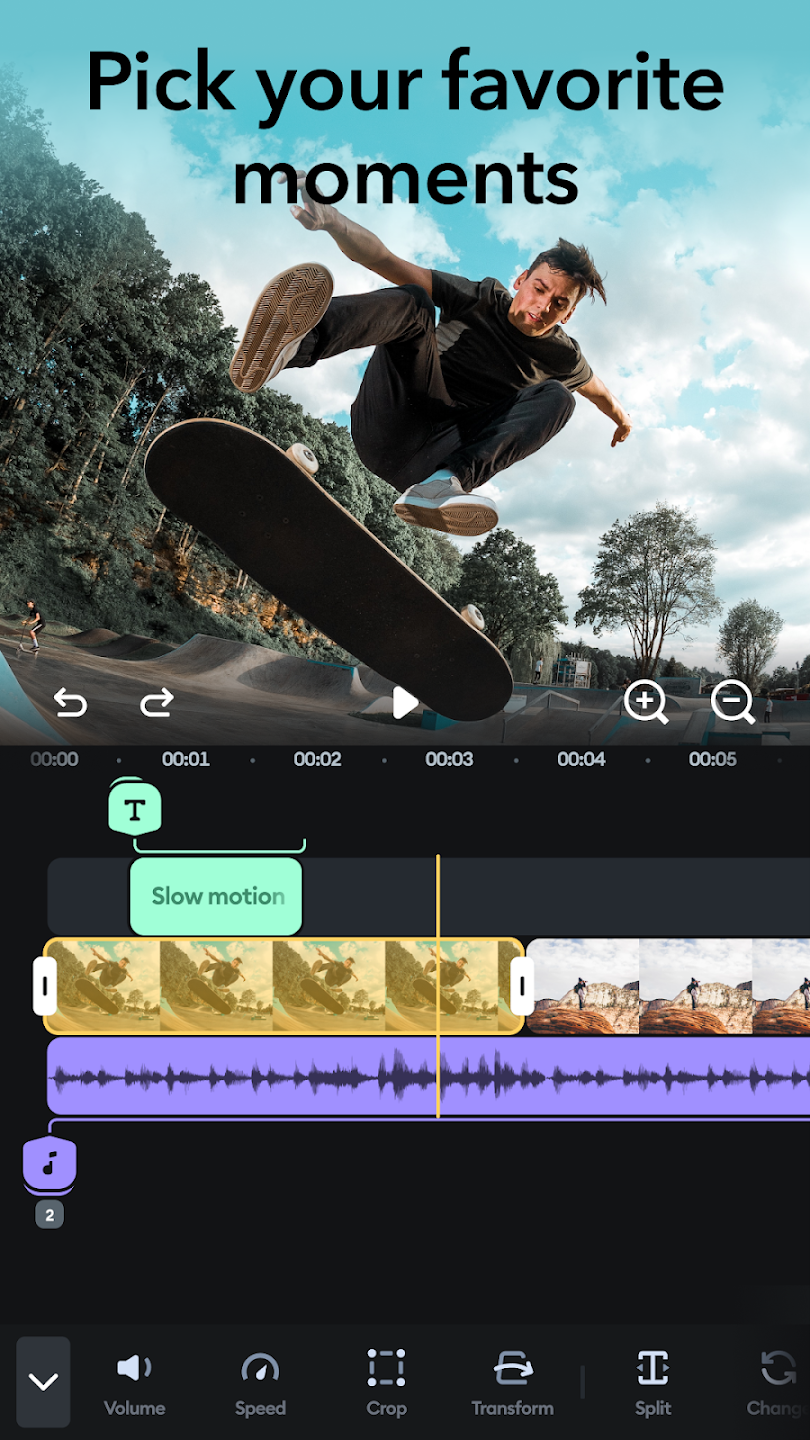
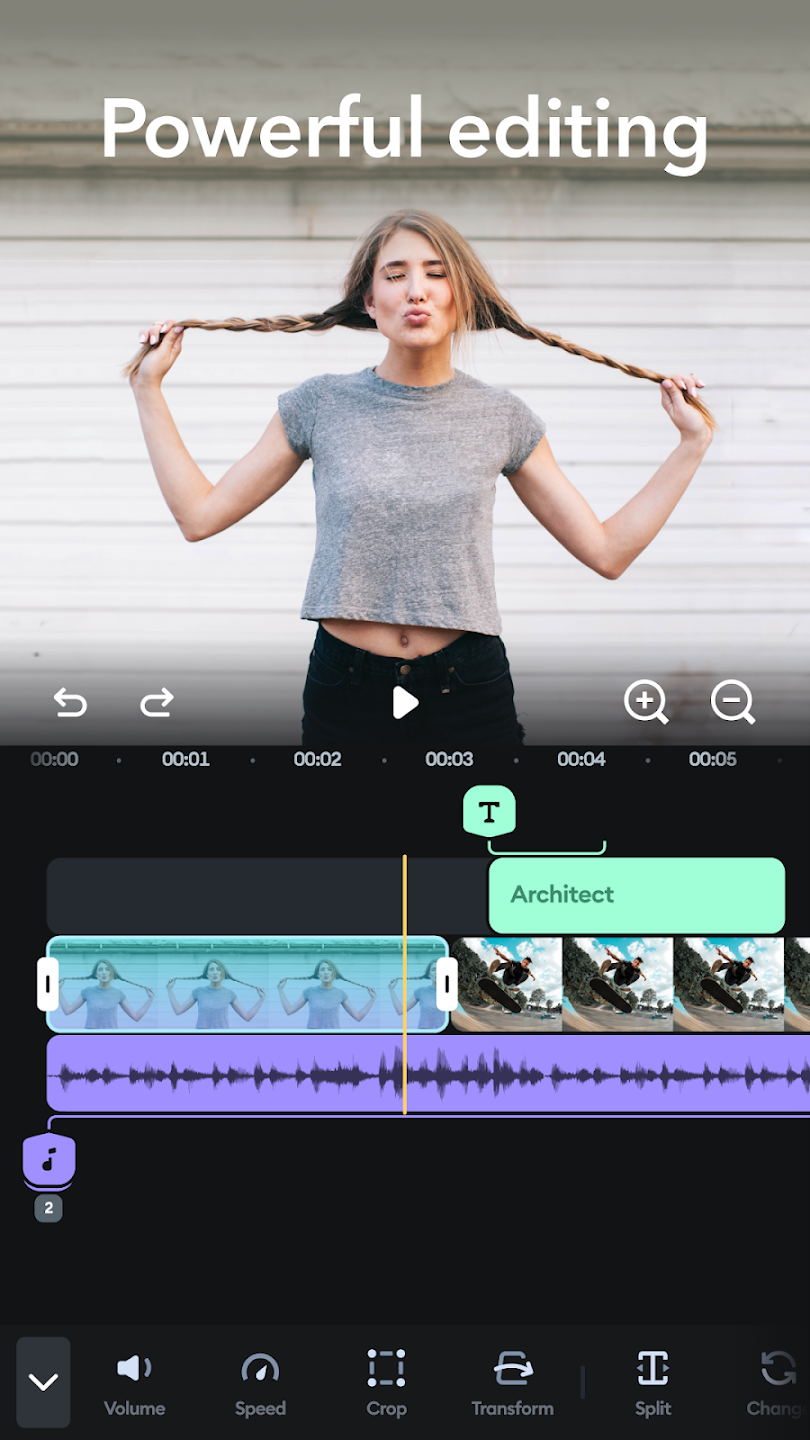
Precise trimming, cropping and multi-track editing with support for layering music, narration and visual elements.
Title slides, editable text overlays and customizable outtakes let you personalize each project.
Splice offers a built-in library of free music and sound effects along with automatic synchronization to match clips to the beat.
Easy format conversion for social feeds, including square output and cinematic ratios, plus 23 ready-made video styles with transitions, filters and adjustable fonts for consistent, fast results.
Advantages
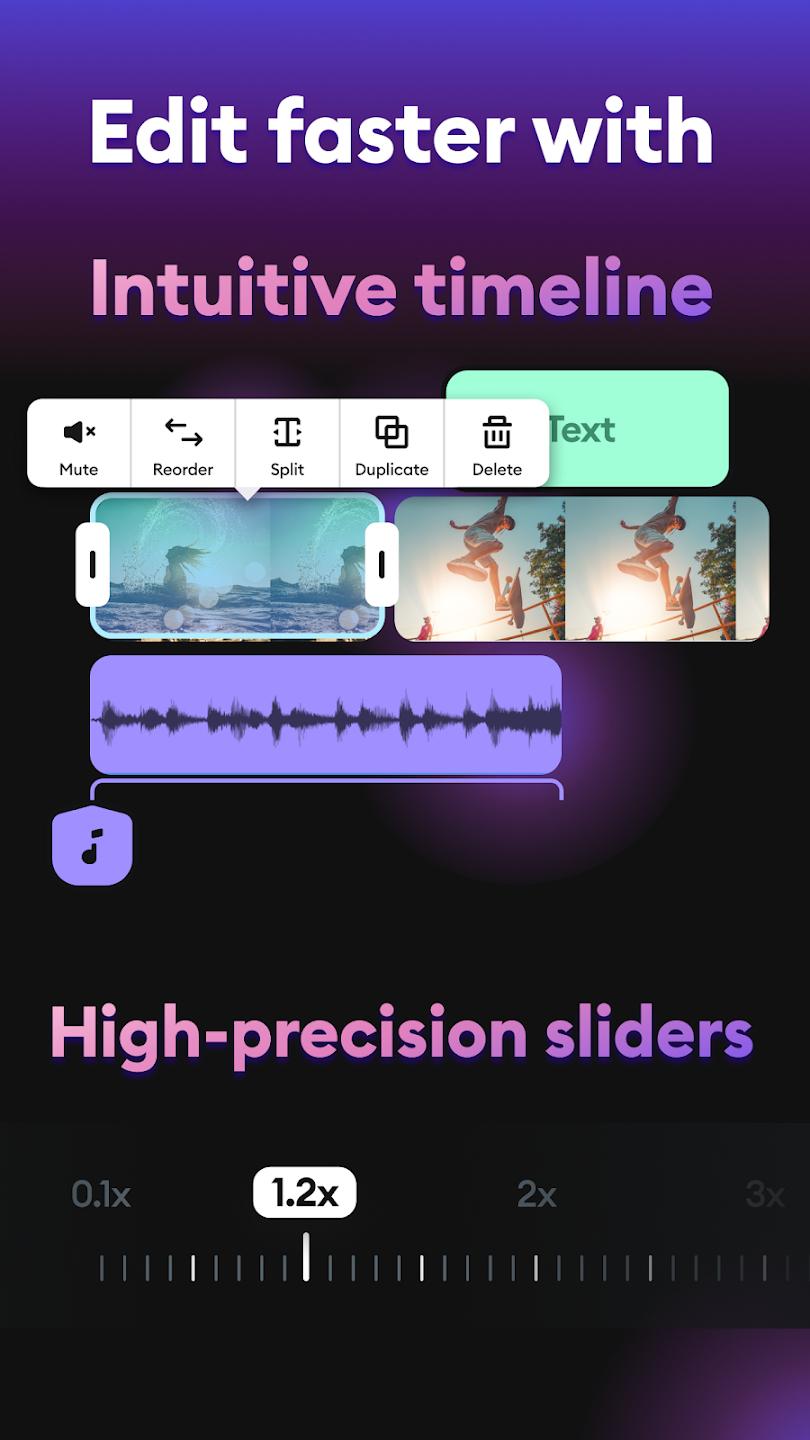
Splice provides an intuitive, touch-friendly interface that brings many desktop-level editing tools to mobile devices.
The workflow is designed for speed, combining automatic audio sync with streamlined export options for social platforms.
Advanced controls such as speed adjustment, pan-and-zoom and clip reordering let you fine-tune projects when needed.
Step-by-step guides and tutorials are included to help new users get started and to support more complex techniques.
Disadvantages
This app operates independently and should not be confused with official software or services from other brands.
Some advanced features require time to learn despite the included tutorials.
Development Team
The app was inspired by creative tools from a well-known action camera maker but operates independently as an unofficial offering; trademarks and copyrighted material mentioned remain the property of their respective owners.
- No virus
- No advertising
- User protection
Information
- File size: 22.50 M
- Language: English
- Latest Version: 5.0.0
- Requirements: Android
- Votes: 368
- Package ID: net.free.splice.video.pro.editor.videos.photosplic
- Developer: FlixApps
Screenshots
















Explore More
Make your house a home with our suite of helpful home apps. Discover clever tools to organize closets, streamline chores, and simplify cooking. Take the stress out of cleaning and maintenance with handy checklists and schedules. Enhance security and control appliances and lighting with our smart home integrations. Design, visualize, and renovate like a pro using our 3D planning software.

Metro Micro

Tax Calculator India 2024-2025

ClassPass: Fitness, Spa, Salon

OnDjoss

Park4Me

Scary sound effects

Home Workouts - Lose Weight

Juice Recipes





























