
Introduction
DIY Wallpaper Collage Maker is a versatile mobile utility for creating custom phone backgrounds and browsing high-resolution wallpapers in one place. The app combines a lightweight collage editor with a built-in photo editor so you can crop, rotate, adjust and assemble images into mobile-ready wallpapers without extra tools. Users can choose from multiple grid layouts, add solid colors or gradients, and export finished designs in high resolution for crisp home and lock screens. It also provides a large library of HD, 4K and live wallpapers across popular aesthetic styles for quick inspiration.
Key Features
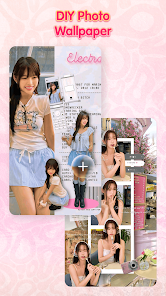
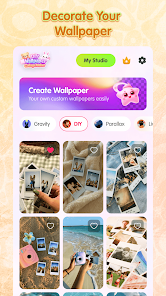
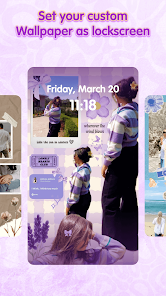
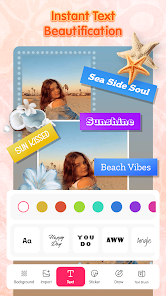
⭐ Collage Wallpaper Maker: turn photos into perfectly sized mobile wallpapers using DIY Wallpaper Collage Maker's editor.
⭐ Multiple grid layouts: dozens of preset grids, free-style designs and scrapbook-style arrangements.
⭐ Custom backgrounds & colors: apply solid fills, gradients or stylish backdrops to match your theme.
⭐ DIY editing tools: adjust spacing, borders, rounded corners and alignment with simple controls.
⭐ Built-in photo editor: crop, rotate and enhance images before placing them into collages.
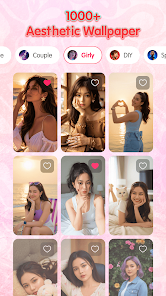
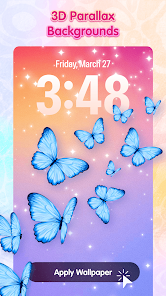
⭐ Explore trending wallpapers: browse HD, 4K, live, parallax, 3D, anime and kawaii backgrounds.
Advantages
✅ Easy-to-use editor that speeds up wallpaper creation for users of any skill level.
✅ High-resolution export preserves image quality for modern displays.
✅ Wide selection of trending styles and live wallpapers keeps home screens fresh.
✅ All-in-one workflow—editing, collaging and exporting—reduces the need for multiple apps.
Disadvantages
❎ Listed download figures are minimal, which may indicate limited community feedback and reviews.
❎ Device compatibility can vary; check whether the app is supported on your specific phone before relying on features.
Development Team
The app is offered by bhulekh dev app, a developer that provides the DIY Wallpaper Collage Maker utility and related tools.
Market Performance
Downloads are listed as 0+ and the content rating is Everyone; available metrics on popularity and ratings appear limited.
Version Information
The app was updated on Apr 7, 2026, indicating recent maintenance and potential bug fixes or improvements.
- No virus
- No advertising
- User protection
Information
- File size: 13.00 M
- Language: English
- Latest Version: 1.0
- Requirements: Android
- Votes: 324
- Package ID: com.diywallpaper.diytheme.photocollagemaker
- Developer: bhulekh dev app
Screenshots


















Explore More
Equip yourself with our all-in-one toolbox app for everyday tasks and projects. Instantly convert between units, calculate tips, scan documents, manage files, and more with handy productivity tools. Includes a level, compass, QR code reader, ruler, speedometer, decibel meter, and flashlight. Save frequently used tools to your customizable dashboard for one-tap access. Track billable hours, wages, budgets, and invoices. Annotate screenshots, magnify labels, and sign PDFs on the go.

MEXC Global: BTC, ETH, Gamefi

MERA PROXY PRO

Domino's Pizza Sri Lanka

Hatekhori Shongkha

Connecting - Friends Near Me

Cartola

Virink
RegenRadar