
Introduction
Fisherman's Journal is a modern mobile app that helps anglers keep their catches, favorite spots, and fishing memories organized in one place. You can log every catch in seconds by recording species, location, date, notes and photos so you stop relying on paper notes or scattered images. The app gives a clear, searchable history of trips and catches, making it easy to compare outings and identify productive waters. Whether you fish rivers, lakes or larger waters, Fisherman's Journal keeps your records and memories handy so you can spend more time fishing and less time organizing.
Key Features
⭐ Fast catch logging: record fish species, location, date, notes and photos in seconds for every outing.
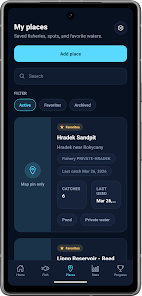
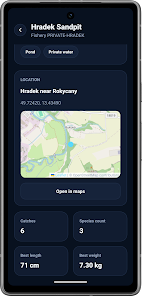
⭐ Save and revisit favorite fishing spots to build a personal map of your best waters.
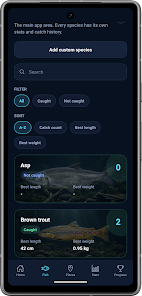
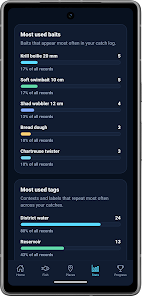
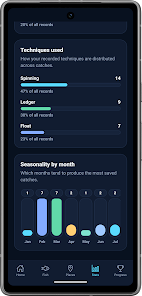
⭐ Species tracking and an easy-to-scan catch history let you compare trips and spot patterns over time.
⭐ Photo uploads and detailed notes preserve memories from the first bite to the catch of a lifetime.
⭐ Clean, easy-to-use interface designed for both casual anglers and experienced enthusiasts; Fisherman's Journal makes record keeping straightforward.
Advantages
✅ Quick logging keeps you on the water longer and reduces time spent on record keeping.
✅ Organized photos and notes mean memories and details are never lost or scattered across devices.
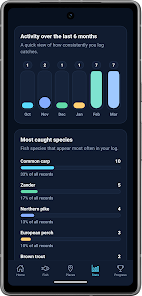
✅ Historical overviews help identify which spots and techniques produce the best results.
✅ Simple, practical design suits anglers of all levels and makes reviewing past catches effortless with Fisherman's Journal.
Disadvantages
❎ Its focus on simplicity may leave anglers wanting advanced analytics or mapping tools unmet.
❎ The app does not emphasize social or community features for sharing catches with other anglers.
❎ Recording relies on quick manual entry rather than automated integrations, which some users may prefer.
- No virus
- No advertising
- User protection
Information
- File size: 88.00 M
- Language: English
- Latest Version: 2.1.5
- Requirements: Android
- Votes: 483
- Package ID: com.crowire.hooktally
- Developer: croWire
Screenshots

















Explore More
Equip yourself with our all-in-one toolbox app for everyday tasks and projects. Instantly convert between units, calculate tips, scan documents, manage files, and more with handy productivity tools. Includes a level, compass, QR code reader, ruler, speedometer, decibel meter, and flashlight. Save frequently used tools to your customizable dashboard for one-tap access. Track billable hours, wages, budgets, and invoices. Annotate screenshots, magnify labels, and sign PDFs on the go.

MEXC Global: BTC, ETH, Gamefi

Text Art - Write Text On Photo

Domino's Pizza Sri Lanka

Hatekhori Shongkha

Halloween Photo Editor -Makeup

Connecting - Friends Near Me

Cartola

HFonts - font & emoji manager