Introduction
Scanner PDF Pro – Scan OCR turns your smartphone into a reliable document scanner that digitizes receipts, invoices, contracts, ID cards and handwritten notes with near-desktop quality, using automatic edge detection, perspective correction and contrast enhancement; built-in OCR makes scanned text searchable and editable and local processing helps keep documents private.
Key Features
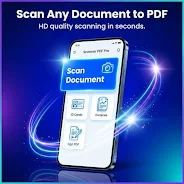
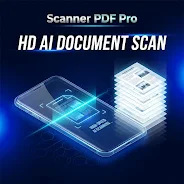
High-definition scanning with automatic edge detection, perspective correction and contrast enhancement produces clear, legible PDFs suitable for archiving or sharing.
Scanner PDF Pro – Scan OCR captures a wide range of documents — invoices, receipts, contracts, schoolwork and handwritten notes — so you can digitize varied paperwork in one place.
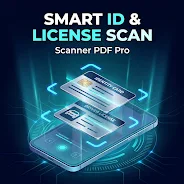
ID and driver’s license support lets you scan both sides into a single aligned PDF for easier storage and reference.
OCR text recognition converts scans into editable, searchable text you can copy, edit or export to other apps.
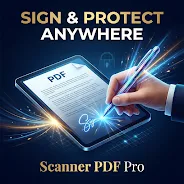
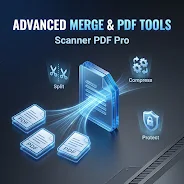
Built-in PDF tools let you sign documents, merge and split files, compress large PDFs, protect sensitive files and convert PDFs to images without switching apps.
Export options include high-quality PDF or JPEG output and simple sharing via email or cloud services.
Advantages
Scanner PDF Pro – Scan OCR processes scans locally to keep your documents private and under your control, reducing the need to upload files to external servers.
Automated corrections and optimized capture reduce time spent on manual editing and improve consistency across scans.
OCR support saves time by turning scanned pages into searchable, editable content for faster retrieval and reuse.
A set of integrated PDF utilities means you can manage, sign and secure documents within a single app, streamlining common document tasks.
Disadvantages
Certain advanced features such as complete ad removal, unlimited scans and some export options require the Premium version.
The free tier may include ads and limitations on specific functions until upgraded to Premium.
- No virus
- No advertising
- User protection
Information
- File size: 16.00 M
- Language: English
- Latest Version: 26.3.33
- Requirements: Android
- Votes: 363
- Package ID: com.scannerpro.pdf
- Developer: DevCodyx
Screenshots
















Explore More
Equip yourself with our all-in-one toolbox app for everyday tasks and projects. Instantly convert between units, calculate tips, scan documents, manage files, and more with handy productivity tools. Includes a level, compass, QR code reader, ruler, speedometer, decibel meter, and flashlight. Save frequently used tools to your customizable dashboard for one-tap access. Track billable hours, wages, budgets, and invoices. Annotate screenshots, magnify labels, and sign PDFs on the go.

MULTICOACH

PerfectPace

УлЛэнд

The Last Yogi

DIY Wood Home Furniture

CRISP

РАМВОДА

Sports Surgery Clinic