Introduction
WC Finder helps you locate public toilets quickly when you're away from home, visiting a new city, or attending an event. WC Finder uses your device location to display nearby restrooms on an easy-to-read map and provides practical details such as opening hours, any fees, and accessibility features so you can pick the best option without guesswork. The app asks for permission before using location services and collects only the minimal data needed to operate, and the description below explains how the app works and what to expect from the user experience.
Key Features and How the App Works
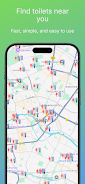
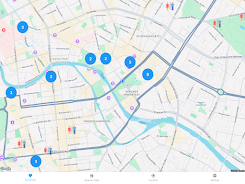
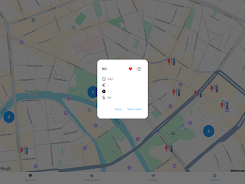
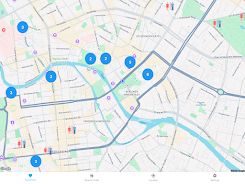
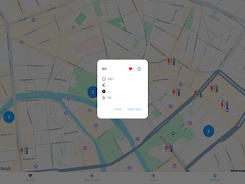
The primary view in WC Finder is a map that shows toilets as clearly marked icons; tapping any icon opens a detail panel with the address, opening hours, whether a fee is charged, and notes about wheelchair access or baby-changing facilities. A companion list view sorts nearby results by distance and offers quick filters to show only toilets that are open now, free of charge, or marked as accessible. When you choose a result you can start navigation with one tap, which launches your preferred mapping or navigation app so that routing and turn-by-turn directions are handled by the navigation tool you already use.
Controls and Interaction
Interaction in WC Finder is designed for fast, one-handed use: pinch to zoom the map, drag to pan, and tap icons to reveal details. The search field accepts street names, addresses, or place names and supports approximate matches so you can find facilities near a landmark or transit station. Filters are applied with a single tap and persist across sessions so that your preferred view is ready the next time you open the app. Visual cues such as color or icon shape help you scan options quickly without needing to open each detail card.
Progression, Personalization, and Saved Places
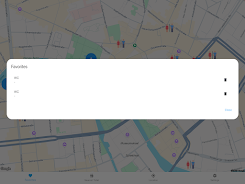
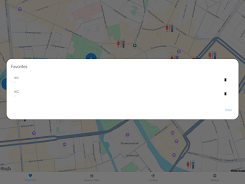
Instead of game-like progression, WC Finder supports a practical personalization system: you can save frequently used locations to a favorites list for faster access and keep a short recent history of places you have visited. Over time this makes the app feel tailored to your routine and reduces the time needed to locate familiar facilities when you travel or commute. Saved places can be used offline for the small set of areas you explicitly cache in advance.
Visual Style and Map Levels
The visual design is intentionally clean and utilitarian: map tiles emphasize contrast for readability and icons scale clearly at different zoom levels so you can identify options whether you are scanning a whole neighborhood or zoomed in on a street. Map zoom levels reveal additional detail, such as entrance locations or side-street access, which is useful for larger facilities or complex public spaces. The interface supports a comfortable light and dark appearance to match device settings and reduce glare during night use.
Customization and Accessibility
WC Finder includes accessibility-minded controls such as large, tappable markers, clear contrast in text and icons, and descriptive labels compatible with screen readers. Filter options allow users to limit results to wheelchair-accessible toilets or family facilities with changing tables. Text sizes respect system accessibility settings so the app remains usable for people who need larger fonts or high-contrast presentation.
Offline Use and Reliability
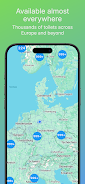
For situations with limited connectivity, WC Finder lets you cache small areas for offline access so previously viewed maps and saved places remain available. The app synchronizes updates when connectivity is restored and applies periodic database updates to keep listings accurate. Because opening hours and fee policies can change, the app displays a last-verified timestamp and encourages users to check posted signs on arrival.
User Experience and Practical Tips
The experience is focused on efficiency: the map-first layout reduces scrolling through lists, and the detail view emphasizes the most important information a traveler needs to decide quickly. For best results, enable location services while using the app and cache areas you plan to visit ahead of time if you expect to be offline. Use the filters to narrow options when time is limited or when an accessible facility is required.
Limitations and Privacy Considerations
WC Finder requires location access to function, which some users may prefer not to grant; the app offers limited functionality without location permission but will not be able to recommend the nearest facilities. Some listed toilets may charge a fee or have restricted opening hours, so free and always-open options are not guaranteed everywhere. Privacy is a priority: the app only stores the minimal data necessary to provide results and keeps saved places locally unless you explicitly export them.
Why It’s Useful
Whether you are commuting, traveling, or attending a large event, WC Finder simplifies an often stressful task by combining clear mapping, reliable detail panels, and quick navigation handoffs into a compact experience. With accessible controls, customized filters, offline caching for saved areas, and a focus on concise, practical information, WC Finder aims to reduce uncertainty and save time when you need it most.
- No virus
- No advertising
- User protection
Information
- File size: 55.40 M
- Language: English
- Latest Version: 2.0.4
- Requirements: Android
- Votes: 306
- Package ID: com.onezerotwodev.wcfinderandroid
- Developer: 102 Dev
Screenshots

















Explore More
Make travel planning effortless with our all-in-one trip companion app! Get insider tips from locals on top attractions, hidden gems, restaurants, and accommodations at your destination. Book flights, rental cars, and hotels at the lowest prices. Access maps offline; track bookings, itineraries, and reservations; create shared group trips; and auto-translate menus, signs, and conversations abroad. Our clever algorithms surface personalized recommendations everywhere you go.

El Apunte: Apunte de Domino

Malina Casino

Malayalam Tongue Twister Fun

Sotaone FPV

Moaner

Çay Sözleri

Namaz Pro

Chongqing Metro