Introduction
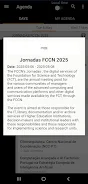
Jornadas FCCN 2025 is the official mobile app for the event taking place from 6 to 8 May 2025 at the Convento de São Francisco in Coimbra and serves as a single, portable reference for schedules, practical information and program updates. The app centralises session timetables, thematic tracks, sponsor details and venue directions so managers, researchers and IT professionals can plan attendance across the three days with minimal friction. Jornadas FCCN 2025 is designed to help users discover talks on connectivity, computing, collaboration, knowledge and security, find accommodation suggestions, and receive news announcements and logistical notices while on site or en route.
Program structure and progression
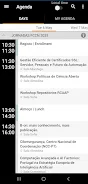
The program is organised by day and by thematic track so you can navigate the conference like a multi-level program: days contain parallel tracks, tracks contain sessions, and sessions include speakers and abstracts. This hierarchy makes it straightforward to build a personal itinerary and follow a coherent learning path across related talks. Progression is tracked visually in the schedule so you can mark sessions you want to attend, flag items as completed, and view an overview of how many talks remain in a chosen track.
Controls and navigation
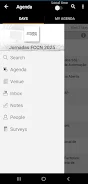
The interface focuses on simple, familiar gestures: tap to open session details, swipe between days, long-press to add a session to your personal agenda, and use the search bar to jump straight to a speaker or topic. Filters let you reduce the visible schedule by track, speaker or keyword, and a calendar export option makes it easy to add selected sessions to your preferred calendar app. Notifications and in-app news updates are optional and can be toggled so you control what alerts you receive.
Visual style and customization
The app uses a clear, event-centric visual style with color-coded tracks and clean typography to make scanning times and locations effortless. You can customise how information is presented by adjusting text size, choosing a high-contrast mode, and selecting which tracks appear by default. These small personalization options help attendees quickly orient themselves during busy moments between sessions.
Offline access and practical features
Recognising that connectivity can be unpredictable at events, core program data, maps of the Convento de São Francisco and essential logistical details are available offline after initial download. Practical features include nearby accommodation suggestions, directions to the venue, and a compact on-device reference for sponsors and official announcements so you always have the essentials at hand even without a network connection.
Accessibility and user experience
Designed to be inclusive, the app supports adjustable fonts and a high-contrast display to improve readability, and it is compatible with common screen readers. The layout avoids unnecessary visual clutter and presents one clear action per screen to reduce cognitive load when you are moving between sessions or planning on the go. The onboarding flow walks first-time users through how to build an agenda and enable useful notifications without interrupting their setup.
Session planning and conflict handling
When two sessions overlap, the schedule view highlights conflicts and suggests alternative talks in related tracks so you can make an informed choice. Saved agendas are easy to revise: remove or swap sessions with a tap, and the app will update your personal overview to show how changes affect the rest of your schedule. These lightweight planning tools keep focus on content rather than on manual coordination.
Sponsors, news and archival value
Alongside practical program tools, the app contains a dedicated section for sponsors and for official event news, ensuring attendees can find partner information and real-time updates during the meeting. After the event, the app remains a compact archive of the program and can serve as a reference for presentations and contacts, preserving the value of the three-day gathering for later review.
Why use the app
Jornadas FCCN 2025 streamlines the event experience by combining schedules, maps, sponsor details and notifications into a single app tailored to the foundation's communities. It emphasises reliable access, accessible design and straightforward controls so you can focus on sessions and conversations rather than logistics. If you plan to attend the Convento de São Francisco meeting, the app simplifies preparation, helps you follow multiple tracks and keeps important information readily available during and after the conference.
- No virus
- No advertising
- User protection
Information
- File size: 26.03 M
- Language: English
- Latest Version: 3.40
- Requirements: Android
- Votes: 379
- Package ID: pl.pcss.jornadas2025
- Developer: PSNC
Screenshots
















Explore More
Discover and share the hottest events around with our intuitive apps. Find local concerts, festivals, shows, and more based on your unique interests. Create customizable calendars of upcoming events to coordinate schedules with friends. Purchase tickets seamlessly from our integrated platforms. Check real-time transit schedules to plan your trip. Access maps, directions, and parking information for any venue.

Metro Micro

TVSMILES

Tax Calculator India 2024-2025

OnDjoss

Park4Me

Scary sound effects

TryController

Home Workouts - Lose Weight