
Introduction
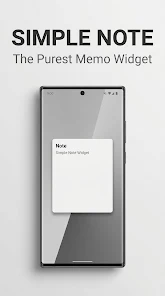
Simple Note is a minimalist note-taking utility that focuses on one thing: letting you create and pin short memos to your home screen with almost no setup. Simple Note opens quickly, accepts a short piece of text, and places that text as a visible widget so the reminder is always on your screen. The app is intentionally compact, aimed at people who want fast access to shopping items, appointment reminders, quick ideas, or any brief text that benefits from constant visibility.
Key Features
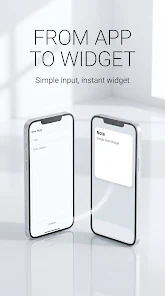
The core behavior is straightforward: open the app, type a short memo, tap Confirm, and the text appears as a widget on your home screen. Editing is equally direct — tapping the widget returns you to the editor so you can update the memo in seconds. The interface removes clutter and menus so creating a visible note takes only a couple of taps. Widgets are treated like standard home screen items so you use your launcher to move and arrange them alongside other apps and widgets.
How It Works
Simple Note leverages the platform's widget framework so the app itself remains small and fast. There is no need to navigate nested folders or settings screens: the app opens to a single input field and a confirmation action. Once you confirm, the text is rendered as a widget. To change the content you can tap the widget and edit the text directly; after saving the updated text will replace the old one on the widget. Because the app relies on local widget placement, standard launcher gestures and layout behavior apply for positioning and resizing.
User Experience and Controls
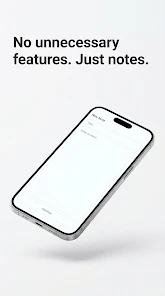
The controls are intentionally minimal. The primary control is the text input and a Confirm control that publishes the memo as a widget. Interaction design centers on speed: short delays and unnecessary options are removed so the app feels immediate. Simple Note respects the system font scaling and accessibility settings to ensure legible text for different users. It also works with screen readers and Android accessibility services because content is simple and uses standard UI components.
Visual Style and Customization
The visual design is deliberately sparse: clear typography, high-contrast text, and a compact widget footprint to keep the home screen readable. Because the app emphasizes a distraction-free experience, it avoids complex styling options; instead it focuses on reliable clarity. The widget follows platform conventions for sizing and responds to launcher-based resizing where supported, so you can keep a small single-line reminder or a larger multi-line memo visible as needed.
Usage Patterns and Productivity
Simple Note is optimized for short, frequent interactions: jot a single thought, a shopping item, a phone number, or a brief task and pin it to the screen. Over time this simple routine helps make important items persistently visible without the friction of opening a full note-taking app. The app supports quick habit workflows like keeping a daily to-do or a short checklist on-screen, and it is useful for anyone who prefers glanceable reminders rather than deep organization systems.
Limitations and Best Practices
Simple Note is not intended for long-form writing, heavy document management, or complex organization. If you need versioning, extensive tagging, or collaborative sharing, a full-featured note platform will be more appropriate. This app intentionally trades advanced features for speed and simplicity, so use it for short memos that benefit from being immediately visible and editable from your home screen.
Privacy, Offline Use and Reliability
Because notes are created locally and displayed as widgets, Simple Note works offline and does not require an account or cloud synchronization to serve its primary purpose. That local-first approach reduces background activity and keeps the app lightweight. For users who prioritize minimal permissions and predictable behavior, the app’s limited scope reduces potential privacy surface and keeps interactions straightforward.
- No virus
- No advertising
- User protection
Information
- File size: 20.00 M
- Language: English
- Latest Version: 4.0
- Requirements: Android
- Votes: 255
- Package ID: com.simple_note.app
- Developer: MOODLAMP
Screenshots
















Explore More
Dive into an extraordinary shopping journey with our cutting-edge, globally-available mobile application. Tailored to your preferences, it offers a seamless, personalized shopping experience at your fingertips. Enjoy exclusive deals, compare prices, and check product reviews with ease. Secure, fast, and user-friendly, it's your ultimate shopping companion. Transform your shopping routine - download now!

Saregama Mobile

Vocami Mobile App

Gift Aim Challenge

Concorde Auriga

Marina Bay Sands Singapore

IO Design

太子國際村

Atrium Shopping