Introduction
Raa is a privacy-focused instant messaging app built to make everyday conversations fast, simple and secure. Raa provides end-to-end encrypted chats so that messages, photos and videos are readable only by participants, and it presents a streamlined interface that keeps messaging straightforward on a wide range of devices. People who value privacy, reliable delivery on slower networks, and a minimalist design will find the app a lightweight alternative for staying connected with family, friends and small groups. The application operates independently and is not affiliated with any government; content originates from users rather than official channels, and basic controls allow you to manage how your information is shared.
Key features
The app centers on encrypted messaging, delivering text, image and short video exchanges while keeping metadata minimal. Group chat support enables conversations with multiple participants without complicating the main interface. To improve reliability on variable networks, Raa includes optimized message queuing and retry logic so messages are sent when a connection becomes available, and media transfers adapt to bandwidth to reduce failures. The core design emphasizes direct messaging, fast message rendering, and compact storage of recent conversations to keep the experience responsive on lower-end hardware.
User experience and controls
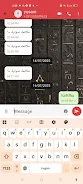
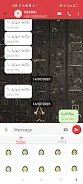
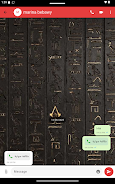
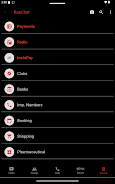
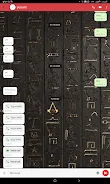
Navigation follows familiar mobile patterns: tap a chat to open it, scroll to read history, and use contextual gestures and long-press options to copy text or open message menus. Conversation threads display clear timestamps and separators to make following a discussion easy, and unread markers help prioritize replies. Notification controls let you choose sound, vibration and visual indicators, and in-app settings provide simple toggles to manage message previews, auto-download behavior for media, and the extent of profile information visible to others.
Media handling and offline behavior
Raa is designed to reduce data use while preserving the ability to share photos and videos. Media can be previewed in the chat view and is cached locally for quicker access; the app avoids aggressive background downloads to save bandwidth. When your device is offline or has an unstable connection, outgoing messages are queued and transmitted automatically once the network is restored. Incoming messages and previously loaded conversations remain readable offline, making the app suitable for areas with intermittent connectivity or when you need to conserve mobile data.
Customization and visual style
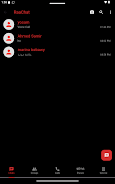
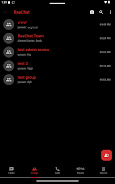
The visual approach is deliberately minimal: clean typography, straightforward spacing and a compact layout keep the focus on conversation content. Display options allow adjustments such as font size and compact versus comfortable message spacing to suit individual preferences and improve readability. Theme choices are limited to ensure consistency and low resource use, maintaining quick load times and a predictable appearance across devices without overwhelming the interface with decorative elements.
Privacy, independence and safety
Privacy controls are central to the app’s philosophy. End-to-end encryption ensures messages are protected between devices, and simple permission controls let you limit access to contacts, media and location. Because Raa is not tied to government sources, it does not host authoritative announcements; moderation and content quality are driven by the user community, so it’s important to verify information shared in chats. The app provides straightforward options to report abuse and to block or remove contacts, helping users manage their own safety and conversation environment.
Accessibility, performance and device compatibility
Performance optimizations keep the footprint small and the experience smooth on older phones: reduced memory use, efficient background syncing and limited battery impact are part of the design. Accessibility considerations include scalable text sizes and high-contrast display preferences to help visually impaired users, as well as reliance on standard platform accessibility services so screen readers can announce messages and UI elements. The combination of low resource demands and accessibility options makes Raa suitable for a broad range of devices and user needs.
How people use it
Raa works well for everyday conversations within families, friend groups and small organizations that need a straightforward, private channel for sharing updates and media. Its resilience on weak networks makes it a practical choice for users in areas with inconsistent service, and the independent nature of the platform supports communities that prefer user-driven discussions. Since all content is produced by users, clarity about the source of information is important; the app is most valuable as a direct communication tool rather than an authoritative news or government channel.
- No virus
- No advertising
- User protection
Information
- File size: 146.40 M
- Language: English
- Latest Version: 2.0.2
- Requirements: Android
- Votes: 136
- Package ID: com.datalife.raachat
- Developer: Yossam
Screenshots


















Explore More
Connect deeper through meaningful conversations with our communication apps. Enjoy crystal-clear calls, video chats, messaging, and file sharing. Find the perfect emojis, GIFs, and stickers to express yourself. Keep the non-stop group banter organized in one place. Block unwanted interactions at the source. Meet new people worldwide through our global community features.

Desire by Lovehoney

StageSprite

EstiCRM

SIEMBALANG

구매대행 해외쇼핑 탑메이커

PictoXacobeo

ASCOM Brasil

Couple Family And Love