


Introduction
Mike Murdock Radio delivers continuous 24/7 spiritual teaching and encouragement to your phone, streaming sermons, messages and practical biblical insight aimed at helping listeners grow in faith and clarify life purpose. Designed to fit into commutes, workouts or quiet moments at home, Mike Murdock Radio functions as an audio-first companion when you want a short devotional or a longer message to shape your day. The app presents content in clearly labeled program blocks and single-episode teachings so you can pick material that matches the time you have and the topic you want to explore.
Key Features
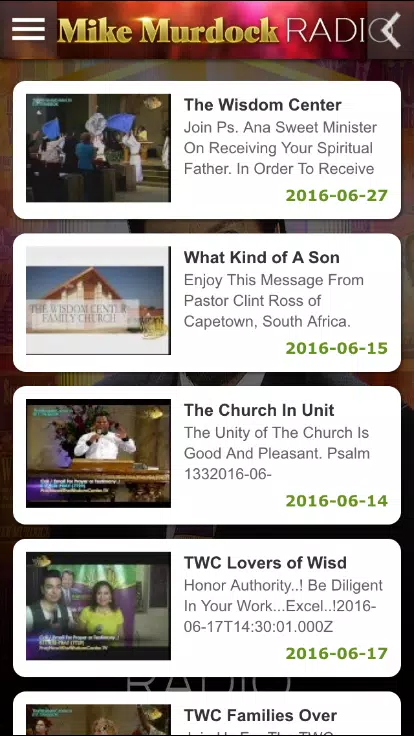
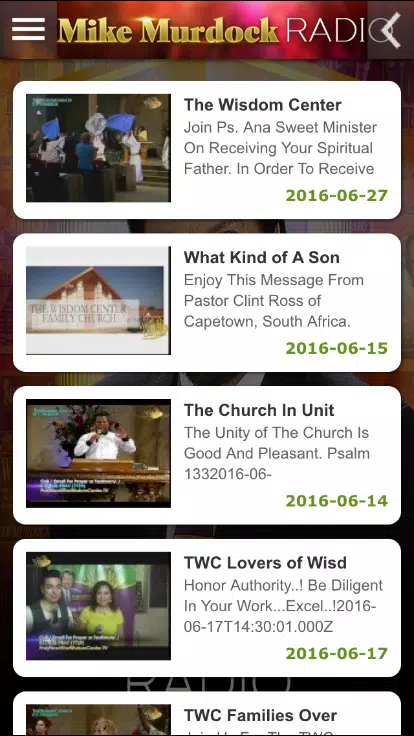
The app offers always-on streaming that creates a steady audio environment for daily reflection and habit formation. Curated channels and themed series group messages around subjects such as purpose, identity in Christ, leadership and practical spiritual growth, allowing listeners to follow a sequence of episodes or sample standalone teachings. Episode pages include concise show notes, topical tags and thumbnail images to make browsing intuitive, and program schedules highlight recurring segments so users can anticipate specific types of content without searching each day.
Controls and Navigation
Playback controls are straightforward and responsive: play, pause and scrub to jump to specific points in a sermon or teaching. A search bar and simple filters let you narrow results by topic, scripture reference or program series, while program listings show recent broadcasts and archived material. Background playback keeps audio running while you use other apps, and lock-screen controls provide convenient hands-free access for driving or exercising. The player also shows episode length and approximate remaining time so you can choose messages that fit your schedule.
Progression and Personalization
Content is structured to support deliberate progression through themes, with multi-episode series that build understanding over days or weeks and stand-alone teachings for single-session listening. The app encourages consistent habits through scheduled program blocks and recurring segments, and you can mark favorites or save episodes to create a personalized listening queue. Recommendations are surfaced based on the series and topics you engage with most, helping you discover follow-up messages that deepen a particular theme without requiring manual searching.
Visual Style and User Experience
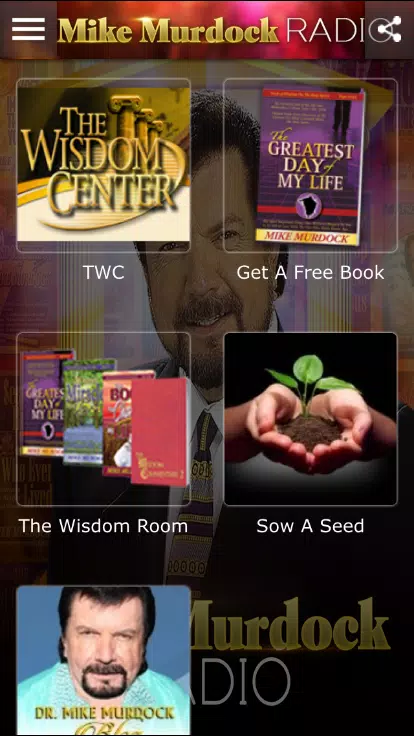
The interface prioritizes clarity and calm aesthetics to keep focus on the audio experience rather than flashy visuals. Clear typography, large touch targets and a muted color palette reduce distraction and make navigation accessible in a variety of lighting conditions. Episode pages include succinct summaries and suggested actions tied to the teaching, and visual cues such as series thumbnails and consistent layout patterns make it easy to move between live streams, recent broadcasts and archive entries.
Accessibility and Offline Listening
Accessibility features include adjustable text sizes and easily tappable controls to support a broad audience. Show notes and brief summaries accompany many messages to help listeners who prefer to follow key ideas visually or review points after listening. Where licensing permits, selected on-demand episodes may be downloaded for offline listening so you can replay teachings when connectivity is limited. Background playback and simple lock-screen controls further support uninterrupted listening during daily routines.
Replay Value and Longevity
The teaching-based format gives strong replay value: users often return to the same sermon for clarity, memorization or practical implementation of suggested steps. A growing archive of messages and themed series creates a reference library that can be revisited across seasons of life, and regular additions to the schedule keep the material relevant for long-term listeners. Because episodes vary in length and focus, the app supports both quick encouragement and deeper study sessions.
Who It’s For and Limitations
Mike Murdock Radio is best suited for Christian listeners seeking Bible-centered teaching with an emphasis on practical application and purpose-driven messages. The platform centers on Mike Murdock’s perspective and curated programming, so it may not represent a wide range of theological viewpoints or provide extensive text-first resources. Listeners who prefer an audio-first experience, steady program blocks and a focus on applied faith will find the app most useful, while those seeking broad comparative theology or academic discourse may need additional sources.
Getting Started
To begin, open the app, browse themed channels or recent broadcasts, tap play and listen while you go about your day. Use the player controls to pause, skip ahead, or return to a favorite moment and save programs you want to revisit. Explore series collections to follow a sequence of teachings and try the recommendation cues to find related messages. If you want to explore further, open Mike Murdock Radio, save a few favorites and let scheduled program blocks help shape a consistent listening rhythm that supports growth and practical application over time.
- No virus
- No advertising
- User protection
Information
- File size: 24.60 M
- Language: English
- Latest Version: 1.0
- Requirements: Android
- Votes: 358
- Package ID: com.app.appae32b85c6036
Screenshots


















Explore More
Make your house a home with our suite of helpful home apps. Discover clever tools to organize closets, streamline chores, and simplify cooking. Take the stress out of cleaning and maintenance with handy checklists and schedules. Enhance security and control appliances and lighting with our smart home integrations. Design, visualize, and renovate like a pro using our 3D planning software.

Metro Micro

All Recovery - Photos & Videos

ClassPass: Fitness, Spa, Salon

OnDjoss

Park4Me

Scary sound effects

Home Workouts - Lose Weight

Juice Recipes





























