

Introduction
Contact Lenses Reminder is a lightweight yet fully featured utility designed to help people who wear disposable contact lenses manage wear time, replacement schedules and prescription details with minimal effort. From the moment you open Contact Lenses Reminder you'll find a clear timeline of your current lens cycle, a simple way to record each new pair, and configurable alerts so you can prevent accidental overuse and reduce the risk of irritation or infection.
How it works
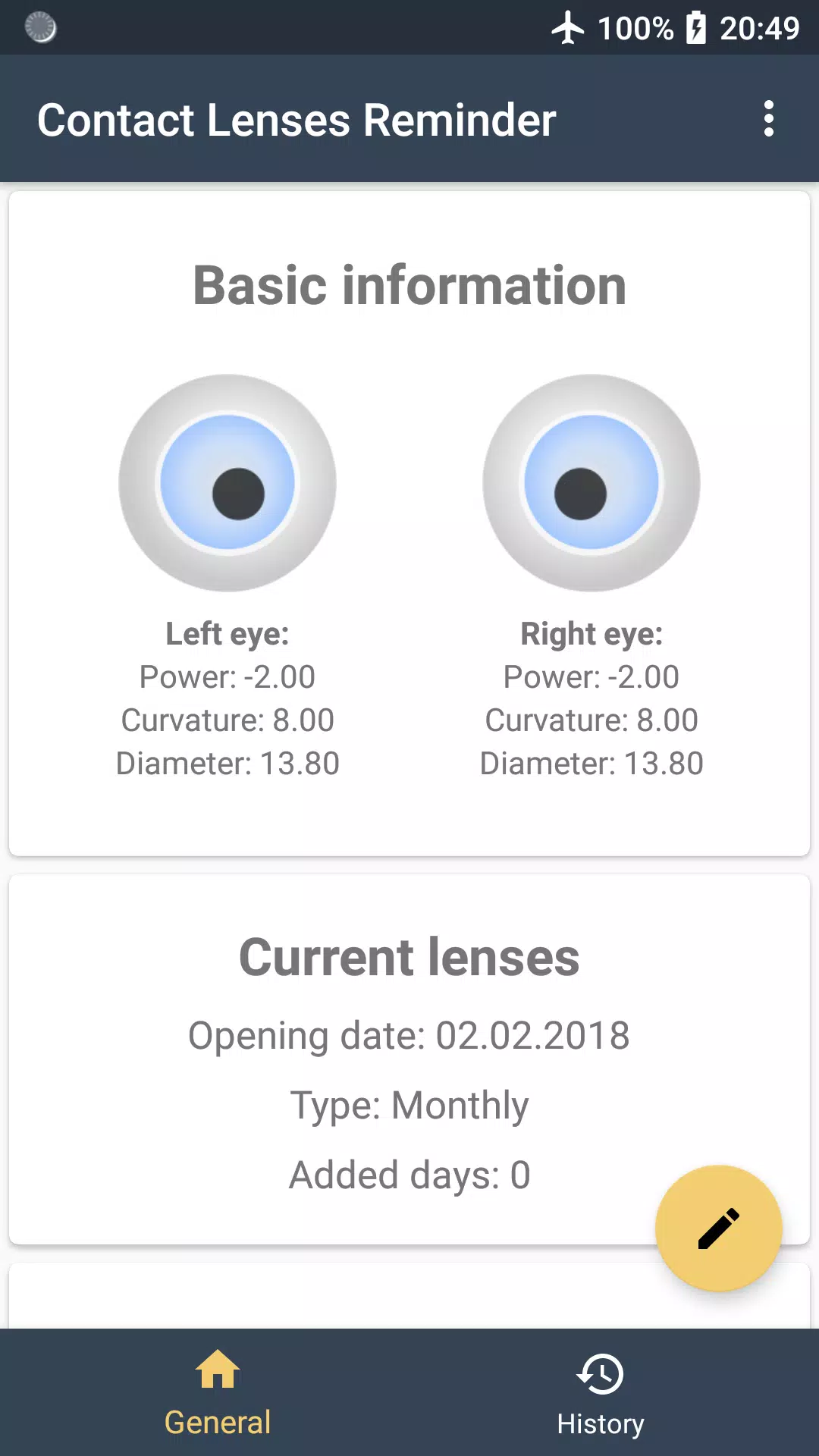
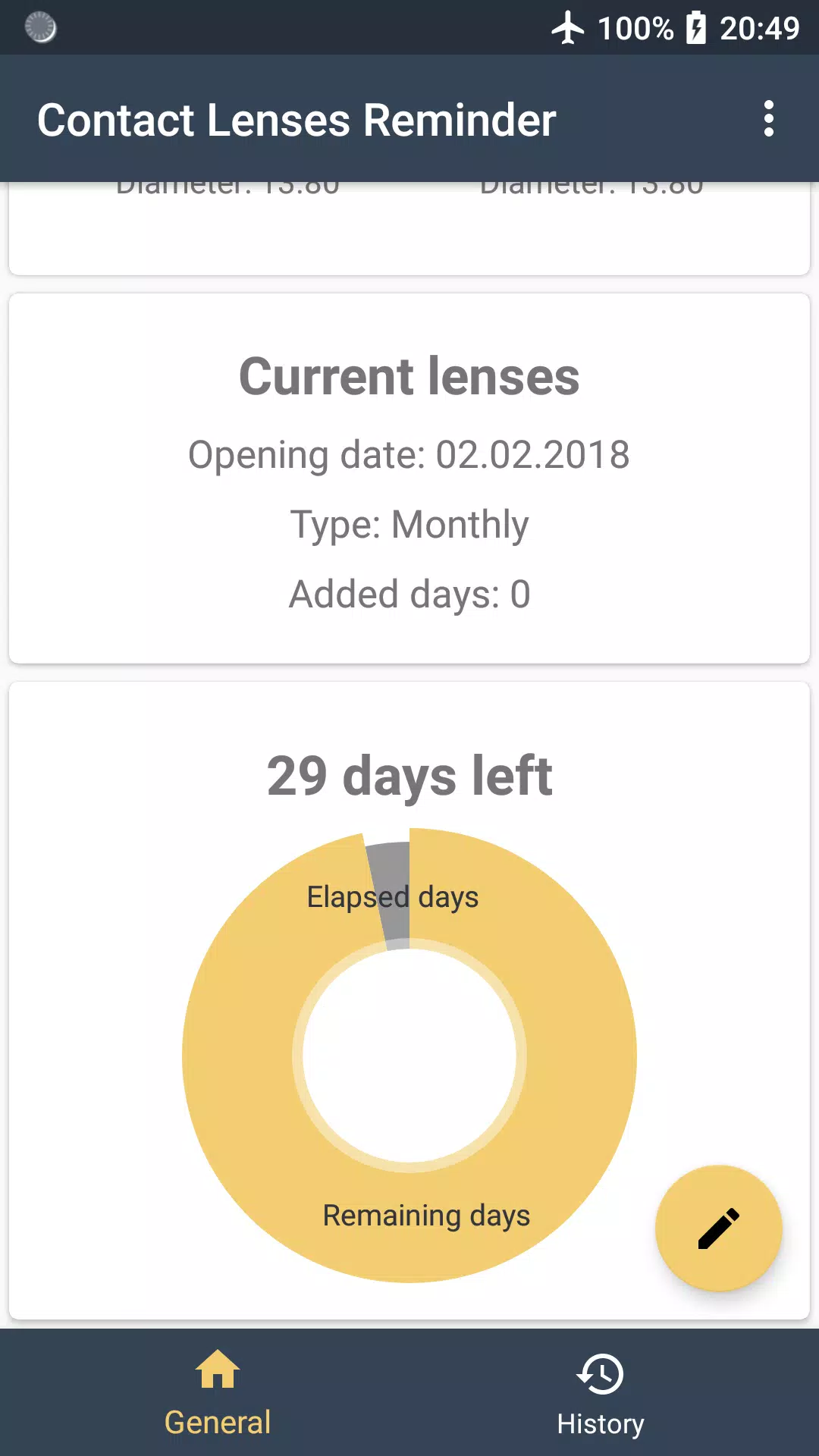
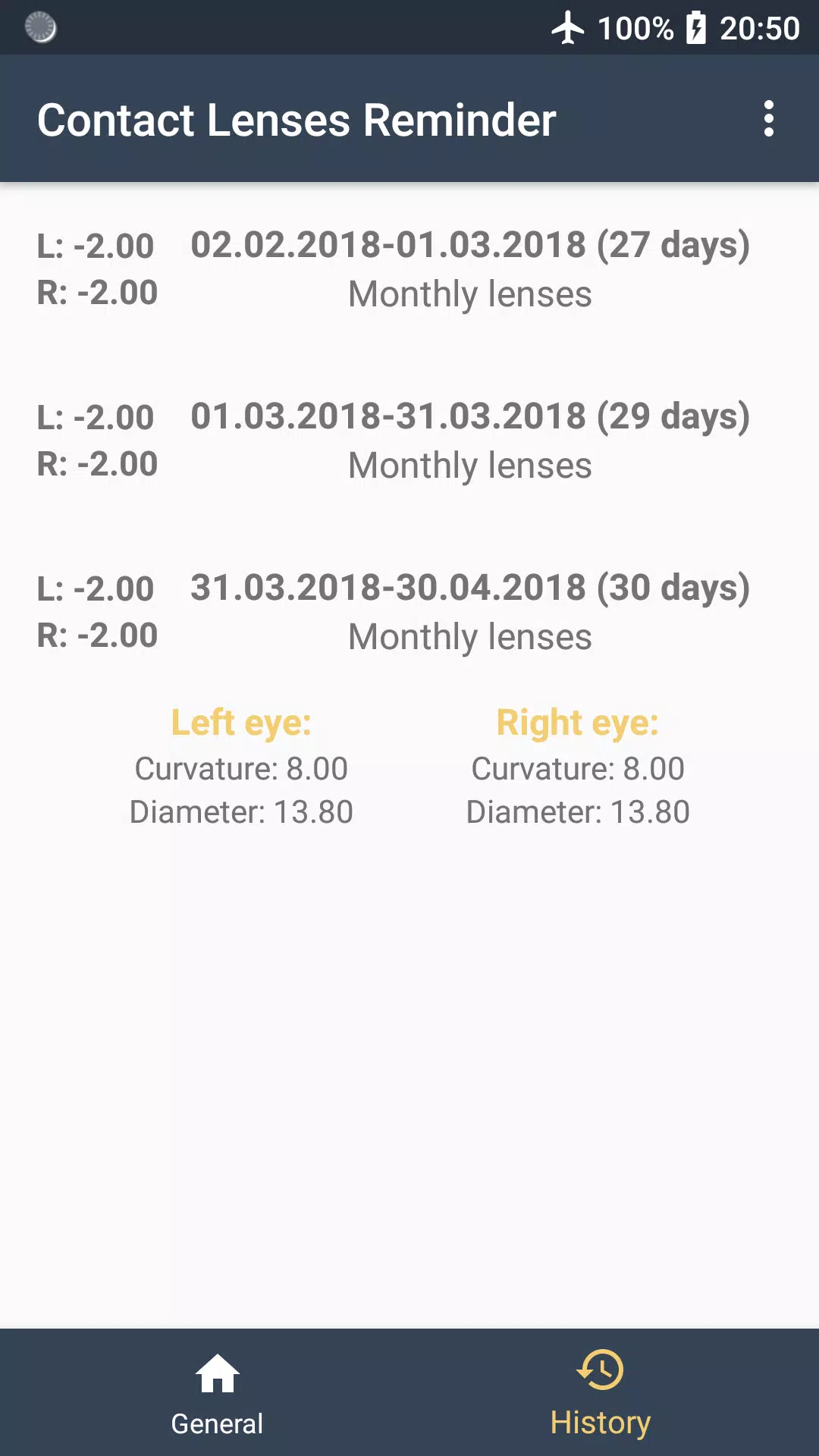
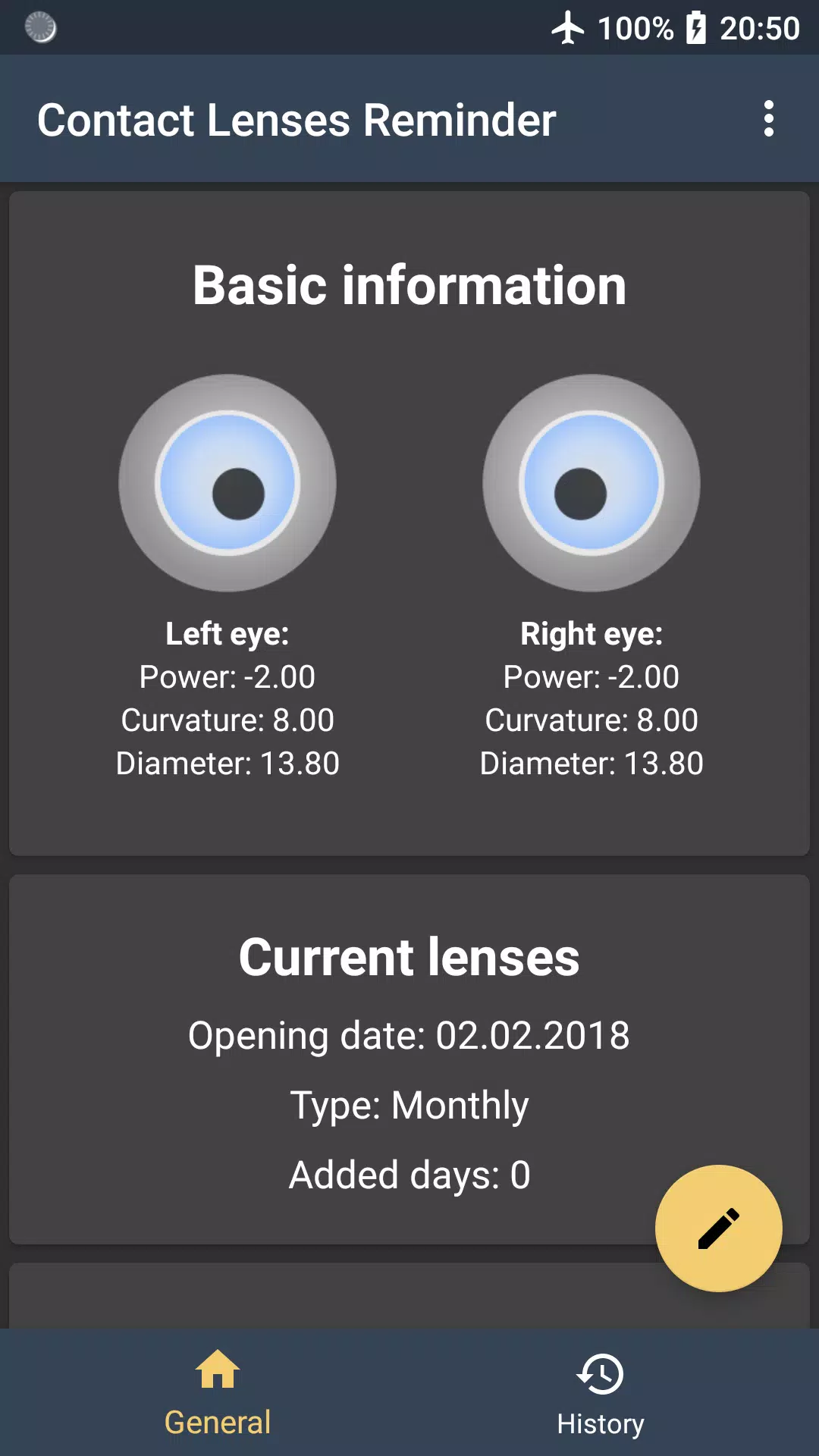
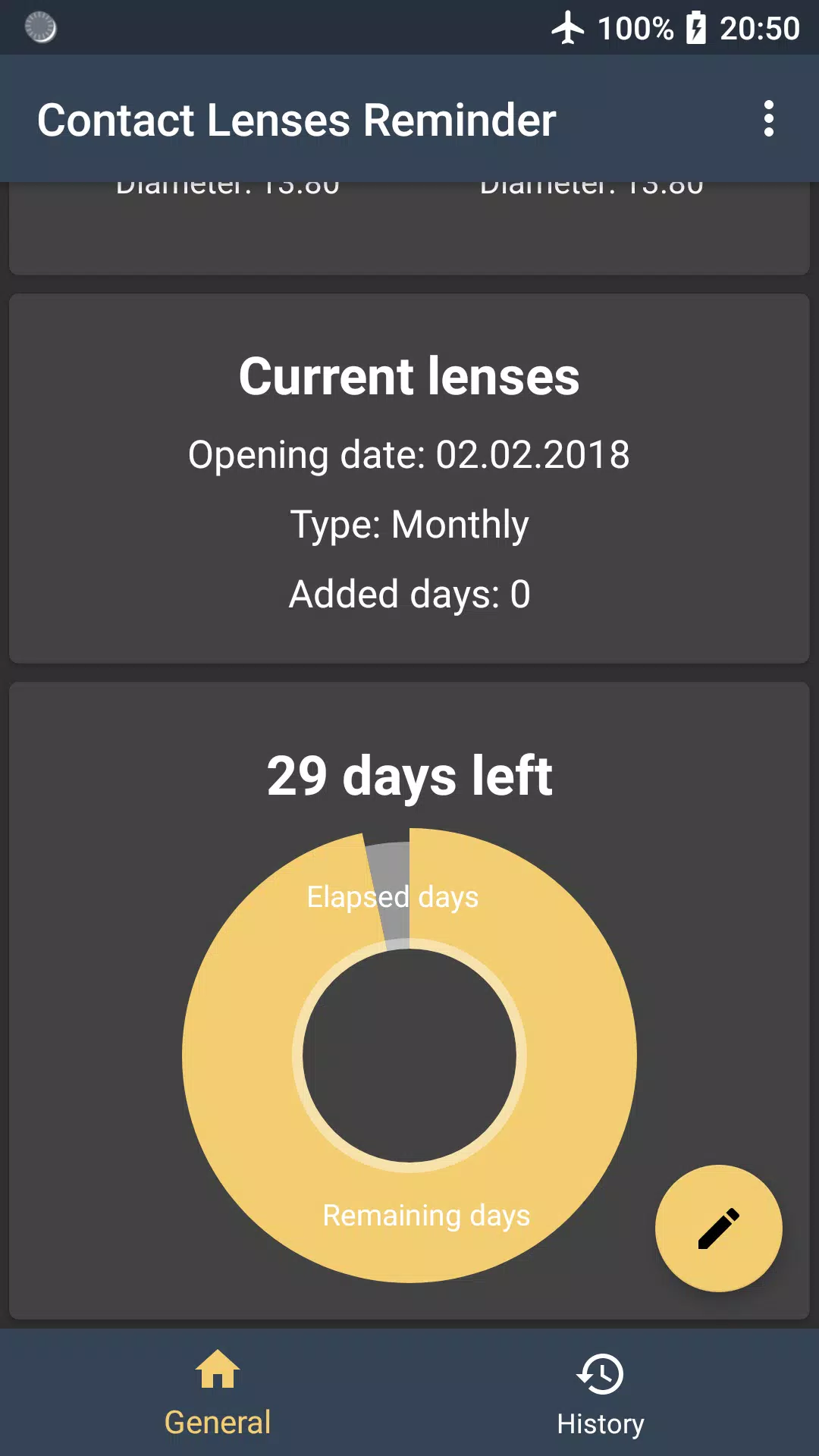
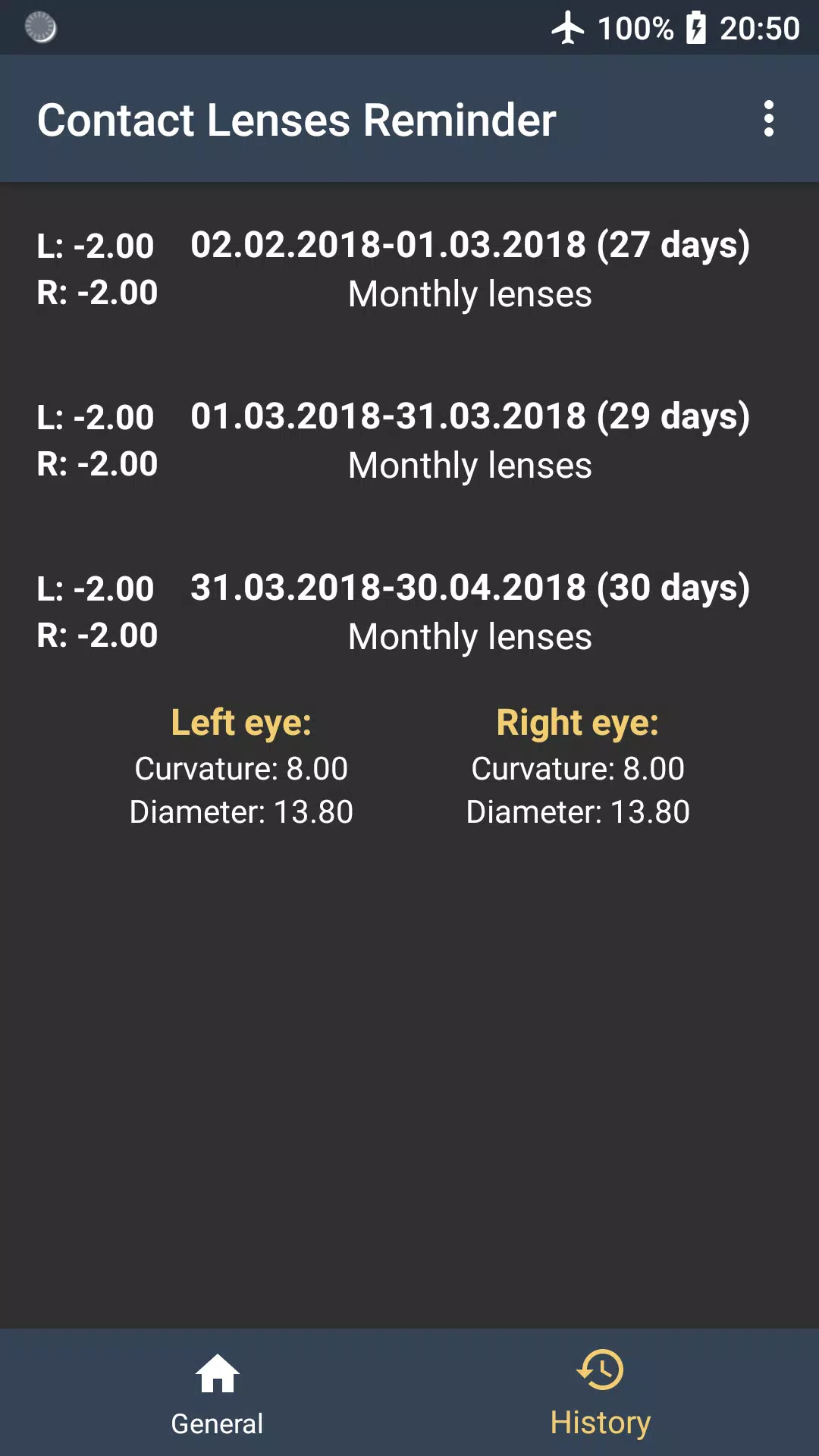
The app centers on an easy workflow: add your lens prescription and set whether you use daily, biweekly or monthly disposables, then record each insertion or replacement with a quick tap. Contact Lenses Reminder stores the power, curvature and diameter for each eye so you always have key prescription details at hand. Scheduling is flexible — set exact times for wearing-period reminders, replacement alerts and end-of-day checks. The app keeps a chronological usage history that you can scan to spot patterns or gaps, and it summarizes upcoming changes so you know at a glance what needs attention this week or month.
User interface and controls
The interface is focused on speed and clarity: large buttons and single-screen entry forms let you log lens changes without navigating deep menus. Time and date pickers let you fine-tune reminders, while simple toggles switch between left and right-eye entries. Light and dark themes adjust the contrast to suit bright environments or nighttime use, and font sizes scale with system accessibility settings. Notifications are highly configurable via the app settings panel, where you can select sound, vibration and LED color behaviors to match your device capabilities.
Progression, habits and replay value
Rather than a game-like progression, Contact Lenses Reminder supports habit-building through consistent reminders and a visible history that rewards steady, correct lens care. The app highlights streaks of timely replacements and can display monthly summaries that help you track compliance over time. This progression toward better eye hygiene becomes self-reinforcing: as your replacement record improves, the app becomes a trusted part of your daily routine and reduces reliance on memory alone.
Customization and personalization
Customization focuses on fitting the app to your life. Choose notification intervals, silence schedules for sleep or meetings, and specify whether reminders should repeat on specific days. Prescription entries accept different units and allow you to attach notes for optometrist contact information or lens brand preferences. Although the core data is entered manually to preserve accuracy, most common tasks are streamlined so routine entries take only a few seconds.
Accessibility, offline use and reliability
Contact Lenses Reminder works entirely offline; reminders and history do not require an internet connection, so the app remains reliable when traveling or in areas with limited service. It is designed with accessibility in mind: readable contrast in both themes, support for larger text sizes, and compatibility with system voice-over features so visually impaired users can interact with alerts and entries. Keep in mind that notifications depend on device-level settings, so enabling app notifications in system preferences is required for timely alerts.
Privacy and limitations
The app keeps your prescription information on your device and does not require online accounts, which minimizes exposure of sensitive data. A noted limitation is that tracking relies on manual entry of lens use and prescription updates, so maintaining accurate records depends on following the simple logging steps after each change. The app intentionally avoids speculative or automated corrections to medical data; for any concerns about eye health or prescriptions, consult a qualified eye care professional.
Development and support
The developer welcomes feedback and bug reports to refine Contact Lenses Reminder and appreciates suggestions for improving usability. If you encounter issues or have feature ideas, you can reach out directly at pkk0.dev@gmail.com for support. Regular updates focus on improving notification reliability, expanding accessibility options and smoothing the core logging experience so managing disposable lenses becomes less of a chore and more of a healthy habit.
- No virus
- No advertising
- User protection
Information
- File size: 2.30 M
- Language: English
- Latest Version: 1.1.1 Stable
- Requirements: Android
- Votes: 383
- Package ID: space.pkk0.contactlensesreminder
- Developer: Piotr Uliński
Screenshots
















Explore More
Take charge of your wellbeing with our innovative health and fitness apps. Monitor your activity, sleep, nutrition and more using our advanced tracking tools. Access personalized insights to develop healthy habits. Check symptoms, manage medications, and connect with doctors through our telehealth services. Follow customized workout plans for any fitness level with our virtual coaching.

Tap vpn - fast and safe

Half Marathon Trainer 13.1 21K

DWP Fitness - Diet & Workout

MaaS360 MDM for Android

AD Program

Health Connect (Beta)

Kidcare – Parental Control App
Ultimate IPTV Playlist Loader





























