

Introduction
Knots 360 Pro ( 3D ) is a compact reference and training app that teaches dozens of knots using interactive three-dimensional models, step‑by‑step animations and practical tips. It combines clear instructions, adjustable playback, and organized categories to help users learn, practice, and apply knot techniques across boating, climbing, camping, and DIY.
Features Overview
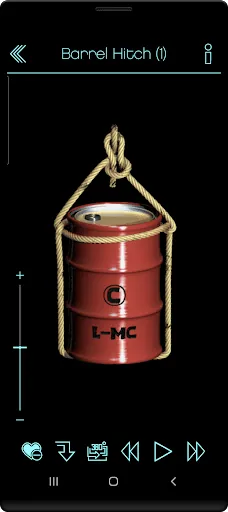
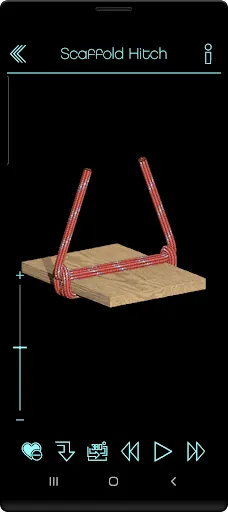
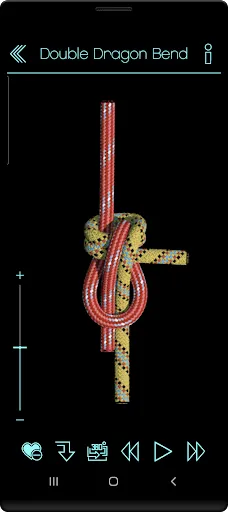
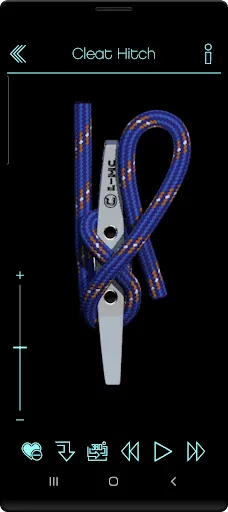
Knots 360 Pro ( 3D ) centers on realistic 3D visualizations that let you rotate, zoom and watch each step from any angle. Every knot includes a slow‑motion walkthrough, frame‑by‑frame control, and color highlights to indicate working ends and standing parts. Searchable categories, bookmarking, and an offline library make it simple to find and save the knots you use most.
How the 3D Tutorials Work
Animations break complex movements into clear stages. Use your finger to spin the model and pinch to zoom so details are visible at any scale; playback controls let you loop critical steps or reverse the sequence to see a knot unmade. Labels and short text tips accompany visuals to reinforce key actions like dressing, setting, and trimming tails.
Practical Uses and Applications
The app focuses on practical instruction rather than abstract diagrams, making it useful in real world tasks. Sailors can learn hitches and bends for rigging, climbers can review safety knots, anglers can practice line attachments, and campers can prepare lashings for shelters. Utility uses include bundling, securing loads, and craftwork such as macramé and paracord projects.
Customization and Personal Tools
Customize visual settings to suit your learning style: change rope color, thickness, and background contrast to improve clarity in bright or dim conditions. Create a personal list of favorite knots, add brief notes to entries, and export screenshots for offline reference or checklist printing. Advanced settings also let you choose left‑ or right‑handed animation orientation so demonstrations match your dominant technique.
Learning System and Practice Tips
The app's structure encourages repetition and progressive mastery. Start with basic hitches and bends before moving to more involved loops and splices. Use the step index to repeat specific motions and rely on the reverse playback to diagnose mistakes. For hands‑on practice, match the model speed to your rope work pace and pause between stages to try each move with a physical line.
Performance and Compatibility
Designed to run smoothly on a wide range of Android devices, the app minimizes battery use while keeping animations responsive. Models are optimized for memory efficiency so tablets and older phones can display complex knots without lag. The offline mode ensures tutorials are available when you’re on the water, at a trailhead, or inside a workshop without internet access.
Interface and Workflow
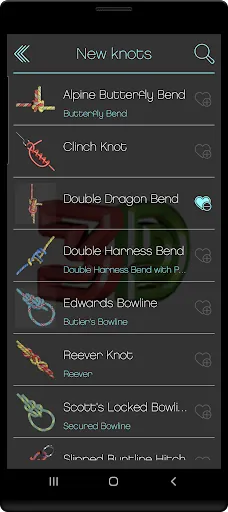
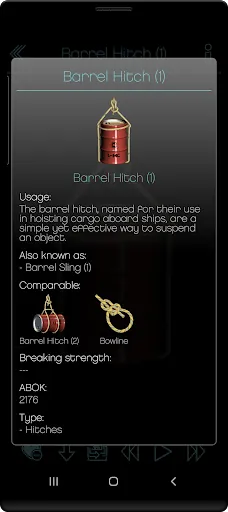
The interface puts essentials up front: a clean navigation bar, quick filters for knot category and difficulty, and a persistent search field. Each knot page combines an interactive viewer with concise notes and recommended uses. Continuous playback and single‑step modes let you toggle between demonstration and practice quickly, speeding up learning sessions and reducing time spent navigating menus.
Getting Started Quickly
Install and launch to browse a curated beginner list, then mark three knots to practice during your first session. Knots 360 Pro ( 3D ) encourages active learning—watch a short animation, pause, and replicate the movement with a real rope. Keep a favorites list for on‑demand review and use screenshot exports as quick reference cards for workshops or trips.
Safety and Best Practices
Always test knots under controlled conditions before relying on them for safety‑critical uses. The app provides guidance on dressing and setting knots, but hands‑on verification and, when appropriate, expert instruction remain important for climbing, rescue, or heavy load situations.
- No virus
- No advertising
- User protection
Information
- File size: 149.40 M
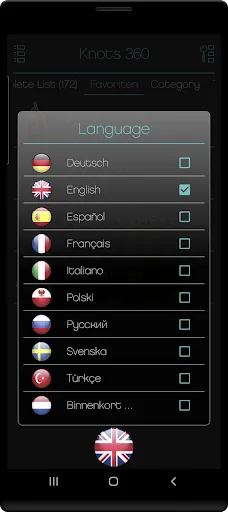
- Language: English
- Latest Version: 2.5
- Requirements: Android
- Votes: 291
- Package ID: de.Knoten3d.mclang
- Developer: L-MC
Screenshots

















Explore More
Discover your next great read with our innovative book apps. Access millions of ebooks, audiobooks, and comics on any device. Get personalized recommendations from our advanced algorithms so you always have your next great story lined up. Track your reading habits and browse curated lists for inspiration. Join online book clubs to connect with fellow bibliophiles. Listen to samples and download seamlessly with our integrated stores.

MEXC Global: BTC, ETH, Gamefi

Bloomberg Connects

Metro Micro

IZI: play, listen, watch, call

ClassPass: Fitness, Spa, Salon

Kyrgyz Russian Translation

Park4Me

Juice Recipes





























