


Introduction
LRT.lt is a mobile app that delivers live television, news updates and on-demand programs from Lithuania’s public broadcaster. It consolidates video streams, articles, and program schedules into a single interface designed for quick access and offline viewing, making national media easier to follow while on the move.
Overview: what the app does
LRT.lt brings together broadcast TV, national radio and written journalism into one native Android experience. The app is built to serve nightly news viewers and casual readers alike, with a focus on timely reporting, long-form features and archive access. It aims to be the primary channel for Lithuanian public media when users leave the browser behind.
Key functions at a glance
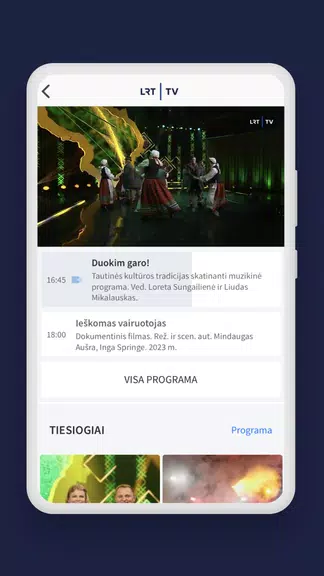
- Live streaming of multiple LRT channels with adaptive bitrate to match your connection.
- On-demand videos and complete program archives searchable by topic or date.
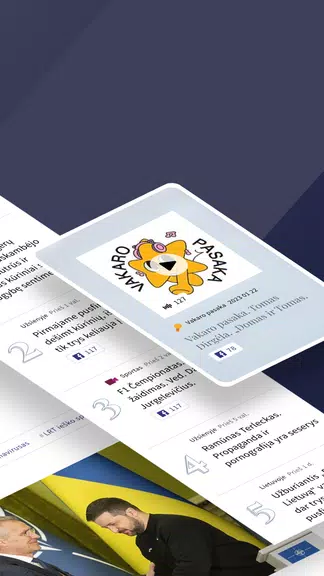
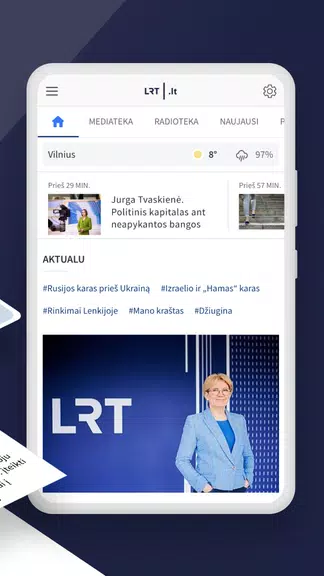
- News feed with articles, photos and embedded video clips updated throughout the day.
- Radio streams covering news, culture and talk shows.
- Download for offline playback on selected items to save mobile data or watch without a connection.
How the interface and performance behave
The design of LRT.lt favors clear navigation: a bottom bar typically separates live, video, articles and profile sections, and a persistent search helps locate content by keywords or presenters. Playback controls are concise, with options for subtitles and quality selection. On modern devices the app switches streams smoothly; on constrained networks it prioritizes lower-resolution delivery to reduce buffering.
Content management and personalization
Users can tailor their experience by saving favorite shows and topics, setting push notification preferences for breaking news, and creating a basic watchlist. The app supports bookmarking and a simple history view so you can pick up where you left off. For power users, content filters make it easier to follow specific programs or reporters without scrolling through generic headlines.
Practical use cases
LRT.lt serves different needs: commuters who want quick news summaries, viewers wanting live political coverage, and researchers looking for archived broadcasts. Its radio integration is handy for hands-free listening, while offline downloads are useful for travel. Notifications deliver alerts about major stories, but they can be tuned or paused to avoid overload.
Compatibility and streaming options
The app supports common Android setups and often includes Chromecast support for casting video to TV. Playback settings let you choose automatic, low, medium or high quality depending on battery and data usage priorities. Adaptive streaming reduces interruptions if your network fluctuates.
Installation and first steps
Installing LRT.lt is straightforward through official app stores. After installation, allow optional permissions (location is not required for basic playback) and grant storage permission if you plan to download programs. Use the search tool to find a familiar show, then try a live stream to check playback behavior on your device.
Tips for first-time users
- Enable notifications only for the categories you care about to avoid constant alerts.
- Use Wi-Fi for large downloads; choose lower quality when on mobile data.
- Bookmark recurring programs to create a lightweight personalized schedule.
- Explore archived footage with date filters to find past episodes quickly.
Why many users keep it installed
People turn to LRT.lt for reliable national coverage and convenient access to multimedia content in one place. The combination of live TV, radio and a continuously updated news stream reduces the need to jump between multiple apps. Regular updates focus on stability and small feature improvements rather than radical redesigns, which helps maintain a consistent experience for long-term users.
For users who rely on a dependable public broadcaster app, LRT.lt balances breadth of content with practical controls and performance tweaks that suit everyday mobile consumption.
- No virus
- No advertising
- User protection
Information
- File size: 18.40 M
- Language: English
- Latest Version: 2.47.1
- Requirements: Android
- Votes: 249
- Package ID: lt.mediapark.lrt
- Developer: Lietuvos nacionalinis radijas ir televizija
Screenshots
















Explore More
Discover your next great read with our innovative book apps. Access millions of ebooks, audiobooks, and comics on any device. Get personalized recommendations from our advanced algorithms so you always have your next great story lined up. Track your reading habits and browse curated lists for inspiration. Join online book clubs to connect with fellow bibliophiles. Listen to samples and download seamlessly with our integrated stores.

MEXC Global: BTC, ETH, Gamefi

Bloomberg Connects

Metro Micro

IZI: play, listen, watch, call

ClassPass: Fitness, Spa, Salon

Kyrgyz Russian Translation

Park4Me

Juice Recipes





























