


Whatsapp News &Android Updates
Category: News & Magazines Date:2026-10-15
Rating: 4.2
Introduction
Whatsapp News &Android Updates is a compact news and tips app designed for Android users who want a single, easy-to-scan source for developments around WhatsApp and the wider Android ecosystem. The app focuses on short, practical articles that summarize feature changes, security guidance, settings tips and notable app launches so readers can stay informed without long reads. In addition to news digests, Whatsapp News &Android Updates highlights handy how-tos and quick configuration steps that help you apply changes on your device immediately.
Key features and navigation
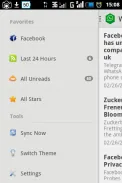
The interface organizes content by clear sections: WhatsApp updates, platform and system updates, app spotlights and practical tips. Each section presents a concise headline, a short summary and a link to a longer article when available. Gestures and simple controls let you swipe between stories and tap to save or mark items as read. A built-in search and category filters make it fast to find past coverage on a particular setting or app, and the main feed can be tuned to prioritize the topics you read most.
How content is structured and how you progress
Articles are written as short summaries followed by a practical tip or a step-by-step section so you can act on news immediately. The app uses a chronological feed for breaking items while maintaining curated spotlight pieces for notable launches and feature deep dives. Reading progression is supported by saved lists and a history so you can pick up unfinished articles and follow ongoing stories. Content is tagged at the source, letting you track a single topic—such as privacy settings or new camera features—across multiple posts.
Controls, customization and personalization
Controls remain intentionally simple to reduce friction: tap to open, long-press to save, swipe to archive. Users can adjust text size and color contrast in the display settings to improve readability. Personalization options include following specific tags, muting categories you do not want, and choosing the frequency of summary notifications. These settings let each user shape how stories arrive and how many items appear in the daily digest without overwhelming the interface.
Visual style, layout and accessibility
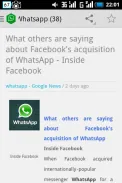
The visual design emphasizes legibility and quick scanning: clear headings, short paragraphs and highlighted tips that draw attention to actionable steps. Images and annotated screenshots are used sparingly to illustrate settings changes or menu locations rather than as decorative elements. Accessibility considerations include adjustable font scaling, higher-contrast themes and straightforward navigation so readers with a range of needs can read and follow technical steps comfortably.
Offline reading, storage and replay value
Whatsapp News &Android Updates supports saving articles for offline reading so you can review tips or reference instructions without a constant connection. Saved items are stored locally and organized by tag or date to make later retrieval simple. The app’s replay value comes from frequent updates, the archive of past issues and the spotlight series on new apps, meaning users often return to compare how features evolved or to reapply a previously saved tip when they change devices.
User experience, notifications and privacy
Notifications are optional and configurable by topic and frequency; they are intended to announce significant changes or urgent security information rather than every minor update. The app keeps the experience focused on content: there is no social feed, no in-app commenting system and no multiplayer features—just curated coverage and practical guidance. Privacy-friendly defaults limit background activity and data collection to the minimum necessary to deliver updates and saved content.
Advantages and limitations
Whatsapp News &Android Updates centralizes WhatsApp and Android information so you do not have to jump between many sources. Its concise format is useful for casual users who want quick fixes and for enthusiasts tracking key changes. Limitations include a narrower scope compared with full tech publications and a deliberate emphasis on summaries over deep technical research, so readers seeking in-depth developer-level analysis may supplement the app with specialist outlets.
- No virus
- No advertising
- User protection
Information
- File size: 2.90 M
- Language: English
- Latest Version: 1.3.2
- Requirements: Android
- Votes: 332
- Package ID: com.kingstellw.a
- Developer: james
Screenshots



















Explore More
Explore the real potential of personalization with our exceptional mobile software downloads! Set your imagination free and customize your smartphone to perfectly reflect your unique personality. Our amazing assortment of options caters to a diverse range of tastes. Choose from trendy themes, exclusive wallpapers, inventive widgets, and personalized ringtones to truly make your phone your own. Elevate your mobile experience and make a statement.

Good Morning and Good Night

Tronsmart

AppLock Theme Universe

Gem Space

Orion TV

Crosshair & Nickname Generator

掌上KD

Nebben





























