


Introduction
Cooking is a fast-paced kitchen simulation that challenges players to master recipes, manage time, and upgrade a bustling restaurant. It blends casual arcade action with strategic planning, offering varied menus, unlockable chefs, and colorful levels that escalate in difficulty across single-player stages and cooperative challenges.
What the game offers
At its core, Cooking is a blend of time-management gameplay and light strategy. Players progress through a sequence of kitchens, each with a distinct layout, ingredient set, and customer expectations. Success depends on quick decisions: which orders to prioritize, when to upgrade equipment, and how to route staff efficiently to keep service smooth during rush hours.
Core gameplay loop
Every level gives a set of recipes and goals. You collect ingredients, prepare dishes, and serve plates before customers lose patience. Combo chains reward accuracy and speed, while special orders introduce mini-challenges like allergy restrictions or multi-course meals. The mechanics are easy to pick up but require dexterity and foresight as difficulty ramps up.
Key features and systems
- Recipe variety: Hundreds of dishes spanning breakfast, lunch, and themed menus keep gameplay fresh.
- Chef upgrades: Unlock skills and passive bonuses that alter playstyle.
- Kitchen tools: Ovens, fryers, blenders and more that you can place and upgrade for efficiency.
- Daily challenges: Short objectives that reward resources and cosmetic items.
- Co-op and leaderboards: Team up or compete to climb ranks and earn seasonal rewards.
Levels, characters, and progression
Levels in Cooking are structured around stages that introduce new mechanics slowly. Early kitchens focus on basic prep; later maps mix hazards like moving counters or ingredient spoiling. Characters bring personality: each chef has a backstory and a skill tree encouraging different approaches. Progression unlocks new restaurants, themed events, and cosmetics that showcase achievements.
Controls and interface
The interface prioritizes clarity under pressure. Large touch targets, clear timers, and color-coded stations help reduce frustration during hectic moments. Controls are responsive: drag-and-drop for ingredients, tap to serve, and shortcut gestures to trigger special abilities. Accessibility settings include larger buttons and toggles to simplify complex interactions.
Visuals and sound design
Cooking pairs bright, stylized visuals with snappy sound effects to create a satisfying loop. Ingredient animations and particle effects make successful combos gratifying, while upbeat background tracks maintain tempo. The art style leans cartoonish, which keeps the tone light even as challenges become intense.
Strategies for better performance
New players should focus on station layout and order batching. Group similar dishes to reduce switching costs and use early upgrades to automate repetitive tasks. Prioritize upgrades that improve service speed and reduce customer wait times during peak waves. Observe patterns in customer flow to plan pre-prep during calmer moments.
Why players stick around
Many are drawn to Cooking for its balance of short-session play and long-term goals. Quick levels make it ideal for mobile play, while progression systems and seasonal events provide incentives to return. The social elements—co-op modes, leaderboards, and shared challenges—add competitive and cooperative layers that keep the experience engaging.
Getting started and installation tips
Installation is straightforward: download, grant basic permissions, and complete the tutorial to learn station mechanics. Keep the app updated to access new events and bug fixes. For the best performance, close background apps and allow the game to cache assets during initial setup to reduce loading times later.
Whether you approach Cooking as a casual diversion or a game to master, it delivers a consistent blend of challenge and charm. With its clear UI, varied recipes, and layered progression, it remains a compelling choice for players who enjoy managing chaos in creative, flavorful ways.
- No virus
- No advertising
- User protection
Information
- File size: 115.59 M
- Language: English
- Latest Version: 1.0.4
- Requirements: Android
- Votes: 363
- Package ID: com.anonymous.marketplace
- Developer: Cooking Foodtech
Screenshots

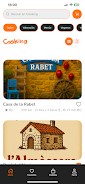
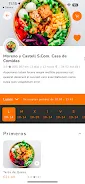
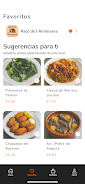
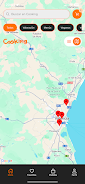

















Explore More
Discover and share the hottest events around with our intuitive apps. Find local concerts, festivals, shows, and more based on your unique interests. Create customizable calendars of upcoming events to coordinate schedules with friends. Purchase tickets seamlessly from our integrated platforms. Check real-time transit schedules to plan your trip. Access maps, directions, and parking information for any venue.

Bloomberg Connects

Tax Calculator India 2024-2025

OnDjoss

Park4Me

Scary sound effects

TryController

Home Workouts - Lose Weight

Mocha Telnet Lite





























