

Introduction
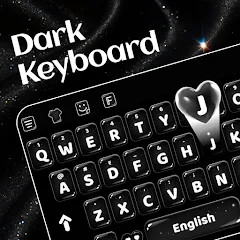
Dark Theme Keyboard-Neon Black is a modern keyboard app that emphasizes a deep black background with neon accents for legibility and style. It combines fast swipe typing, smart predictions, and customizable key shapes so users can type accurately in low-light conditions while keeping battery consumption low.
Overview of the interface
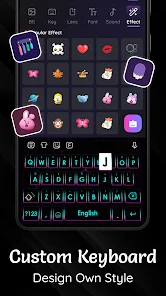
The interface of Dark Theme Keyboard-Neon Black centers on minimalism and contrast. Keys sit on a matte black canvas while neon outlines and subtle glow effects highlight active keys. The layout supports one-handed mode, floating keyboard, and adaptive height so it fits a wide range of screen sizes and user preferences.
Core features at a glance
- Swipe and tap input: Fluid swipe typing plus accurate tap response for mixed input styles.
- Smart suggestions: On-device word prediction, next-word suggestions, and autocorrect with customizable aggressiveness.
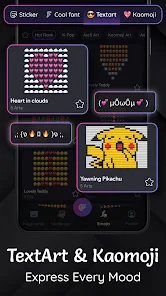
- Emoji and GIF access: Quick panels provide emojis, stickers, and trending GIFs without switching apps.
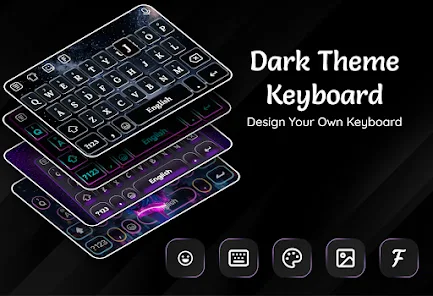
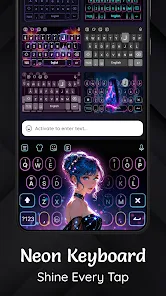
- Theme engine: Ready-made neon palettes and a creator tool to build your own color accents.
- Privacy mode: Local processing for predictions with clear permission controls.
Customization and personalization
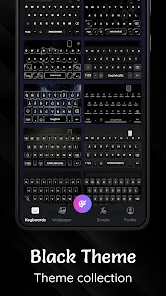
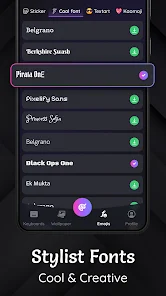
Dark Theme Keyboard-Neon Black gives users fine-grained control over appearance and behavior. You can pick neon hues for key borders, adjust glow intensity, and toggle keypress animations. Multiple font styles and key shapes (rounded, square, pill) help tailor the look. The theme store includes preset combinations and lets you save favorites for quick switching.
Typing tools and productivity
Beyond aesthetics, the app supplies tools aimed at speeding up daily typing. Clipboard history, customizable text shortcuts, and macro phrases reduce repetitive typing. A split keyboard option improves typing on tablets, while a dedicated number row and long-press symbols make data entry faster.
Performance and battery efficiency
Built for dark-screen efficiency, the keyboard minimizes background activity and avoids heavy animations by default. Neon effects are GPU-accelerated and can be disabled to conserve power. Memory usage is optimized so the keyboard remains responsive on older devices as well as flagship phones.
Accessibility and language support
Accessibility options include high-contrast modes, larger key sizes, and haptic feedback customization. The app supports dozens of languages and regional layouts, plus multilingual prediction that adapts when you switch languages mid-conversation.
User experience and reliability
Users commonly report that Dark Theme Keyboard-Neon Black feels fast and consistent. The typing engine learns commonly used phrases to improve suggestions. Error correction can be tuned so aggressive autocorrect is reduced for users who prefer manual control. Regular updates deliver new themes and bug fixes while preserving user settings.
Getting started
- Download and install the app from your preferred Android store.
- Open settings and enable Dark Theme Keyboard-Neon Black as an input method.
- Grant optional permissions for clipboard and file access if you want sticker and GIF features.
- Pick a neon theme and tweak typing preferences to match your workflow.
Tips for new users
Begin with a lighter glow and increase intensity only if you need more contrast. Enable clipboard history for quick copying between apps, and create a few text shortcuts for commonly sent phrases. If battery life matters, switch off animations and set prediction to local-only processing.
Dark Theme Keyboard-Neon Black strikes a balance between bold visuals and practical typing tools. Its combination of neon styling, robust customization, and performance-focused design makes it a solid choice for users who prefer a dark interface without sacrificing functionality.
- No virus
- No advertising
- User protection
Information
- File size: 67.00 M
- Language: English
- Latest Version: 1.0.0
- Requirements: Android
- Votes: 445
- Package ID: dark.theme.keyboard.neon.black
- Developer: Photo - Picture keyboard
Screenshots

















Explore More
Empower learning and research with our innovative reference apps. Access dictionaries, thesauruses, encyclopedias, and more with our comprehensive databases. Get homework help, study tips, and writing guides from our academic resources. Learn new skills by browsing how-to videos and manuals. Stay up-to-date with latest news, data, and facts curated by our editors.

Bloomberg Connects

Metro Micro

TVSMILES

ClassPass: Fitness, Spa, Salon

OnDjoss

Kyrgyz Russian Translation

Domino's Pizza Sri Lanka

Bollinger 1829





























