


Introduction
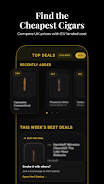
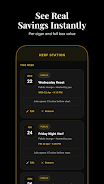
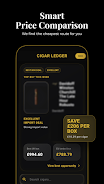
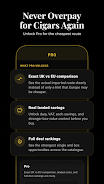
Cigar Ledger is a focused cigar collection and tracking app designed for aficionados who want to catalog, review, and manage their personal humidor. It blends simple logging with robust note-taking, making it easy to record flavor profiles, aging progress, and purchase history in a compact, mobile-friendly package.
At a glance
The core purpose of Cigar Ledger is straightforward: provide a reliable digital record of every cigar you own or try. The app avoids clutter and concentrates on fields that matter to enthusiasts — brand, vitola, date acquired, condition, and tasting notes — while making retrieval and comparison quick.
Core functionality and workflow
Cigar Ledger follows a clear workflow intended to match how collectors think. Add new entries with a few taps, attach ratings and tags, then update the entry after a smoke or while the cigar ages. The app supports batch imports so you can migrate existing lists and keeps chronological and tag-based filters for precise searches.
Key tools and organization
- Cataloging fields: Customizable fields let you capture brand, size, wrapper, origin, and nominal strength.
- Notes & ratings: Rate aroma, construction, flavor, and finish independently, then write free-form notes about each session.
- Tags and sorting: Create tags for limited editions, aging candidates, or budget-friendly staples to view curated subsets.
- Inventory view: A condensed grid or list displays counts, storage location, and purchase date at a glance.
Interface and performance
The design favors clarity over flair. Panels are readable on small phones and scale cleanly on tablets. Navigation uses an intuitive bottom bar with quick access to the catalog, search, and settings. Performance is smooth; lists load fast and image thumbnails render without lag, even with extensive collections.
Practical features that stand out
Cigar Ledger includes a few practical touches that enhance daily use. A barcode scanner accelerates adding store-bought cigars when packaging includes scannable codes. Offline access ensures your notes are never lost in low signal areas. Export options allow you to back up CSV files for desktop review or sharing with friends.
Tips for new users
- Start with essentials: When creating entries, fill in brand, vitola, and a short note. You can refine ratings later.
- Use tags consistently: Decide on a small set of tags like "Aging", "Weekly", or "Review" so filters return useful lists.
- Photograph once: Take a clear wrapper shot and a cut/smoke image to visually document changes over time.
How it supports aging and tasting
For collectors who cellar cigars, Cigar Ledger provides aging reminders and the ability to mark ideal aging windows. Tasting sessions can be linked to specific dates so you can compare how a cigar evolves. This historical perspective helps you understand when to open bottles from your humidor for optimum enjoyment.
Customization and privacy
The app includes modest customization: choose display density, default rating scales, and which fields to show on the primary list. Privacy controls let you keep the ledger local, or opt into cloud sync for cross-device access. Account settings are straightforward and avoid unnecessary permissions.
Who will appreciate it
Cigar Ledger suits a range of users — from casual smokers who want to remember a stellar purchase, to serious collectors tracking aging and provenance. The logical entry process and robust search make it a practical tool on mobile devices. Enthusiasts who like to analyze past notes and ratings will find it particularly useful.
Getting started
Installation is quick from the app store. After a brief setup where you choose default tags and sync preferences, try adding five cigars and recording a short tasting note to see the app’s value immediately. Regular use turns Cigar Ledger into a searchable memory of your best smokes.
Overall, Cigar Ledger is a utilitarian and thoughtful companion for cigar management. It doesn’t aim to be flashy; it aims to be reliable, easy to use, and focused on the details that matter to collectors and casual users alike.
- No virus
- No advertising
- User protection
Information
- File size: 82.50 M
- Language: English
- Latest Version: 1.0.78
- Requirements: Android
- Votes: 295
- Package ID: com.aaronsapps.cigarledger
- Developer: Vanta Labs
Screenshots
















Explore More
Equip yourself with our all-in-one toolbox app for everyday tasks and projects. Instantly convert between units, calculate tips, scan documents, manage files, and more with handy productivity tools. Includes a level, compass, QR code reader, ruler, speedometer, decibel meter, and flashlight. Save frequently used tools to your customizable dashboard for one-tap access. Track billable hours, wages, budgets, and invoices. Annotate screenshots, magnify labels, and sign PDFs on the go.

MEXC Global: BTC, ETH, Gamefi

Text Art - Write Text On Photo

MERA PROXY PRO

Domino's Pizza Sri Lanka

Hatekhori Shongkha

Halloween Photo Editor -Makeup

Connecting - Friends Near Me

Cartola





























