


Introduction
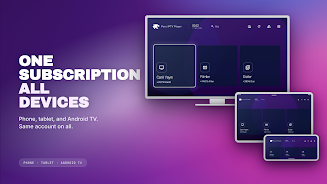
Pars IPTV is a lightweight streaming client designed for watching live TV and on-demand channels using M3U playlists and IPTV services. It organizes channels into customizable lists, supports electronic program guides, and focuses on a responsive playback experience for Android devices and set-top boxes.
Overview
This app targets users who want a straightforward way to manage IPTV subscriptions without extra bloat. Pars IPTV emphasizes compatibility with common playlist formats, channel grouping, and simple navigation. It avoids complex account requirements and relies on user-provided playlists or server credentials supplied by a service provider.
Key capabilities at a glance
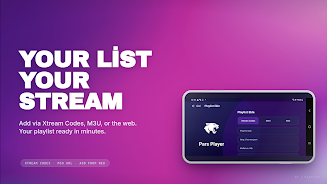
- Playlist support: M3U and Xtream Codes integration for playlists and login details.
- EPG compatibility: Electronic Program Guide imports to display schedules and program details.
- Channel organization: Favorites, categories, and search to quickly find live channels and VOD items.
How it works
Pars IPTV connects to a supplied playlist or server and presents channels in a linear list or grid. Tapping a channel begins adaptive streaming using the device's media framework, while optional middleware handles authentication when required. Users can import playlists via a URL or local file and refresh content without reinstalling the app.
Playback and streaming options
- Adaptive bitrate handling for variable network conditions.
- Support for common container formats and codecs used by IPTV providers.
- Basic subtitle and audio track selection where streams provide them.
Interface and performance
The user interface prioritizes fast access to channels and minimal steps between selection and playback. Menus are organized into logical sections: Live, VOD, Favorites, and Settings. Pars IPTV aims for a low system footprint so it runs smoothly on mid-range phones and Android TV boxes, with an emphasis on stable playback and low latency channel switching.
Design highlights
- Clean channel grid with thumbnails and metadata.
- Customizable player controls and optional full-screen mode.
- Lightweight settings panel for quick configuration changes.
User experience and workflow
Setting up Pars IPTV is straightforward: import a playlist, configure the EPG, and start watching. The app streamlines the workflow for users who regularly switch between dozens of channels or maintain multiple playlist sources. Bookmarking and a simple search tool make it easy to return to frequently watched content.
Practical tips
- Organize channels into favorites to improve navigation speed.
- Use EPG imports to plan viewing and to see upcoming shows at a glance.
- Keep playlists on a reachable HTTP or HTTPS URL to enable automatic updates.
Settings and customization
Pars IPTV includes several options that let users tailor the experience. You can change the default video player, toggle hardware acceleration, and adjust how newly added playlists are displayed. These settings help accommodate a wide range of network environments and device capabilities.
Advanced adjustments
- Switch between software and hardware decoding to resolve compatibility issues.
- Enable or disable automatic playlist refresh intervals.
- Configure parental controls or PIN-protect selected sections for home use.
Installation and first steps
Installation typically follows standard Android app procedures. After installing, import your first playlist via URL or file, link an EPG source if available, and verify playback by selecting a live channel. For set-top boxes, pairing with a remote or mapping keys in the settings can improve navigation.
Getting the most from Pars IPTV
- Test streams on your network to determine ideal buffer and decoding settings.
- Keep backups of your playlists and EPG files to restore configurations quickly.
- Regularly update the app to benefit from performance improvements and compatibility fixes.
For users seeking a compact, user-driven IPTV client, Pars IPTV offers a practical balance of compatibility and control. Its emphasis on playlist flexibility and efficient playback makes it a useful tool for personal and household viewing setups without the complexity of enterprise solutions.
- No virus
- No advertising
- User protection
Information
- File size: 89.88 M
- Language: English
- Latest Version: 1.0.5
- Requirements: Android
- Votes: 491
- Package ID: com.aglontech.parsiptvplayer
- Developer: Aglontech
Screenshots



















Explore More
Make your house a home with our selection of innovative apps. Discover programs to simplify cleaning, organize closets, and manage home maintenance. Take the hassle out of chores and keep your space running smoothly. Design, visualize, and renovate like a pro using our augmented reality and 3D modeling tools. Enhance security and monitor your property 24/7 with our connected home tech.

Scary sound effects

カウシェ

Baby songs free Nursery rhymes

Kaspersky Password Manager

Kidcare – Parental Control App

OTT Navigator IPTV

MTS Link

Origin Energy Gas Internet LPG





























