

Introduction
WanderMind AI is a mobile productivity app that blends conversational artificial intelligence with organization tools to help users plan, brainstorm, and manage ideas. It offers contextual suggestions, note-taking, and task generation to streamline creative workflows and daily planning across devices with multimodal input and calendar sync.
What WanderMind AI Does
WanderMind AI turns scattered thoughts into actionable plans. It acts as a smart assistant that captures notes, suggests next steps, and organizes content by project, timeline, or priority. Built for people who juggle creative tasks and everyday responsibilities, the app reduces friction between idea capture and execution so users spend less time organizing and more time doing.
Key Features and Tools
The app combines several practical features designed for productivity:
- Conversational notetaking — Create, edit, and expand notes through natural language. The assistant can summarize long drafts, extract key points, or reformat text into bullet lists or outlines.
- Task generation — Convert ideas into to-dos automatically. WanderMind AI proposes subtasks, deadlines, and priorities based on context and user preferences.
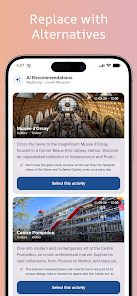
- Smart suggestions — The system recommends resources, links, or templates relevant to your current topic, saving time hunting for references.
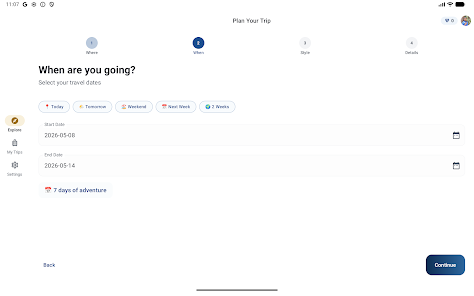
- Calendar and file sync — Link entries to calendar events and import documents from cloud services for a seamless workflow.
- Multimodal input — Accepts text and voice input, enabling quick capture when typing isn’t convenient.
Interface and Workflow
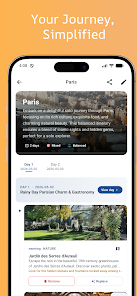
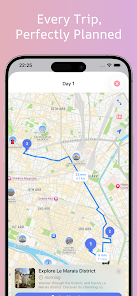
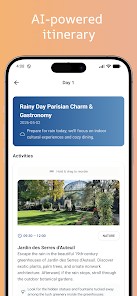
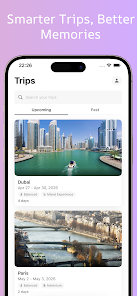
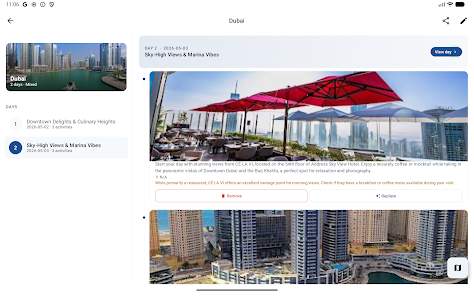
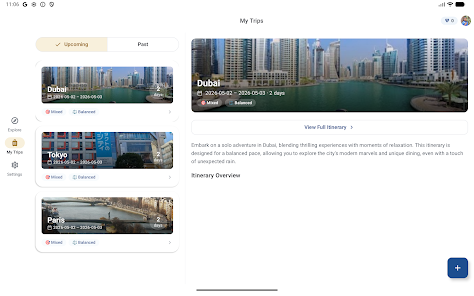
WanderMind AI’s interface is centered around effortless capture and quick retrieval. A clean main screen surfaces recent projects and suggested actions. Tapping into a project opens a combined canvas of notes, tasks, and timeline. Users can switch between a focused editor and a visual board view to see how ideas map out across time.
Workflow automation is subtle but powerful: as you type or speak, the assistant identifies follow-up actions and proposes task lists. Users can accept suggestions in one tap or refine them manually. This balance keeps control in the user’s hands while accelerating routine planning steps.
Customization and Integrations
Customization makes WanderMind AI adaptable to different working styles. Set preferred task defaults, adjust suggestion aggressiveness, and create templates for recurring project types. Integrations include major calendar providers and popular cloud storage platforms so notes and files stay synced across devices.
Power users will appreciate the ability to create custom tags and filter views by context such as client, project phase, or energy level. These filters make it simple to surface the right tasks without wading through unrelated items.
Performance and Compatibility
Designed for modern Android devices, WanderMind AI focuses on responsive performance and low battery impact. Local caching speeds up loading of recent content while optional cloud sync ensures continuity across phones and tablets. The app scales its resource use based on device capability so older devices still experience smooth editing and fast search.
User Experience and Accessibility
The experience emphasizes clarity: readable fonts, high-contrast themes, and an adaptive layout that works well on both phones and foldables. Voice input and keyboard shortcuts improve accessibility for users with different needs. Inline help and contextual tips guide newcomers through the app without overwhelming them.
Getting Started with WanderMind AI
Beginners can set up a project in minutes by inviting the assistant to outline goals and deadlines. The initial onboarding suggests templates tailored to productivity, creative writing, or meeting preparation. From that point, users can link a calendar, create a few notes, and test how automatic task suggestions fit their habits.
Privacy and Security
WanderMind AI provides transparent controls for data handling. Users choose whether content is stored locally or synced to encrypted cloud storage. Permissions are requested only for features that need them, such as microphone access for voice input or calendar access for event linking. Clear export and delete options give full ownership of personal data.
Why Choose This App
For anyone looking to bridge brainstorming and execution, WanderMind AI offers a practical set of tools that prioritize clarity and speed. It helps turn fleeting ideas into organized plans while keeping customization and privacy in focus, making it a useful companion for daily planning and long-term projects alike.
- No virus
- No advertising
- User protection
Information
- File size: 33.00 M
- Language: English
- Latest Version: 1.0.0
- Requirements: Android
- Votes: 407
- Package ID: com.aheaddesigner.wandermind
- Developer: AIspotLab
Screenshots
















Explore More
Discover and share the hottest events around with our intuitive apps. Find local concerts, festivals, shows, and more based on your unique interests. Create customizable calendars of upcoming events to coordinate schedules with friends. Purchase tickets seamlessly from our integrated platforms. Check real-time transit schedules to plan your trip. Access maps, directions, and parking information for any venue.

Board Game Stats

Bloomberg Connects

Metro Micro

TVSMILES

Tax Calculator India 2024-2025

OnDjoss

Park4Me

Scary sound effects





























