


Introduction
instaDoc is a streamlined mobile app designed for quick document capture, annotation, and sharing from your Android device. It simplifies scanning, OCR, and cloud synchronization into an intuitive workflow that adapts to both casual users and professionals who need fast, reliable digitization on the go.
What instaDoc Does
instaDoc turns your phone camera into a portable scanner with image cleanup, searchable text, and export options. The app focuses on minimizing the steps between capturing a paper document and saving it in a usable digital format. Whether you scan receipts, contracts, or handwritten notes, it keeps the process lean and repeatable.
Core Functionality
- Automatic edge detection: Frames pages precisely for clean scans without manual cropping.
- Multi-page support: Combine several images into a single PDF or export individual pages.
- OCR (text recognition): Converts scanned pages into selectable, searchable text for later editing or copying.
- Export flexibility: Save to local storage, export to cloud services, or share via email and messaging apps.
How the Workflow Feels
The onboarding is straightforward: position, capture, adjust, save. instaDoc guides new users with subtle hints and keeps advanced options one tap away. Scans are processed locally by default for speed and privacy, yet syncing to cloud services is integrated for users who rely on cross-device access.
Processing and Accuracy
Image enhancement routines reduce noise and correct perspective automatically. When OCR is enabled, the app reliably recognizes printed text across typical document fonts; accuracy improves further under good lighting and steady shots. Processing is optimized to complete tasks quickly on mid-range Android devices.
Interface and Customization
The interface balances minimalism with functionality. Large capture button and clear icons make frequent tasks accessible, while settings let you fine-tune export formats, resolution, and file naming conventions. Color, grayscale, and black-and-white modes help you control file size and readability.
Personalization Options
- Default export type: Choose PDF, JPEG, or TIFF as the primary save format.
- Auto-save destinations: Set up local folders or preferred cloud providers.
- Batch processing rules: Apply the same filter and filename pattern across multiple scans.
Performance & Compatibility
Developed with modern Android APIs, instaDoc runs smoothly across a wide range of devices. It balances memory use and responsiveness: the app queues large batches for background processing to avoid locking the interface. Integration with keyboard and sharing intents makes it easy to send scanned material directly into other productivity apps.
Battery and Storage Considerations
High-resolution scans increase file size and processing time. The app exposes resolution controls so users can choose between archival-quality scans and compact files suitable for quick uploads. Background upload tasks are throttled to prevent excessive battery drain on long sessions.
Security and Privacy Design
Privacy-conscious users will appreciate the local-first processing model and optional passcode protection for the app. When cloud sync is activated, standard authentication flows are used, and you can restrict automatic uploads to Wi-Fi only. There are clear permissions prompts for camera and storage access.
Tips for Getting Better Results
- Use a steady surface or tripod for sharper images.
- Prefer natural or diffuse lighting to reduce shadows.
- Use the grayscale mode for text-only documents to lower file size.
- Run OCR immediately after capture to catch recognition errors while the image is fresh.
Who Should Install instaDoc
This app suits small business owners, students, and professionals who need a compact scanner without complex setup. It’s particularly useful for anyone who frequently converts paper documents into searchable archives or who collaborates across devices and needs quick sharing options.
Getting Started
Install from the Play Store, grant camera and storage permissions, and follow the short tutorial. Create a folder structure for exports and link any cloud accounts you use. After a few scans, the app adapts to your preferred settings and streamlines the routine.
instaDoc packs essential scanning tools into an approachable package: efficient capture, readable OCR, and flexible export options make it a practical utility for everyday document tasks.
- No virus
- No advertising
- User protection
Information
- File size: 19.69 M
- Language: English
- Latest Version: 1.0.0
- Requirements: Android
- Votes: 250
- Package ID: com.instadoc.instadoc
- Developer: INSTAHEALTH PTY LTD
Screenshots

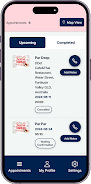

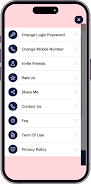




















Explore More
Streamline operations and maximize productivity with our innovative business apps. Manage contacts, schedule meetings, and route calls seamlessly. Collaborate on documents and projects in real-time. Track inventory, finances, and analytics to inform smart decisions. Build customized proposals, invoices, and contracts to win clients. Stay on top of emails, tasks, and passwords for efficient work.

Tax Calculator India 2024-2025

ScanPro

Kyrgyz Russian Translation

Park4Me

7punches: Simple Time Clocking

69ers

Airble

MaaS360 MDM for Android





























