


Introduction
Yotch connects yacht captains and senior crew directly with available crew, removing recruitment agencies and their fees while streamlining the hiring process for superyacht staffing. The app turns uploaded CVs into complete crew profiles in about 60 seconds and ranks candidates so captains can swipe, flag and contact top prospects via in-app messaging or a captain-initiated voice call, with notifications sent instantly to flagged crew. Yotch is designed to mirror the real steps of hiring at sea: profile creation, shortlisting, verification and direct contact, all in a compact mobile workflow that reduces administrative friction.
Key features and interface
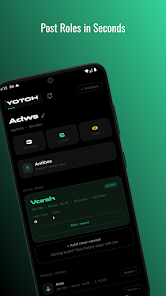
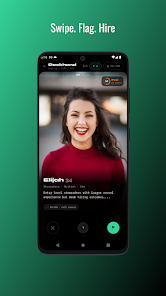
The central interface uses a swipe-driven shortlist with a photo carousel and layered profile sheets that present experience, certifications and availability at a glance. Captains can filter applicants by experience level, nationality, distance from port and current availability, and they can post vessel profiles and roles with quantity tracking for recurring hires. The app supports 27 yacht-specific roles so position fields are tailored to typical senior and deck-level requirements. AI ranking presents a score between 0 and 100 based on experience, certification currency, skills match and vessel fit, which lets captains triage applicants quickly without reading every CV in detail.
How profiles are created and controlled
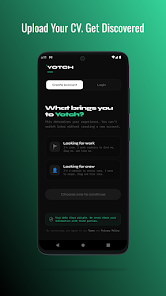
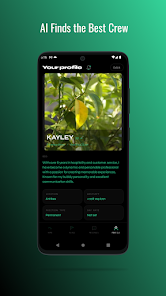
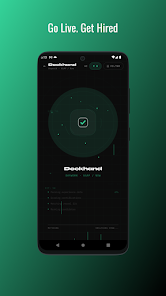
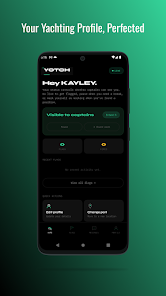
Onboarding is focused and practical: crew upload a CV and the parser extracts employment history, certifications and skills to generate a structured profile that the crew member can review and edit. Photos, certificates and a short summary are added during setup, and users can set their status to Live, Paused or Found Work so captains see accurate availability. Crew control what details are visible and contact flow is controlled by a three-tier captain verification system that restricts who can initiate voice calls and protects crew privacy until initial contact is accepted.
Matching, progression and verification
Matching combines AI-extracted profile data with explicit filters and manual flags. The ranking algorithm weighs longevity, certification currency and past vessel types to suggest candidates who are likely to progress within a vessel structure, supporting long-term crew progression rather than one-off hires. Vessel profiles allow captains to indicate the type of vessel and typical career progression offered on board, so the system can highlight candidates whose past experience matches the expected trajectory. Verification steps are clear: captains complete identity and role checks and crew receive visual confirmation of verification to build trust before any contact is exchanged.
Communication, privacy and safety
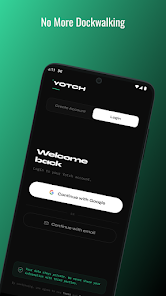
Communication is kept within the app for initial discussions: secure in-app messaging is available to both sides and voice calls can be placed by verified captains to finalize arrangements. Yacht identity can remain hidden until captains make confirmed contact, preserving confidentiality during early screening. The contact flow and verification reduce the need to share personal contact details prematurely, and a controlled reporting path is provided for any issues reported by crew or captains, supporting safe and professional recruitment interactions.
Visual design, accessibility and controls
The visual style is purposefully utilitarian with high-contrast text, large tap targets and a predictable navigation bar that places profile review, messaging and vessel management within easy reach. Controls are optimized for touch: swiping moves between candidates, tapping opens full profiles and long-press options allow quick flagging or saving. Accessibility considerations include adjustable text sizes and clear iconography to make profile details and certification badges readable in bright outdoor conditions commonly found on charters. The app is designed to work smoothly on a range of Android devices and to minimize battery and data use during active searches.
Workflow, offline access and replay value
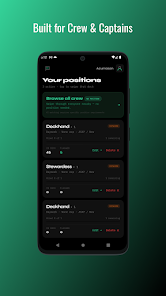
Hiring on yachts is often cyclical, and Yotch supports repeated workflows: captains can save role templates, track quantities for recurring positions and re-open previous searches to contact past candidates, while crew can keep profiles current and submit updates when certifications renew. The app offers limited offline access for viewing saved profiles and certificates when connectivity is intermittent in port, and syncs changes automatically when a connection is restored. This balance between online matching and offline viewing improves practical usability for users who frequently move between marina Wi-Fi and limited cellular coverage.
Limitations and regional coverage
At launch the service emphasizes the South of France and Mediterranean ports and GPS-based port detection currently covers a specific list of locations, so visibility may be reduced for candidates operating outside those areas. Voice calls are intentionally restricted to captain initiation to control contact flow and enhance safety, which means crew cannot place outbound voice calls through the app. The team plans to expand port coverage and refine detection logic over time, and the app provides clear status indicators so users understand where and when their profiles will be visible.
- No virus
- No advertising
- User protection
Information
- File size: 42.00 M
- Language: English
- Latest Version: 1.0.0
- Requirements: Android
- Votes: 466
- Package ID: com.yotchapp
- Developer: Yotch Ltd
Screenshots
















Explore More
Connect deeper through meaningful conversations with our communication apps. Enjoy crystal-clear calls, video chats, messaging, and file sharing. Find the perfect emojis, GIFs, and stickers to express yourself. Keep the non-stop group banter organized in one place. Block unwanted interactions at the source. Meet new people worldwide through our global community features.

IZI: play, listen, watch, call

TryController

69ers

LR Store

What's Up

Video Call Advice and Live Chat with Video Call

SMART Keypad

Komstar





























