Introduction
CareMed Provider is a mobile application designed for clinicians and healthcare staff to manage patient records, scheduling, and secure communication. It streamlines clinical workflows with appointment management, medication lists, and on-the-go documentation while integrating privacy controls and task coordination across care teams.
Overview: a practical clinical toolkit
This review examines how a focused provider app supports everyday clinical tasks. CareMed Provider positions itself as a compact, task-oriented platform for outpatient clinics, home care teams, and hospital-based providers who need fast access to patient details, messaging, and workflow tools from an Android device.
Primary capabilities
The app bundles core functionality typically needed at the point of care: scheduling, patient summaries, medication reconciliation, secure messaging, and task lists. It emphasizes speed—launching patient charts and updating notes with minimal taps. For teams, shared task boards and status updates help maintain continuity across shifts.
What it does well
- Appointment management: quick calendar views, rescheduling, and no-show recording simplify daily planning.
- Clinical summary: concise patient snapshots show allergies, active problems, medications, and recent encounters.
- Secure communication: encrypted messages and group threads allow care coordination without relying on separate consumer apps.
- Documentation on the move: templates and voice-to-text options make note-taking faster during rounds or visits.
How the workflow functions
CareMed Provider uses a task-driven workflow. Users start with a daily list of appointments or assigned patients, open a chart, complete a focused encounter note, and then mark tasks as done. Built-in templates reduce repetitive typing while prompts ensure key safety items—like allergies and current medications—are checked before finalizing orders or notes.
User interface and performance
The interface is designed for visibility and speed: bold headers, large touch targets, and modular cards that display the most relevant information first. Transitions are lightweight to keep the app responsive on mid-range devices. Offline caching for recently accessed patient charts prevents interruptions in environments with spotty connectivity.
Customization and integrations
Care teams can tailor templates and task lists to match local protocols. The app supports integrations with common scheduling and EHR systems for patient demographics and encounter sync, reducing duplicate entry. Notification settings are granular so clinicians can prioritize urgent alerts and mute routine updates during focused work.
Security and compliance considerations
Security is central to the app experience: device authentication, role-based access, and encrypted data transfers help meet healthcare privacy expectations. Administrators can enforce password complexity and remote-wipe capabilities for lost devices. These controls make it suitable for environments where patient data protection is mandatory.
Practical tips for first-time users
- Familiarize yourself with the template editor—customizing a few encounter templates will save time each shift.
- Use notification filters to avoid alert fatigue while keeping critical messages visible.
- Enable offline caching for frequently visited charts if you work in settings with variable internet access.
- Assign task ownership in shared boards to reduce ambiguity about who follows up on results or referrals.
Regular updates add workflow refinements and address interoperability gaps; checking release notes after updates helps teams adopt new features smoothly.
Getting started
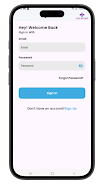
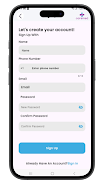
Installation is straightforward from the Android store and requires sign-in credentials provided by an organization's admin. Initial setup includes configuring user roles, connecting to the practice directory, and choosing preferred notification channels. CareMed Provider supports single sign-on (SSO) setups for enterprises that already use identity providers.
For clinicians seeking a mobile-first way to manage patient encounters and team tasks, the app offers a concise, secure, and configurable option. With emphasis on speed and practical controls, CareMed Provider is intended to reduce administrative friction so clinicians can spend more time on clinical decision-making and less on navigation and paperwork.
- No virus
- No advertising
- User protection
Information
- File size: 19.87 M
- Language: English
- Latest Version: 1.0.0
- Requirements: Android
- Votes: 268
- Package ID: com.care_med_blue
- Developer: WebmobrilTechnologies pvt ltd
Screenshots
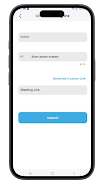
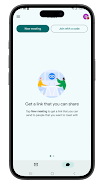
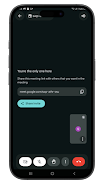
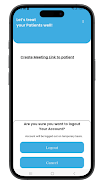
















Explore More
Make your house a home with our suite of helpful home apps. Discover clever tools to organize closets, streamline chores, and simplify cooking. Take the stress out of cleaning and maintenance with handy checklists and schedules. Enhance security and control appliances and lighting with our smart home integrations. Design, visualize, and renovate like a pro using our 3D planning software.

All Recovery - Photos & Videos

Tax Calculator India 2024-2025

OnDjoss

Park4Me

Scary sound effects

Home Workouts - Lose Weight

Juice Recipes

HFonts - font & emoji manager